- Authors
- Name
- はじめに
- Part 1: ハードウェア構成
- Part 2: PID制御 — ドローンの核心
- Part 3: Raspberry Pi ビジョン制御
- Part 4: 実践制御システム事例
- PIDチューニングガイド
はじめに
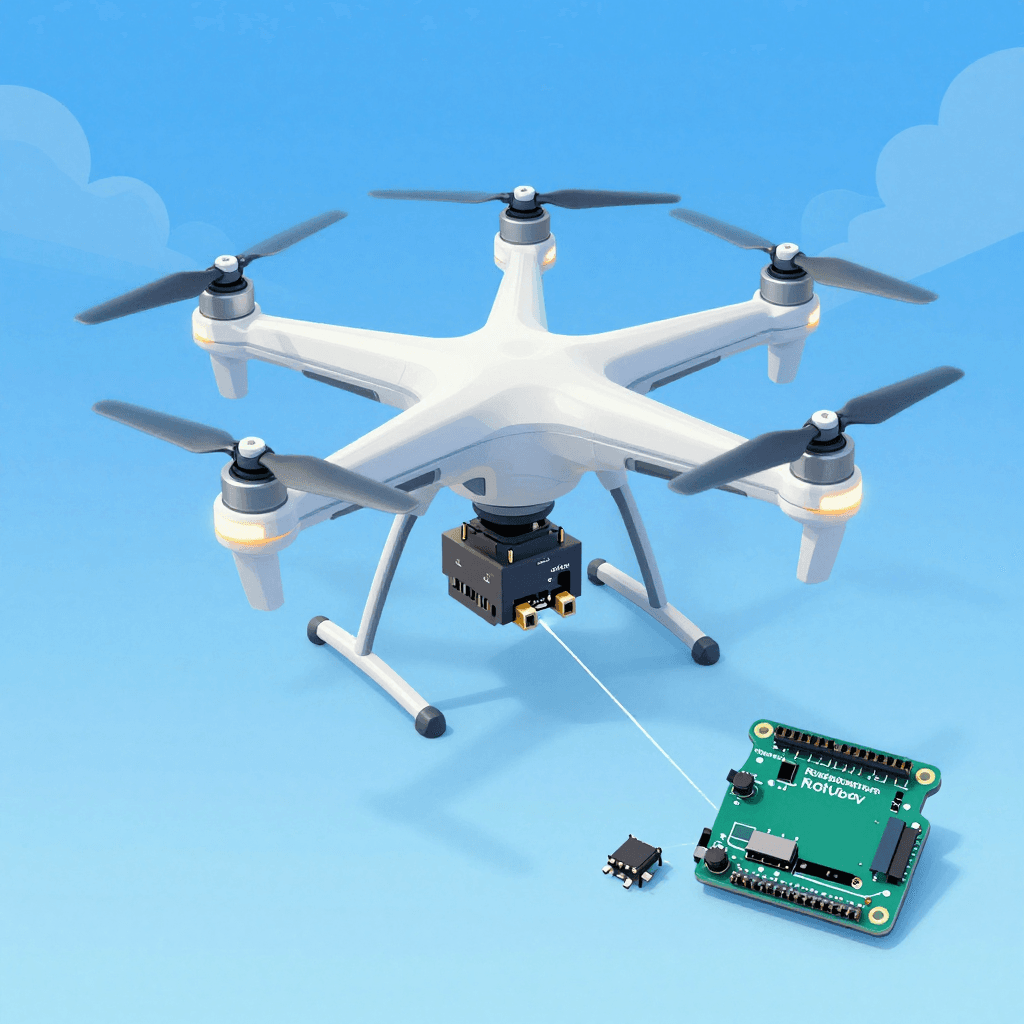
ドローンを買って飛ばすことと、自分で作って飛ばすことはまったく異なる体験です。ハードウェアの組み立て、PIDチューニング、センサーフュージョン、自律飛行アルゴリズムまで — 制御工学のすべてが凝縮されたプロジェクトです。
Part 1: ハードウェア構成
クアッドコプター部品リスト
必須部品:
├── フレーム: F450(対角450mm、入門に最適)             ~¥1,800
├── モーター: 2212 920KV BLDC × 4                       ~¥2,900
├── ESC: SimonK 30A × 4(電子スピードコントローラー)    ~¥2,400
├── プロペラ: 1045(10インチ)× 4(CW 2 + CCW 2)       ~¥600
├── バッテリー: 3S 11.1V 2200mAh LiPo                   ~¥2,400
├── コントローラー: Arduino Mega 2560 または STM32        ~¥1,800
├── IMUセンサー: MPU6050(加速度+ジャイロ)             ~¥360
├── 気圧計: BMP280(高度維持)                           ~¥360
├── GPS: Neo-6M(自律飛行用)                            ~¥1,200
├── 受信機: FlySky FS-iA6B(送信機付き)                 ~¥3,600
└── 電源分配ボード(PDB)+コネクター                     ~¥600
合計: ~¥18,000(DJI Mini 4の約1/5の価格!)

オプション部品:
├── Raspberry Pi 4(ビジョン処理、自律飛行)             ~¥7,200
├── Pi Camera V2(物体追跡)                             ~¥3,600
├── 超音波センサー: HC-SR04(低高度測定)                ~¥240
├── オプティカルフローセンサー: PMW3901(屋内位置保持)  ~¥1,800
└── テレメトリー: HC-12 433MHz(地上モニタリング)       ~¥600
モーター配置
       Front
    M1(CW)  M2(CCW)
      \      /
       \    /
        \  /
     [FC Board]
        /  \
       /    \
      /      \
    M3(CCW) M4(CW)
       Back

CW = 時計回り、CCW = 反時計回り
対角のモーターが同じ方向に回転!
→ トルク相殺で機体安定
配線図
バッテリー(3S LiPo 11.1V)
  │
  ├──[PDB]── ESC1 ── M1
  │          ESC2 ── M2
  │          ESC3 ── M3
  │          ESC4 ── M4
  │
  ├──[BEC 5V]── Arduino Mega
  │               ├── MPU6050(I2C: SDA→D20, SCL→D21)
  │               ├── BMP280(I2C: 同じバス)
  │               ├── GPS Neo-6M(Serial2: TX→D16, RX→D17)
  │               ├── 受信機(PPM→D2 または各チャンネル)
  │               └── ESCシグナル(D3, D5, D6, D9)
  │
  └──[5V]── Raspberry Pi 4(USB接続またはSerial)
              └── Pi Camera
Part 2: PID制御 — ドローンの核心
PIDとは?
目標: ドローンを水平に保ちたい(Roll = 0°)

現在の状態: Roll = 5°(右に傾いている)
誤差(Error)= 目標 - 現在 = 0° - 5° = -5°

PID出力 = P + I + D

P(比例): 誤差に比例して補正
  → -5° × Kp = 即時応答、ただし振動の可能性

I(積分): 誤差の累積を補正
  → 微小な偏差を除去、ただし過大だとオーバーシュート

D(微分): 誤差の変化率を補正
  → 急激な変化を抑制、振動防止
Arduino PID実装
// PIDコントローラークラス
class PIDController {
private:
    float Kp, Ki, Kd;
    float prevError = 0;
    float integral = 0;
    float maxIntegral = 300;  // 積分ワインドアップ防止
    unsigned long prevTime = 0;

public:
    PIDController(float p, float i, float d)
        : Kp(p), Ki(i), Kd(d) {}

    float compute(float setpoint, float measured) {
        unsigned long now = micros();
        float dt = (now - prevTime) / 1000000.0f;  // 秒単位
        if (dt <= 0 || dt > 0.5) dt = 0.004;  // 安全装置
        prevTime = now;

        float error = setpoint - measured;

        // P: 比例
        float P = Kp * error;

        // I: 積分(ワインドアップ防止)
        integral += error * dt;
        integral = constrain(integral, -maxIntegral, maxIntegral);
        float I = Ki * integral;

        // D: 微分(測定値ベース — セットポイント変更時のキック防止)
        float derivative = (error - prevError) / dt;
        float D = Kd * derivative;
        prevError = error;

        return P + I + D;
    }

    void reset() {
        prevError = 0;
        integral = 0;
    }
};

// Roll、Pitch、Yawそれぞれ別のPID
PIDController rollPID(1.2, 0.04, 18.0);
PIDController pitchPID(1.2, 0.04, 18.0);
PIDController yawPID(3.0, 0.02, 0.0);
センサーフュージョン(相補フィルター)
#include <Wire.h>
#include <MPU6050.h>

MPU6050 mpu;

float roll = 0, pitch = 0, yaw = 0;
const float ALPHA = 0.98;  // 相補フィルター係数

void updateIMU() {
    int16_t ax, ay, az, gx, gy, gz;
    mpu.getMotion6(&ax, &ay, &az, &gx, &gy, &gz);

    // 加速度 → 絶対角度(遅いがドリフトなし)
    float accelRoll = atan2(ay, az) * 180.0 / PI;
    float accelPitch = atan2(-ax, sqrt(ay*ay + az*az)) * 180.0 / PI;

    // ジャイロ → 角速度積分(速いがドリフトあり)
    float dt = 0.004;  // 250Hz
    float gyroRollRate = gx / 131.0;   // °/s
    float gyroPitchRate = gy / 131.0;
    float gyroYawRate = gz / 131.0;

    // 相補フィルター: ジャイロ(短期)+ 加速度(長期)を融合
    roll = ALPHA * (roll + gyroRollRate * dt) + (1 - ALPHA) * accelRoll;
    pitch = ALPHA * (pitch + gyroPitchRate * dt) + (1 - ALPHA) * accelPitch;
    yaw += gyroYawRate * dt;  // ジャイロのみ(加速度ではyawは算出不可)
}
モーターミキシング
#include <Servo.h>

Servo motor[4];

void setup() {
    motor[0].attach(3);   // 前左(CW)
    motor[1].attach(5);   // 前右(CCW)
    motor[2].attach(6);   // 後左(CCW)
    motor[3].attach(9);   // 後右(CW)

    // ESC初期化(1000~2000μs PWM)
    for (int i = 0; i < 4; i++) {
        motor[i].writeMicroseconds(1000);
    }
    delay(2000);
}

void setMotors(float throttle, float rollOut, float pitchOut, float yawOut) {
    // モーターミキシング公式
    float m1 = throttle + pitchOut + rollOut - yawOut;  // 前左 CW
    float m2 = throttle + pitchOut - rollOut + yawOut;  // 前右 CCW
    float m3 = throttle - pitchOut + rollOut + yawOut;  // 後左 CCW
    float m4 = throttle - pitchOut - rollOut - yawOut;  // 後右 CW

    // 範囲制限(1000~2000μs)
    motor[0].writeMicroseconds(constrain(m1, 1100, 1900));
    motor[1].writeMicroseconds(constrain(m2, 1100, 1900));
    motor[2].writeMicroseconds(constrain(m3, 1100, 1900));
    motor[3].writeMicroseconds(constrain(m4, 1100, 1900));
}
メインループ(250Hz)
void loop() {
    // 1. センサー読み取り
    updateIMU();

    // 2. コントローラー入力読み取り
    float targetRoll = map(rcChannel[0], 1000, 2000, -30, 30);
    float targetPitch = map(rcChannel[1], 1000, 2000, -30, 30);
    float targetYaw = map(rcChannel[3], 1000, 2000, -180, 180);
    float throttle = rcChannel[2];

    // 3. PID計算
    float rollOut = rollPID.compute(targetRoll, roll);
    float pitchOut = pitchPID.compute(targetPitch, pitch);
    float yawOut = yawPID.compute(targetYaw, yaw);

    // 4. モーター出力
    if (throttle > 1100) {  // 安全: スロットルが最小値以上の時のみ
        setMotors(throttle, rollOut, pitchOut, yawOut);
    } else {
        for (int i = 0; i < 4; i++)
            motor[i].writeMicroseconds(1000);  // モーター停止
    }

    // 250Hz維持
    while (micros() - loopTimer < 4000);
    loopTimer = micros();
}
Part 3: Raspberry Pi ビジョン制御
# Raspberry Piでの物体追跡 + Arduinoへのコマンド送信
import cv2
import serial
import struct

# Arduinoとシリアル通信
arduino = serial.Serial('/dev/ttyACM0', 115200)

# カメラ
cap = cv2.VideoCapture(0)
cap.set(cv2.CAP_PROP_FRAME_WIDTH, 320)
cap.set(cv2.CAP_PROP_FRAME_HEIGHT, 240)

# 色追跡(赤い物体を追跡)
while True:
    ret, frame = cap.read()
    hsv = cv2.cvtColor(frame, cv2.COLOR_BGR2HSV)

    # 赤色マスク
    mask = cv2.inRange(hsv, (0, 120, 70), (10, 255, 255))
    contours, _ = cv2.findContours(mask, cv2.RETR_EXTERNAL, cv2.CHAIN_APPROX_SIMPLE)

    if contours:
        largest = max(contours, key=cv2.contourArea)
        M = cv2.moments(largest)
        if M["m00"] > 500:
            cx = int(M["m10"] / M["m00"])
            cy = int(M["m01"] / M["m00"])

            # 画面中心(160,120)からの誤差
            error_x = cx - 160  # 左右
            error_y = cy - 120  # 上下

            # Arduinoに補正コマンドを送信
            cmd = struct.pack('hh', error_x, error_y)
            arduino.write(cmd)
Part 4: 実践制御システム事例
倒立振子(Inverted Pendulum)
// 倒立振子 = ドローン制御の縮小版
// 棒を垂直に立てる問題 = ドローンを水平に保つ問題

// ロータリーエンコーダーで角度を読み取り
volatile long encoderCount = 0;
float pendulumAngle = 0;

void encoderISR() {
    encoderCount += (digitalRead(ENCODER_B) == HIGH) ? 1 : -1;
}

void setup() {
    attachInterrupt(digitalPinToInterrupt(ENCODER_A), encoderISR, RISING);
}

void loop() {
    pendulumAngle = encoderCount * 360.0 / 2400.0;  // PPR=600, x4

    // PIDでモーター制御
    float output = balancePID.compute(0, pendulumAngle);  // 目標: 0°
    setMotor(output);
}
ライントレーサー(自律走行の基礎)
// IRセンサー5個でライン検出
int sensors[5] = {A0, A1, A2, A3, A4};

float getLinePosition() {
    int values[5];
    float weighted = 0, total = 0;
    for (int i = 0; i < 5; i++) {
        values[i] = analogRead(sensors[i]);
        weighted += values[i] * (i - 2) * 1000;  // -2000 ~ +2000
        total += values[i];
    }
    return weighted / total;  // -2000(左) ~ +2000(右)
}

void loop() {
    float position = getLinePosition();  // 現在位置
    float correction = linePID.compute(0, position);  // 目標: 中央(0)

    int leftSpeed = baseSpeed + correction;
    int rightSpeed = baseSpeed - correction;
    setMotors(leftSpeed, rightSpeed);
}
PIDチューニングガイド
Ziegler-Nichols法:
1. Ki = 0、Kd = 0で開始
2. Kpを徐々に上げて振動が始まる値(Ku)を見つける
3. 振動周期(Tu)を測定
4. 計算:
   Kp = 0.6 × Ku
   Ki = 2 × Kp / Tu
   Kd = Kp × Tu / 8

実践のコツ:
├── まずPのみ: 速い応答、多少の振動はOK
├── Dを追加: 振動を抑える(Pの10〜20倍)
├── Iを追加: 定常偏差を除去(少量で!)
└── ドローンではIを大きくしすぎると危険(積分ワインドアップ)
クイズ — ドローン&制御システム(クリックして確認!)
Q1. PIDにおけるP、I、Dそれぞれの役割は? ||P(比例): 誤差に比例した即時補正。I(積分): 累積誤差の除去(定常偏差)。D(微分): 急激な変化の抑制(振動防止)||
Q2. クアッドコプターで対角のモーターが同じ方向に回転する理由は? ||トルク相殺。CWとCCWモーターが対角に配置されているため、全体のトルクがゼロになる。同じ方向のモーターだけでは機体が回転してしまう||
Q3. 相補フィルターでALPHAが0.98の意味は? ||ジャイロ(短期、高速)98% + 加速度(長期、安定)2%の割合で融合。ジャイロは速いがドリフトし、加速度は遅いが絶対値を提供する||
Q4. 積分ワインドアップ(Integral Windup)とは? ||モーター出力が飽和した状態で積分値が増大し続ける現象。飽和が解除された際に過大なオーバーシュートが発生する。constrainで積分値を制限して防止する||
Q5. ESCのPWM範囲1000~2000μsのそれぞれの意味は? ||1000μs: モーター停止。2000μs: 最大回転。1500μs: 中間。ESCはこのPWM信号を受けてBLDCモーターの3相電流を制御する||