- Authors
- Name
- Introduction
- Spec Comparison
- Development Environment Setup
- BLE (Bluetooth Low Energy) Programming
- Low-Power Design
- Sensor Mesh Network
- TinyML (XIAO Sense)
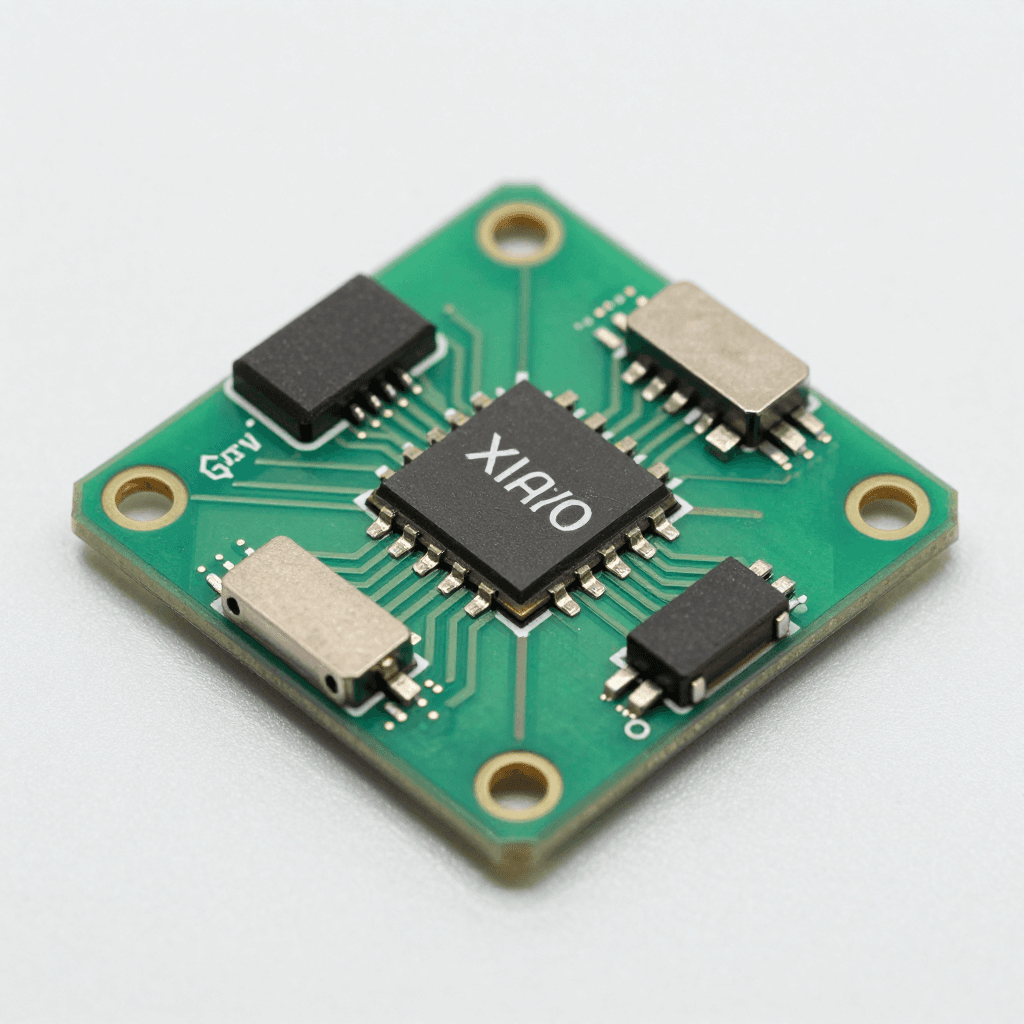
Introduction
XIAO nRF52840 — an ultra-compact board measuring 21mm x 17.5mm with BLE 5.0, 6-axis IMU, microphone, and 256KB RAM. It is ideal for wearables, IoT sensors, and TinyML devices.
Spec Comparison
| Item | XIAO nRF52840 | XIAO nRF52840 Sense | XIAO ESP32C3 |
|---|---|---|---|
| Processor | ARM Cortex-M4F 64MHz | ARM Cortex-M4F 64MHz | RISC-V 160MHz |
| RAM | 256KB | 256KB | 400KB |
| Flash | 1MB + 2MB QSPI | 1MB + 2MB QSPI | 4MB |
| Wireless | BLE 5.0 | BLE 5.0 | Wi-Fi + BLE 5.0 |
| IMU | No | Yes (LSM6DS3TR-C) | No |
| Mic | No | Yes (PDM) | No |
| Battery | Built-in Li charger | Built-in Li charger | No |
| Size | 21x17.5mm | 21x17.5mm | 21x17.5mm |
| Price | ~$5.99 | ~$15.99 | ~$4.99 |
Development Environment Setup
Arduino IDE
1. Add Board Manager URL:
   https://files.seeedstudio.com/arduino/package_seeeduino_boards_index.json

2. Board Manager → Install "Seeed nRF52 mbed-enabled Boards"

3. Select Board: "Seeed XIAO BLE - nRF52840"

4. Warning: Enter bootloader mode: quickly double-tap the RST pin
   → Orange LED fading = bootloader mode
BLE (Bluetooth Low Energy) Programming
BLE Fundamentals
BLE Structure:
├── GAP (Generic Access Profile) — Connection management
│   ├── Peripheral (Server): Provides data (sensor)
│   └── Central (Client): Requests data (smartphone)
│
└── GATT (Generic Attribute Profile) — Data structure
    ├── Service: Functional group (e.g., Temperature Service)
    │   ├── Characteristic: Data point (e.g., temperature value)
    │   │   ├── Value: Actual data
    │   │   ├── Properties: Read/Write/Notify
    │   │   └── Descriptor: Metadata
    │   └── Characteristic: ...
    └── Service: ...
BLE Sensor Server (Peripheral)
#include <ArduinoBLE.h>

// Custom service + characteristic definitions
BLEService envService("181A");  // Environmental Sensing

BLEFloatCharacteristic tempChar("2A6E", BLERead | BLENotify);
BLEFloatCharacteristic humChar("2A6F", BLERead | BLENotify);
BLEByteCharacteristic ledChar("2A57", BLERead | BLEWrite);

void setup() {
    Serial.begin(115200);
    BLE.begin();

    // Device configuration
    BLE.setLocalName("XIAO-Sensor");
    BLE.setAdvertisedService(envService);

    // Add characteristics
    envService.addCharacteristic(tempChar);
    envService.addCharacteristic(humChar);
    envService.addCharacteristic(ledChar);
    BLE.addService(envService);

    // Initial values
    tempChar.writeValue(0.0f);
    humChar.writeValue(0.0f);
    ledChar.writeValue(0);

    // LED control callback
    ledChar.setEventHandler(BLEWritten, onLedWrite);

    BLE.advertise();
    Serial.println("BLE Sensor Ready!");
}

void onLedWrite(BLEDevice central, BLECharacteristic characteristic) {
    byte value = ledChar.value();
    digitalWrite(LED_BUILTIN, value ? LOW : HIGH);
    Serial.print("LED: "); Serial.println(value ? "ON" : "OFF");
}

void loop() {
    BLEDevice central = BLE.central();

    if (central) {
        Serial.print("Connected: "); Serial.println(central.address());

        while (central.connected()) {
            // Read sensor (example: analog)
            float temp = analogRead(A0) * 0.1;  // In practice, use DHT22 etc.
            float hum = analogRead(A1) * 0.1;

            tempChar.writeValue(temp);
            humChar.writeValue(hum);

            delay(1000);
        }
        Serial.println("Disconnected");
    }
}
Python BLE Client (Central)
import asyncio
from bleak import BleakClient, BleakScanner
import struct

DEVICE_NAME = "XIAO-Sensor"
TEMP_UUID = "00002a6e-0000-1000-8000-00805f9b34fb"
HUM_UUID = "00002a6f-0000-1000-8000-00805f9b34fb"
LED_UUID = "00002a57-0000-1000-8000-00805f9b34fb"

async def main():
    # Scan
    print("Scanning...")
    device = await BleakScanner.find_device_by_name(DEVICE_NAME)
    if not device:
        print("Device not found!")
        return

    # Connect
    async with BleakClient(device) as client:
        print(f"Connected: {device.address}")

        # Subscribe to notifications
        def on_temp(sender, data):
            temp = struct.unpack('<f', data)[0]
            print(f"  Temperature: {temp:.1f}°C")

        await client.start_notify(TEMP_UUID, on_temp)

        # Turn on LED
        await client.write_gatt_char(LED_UUID, bytes([1]))

        await asyncio.sleep(30)  # Monitor for 30 seconds

asyncio.run(main())
Low-Power Design
#include <nrf_power.h>

// Deep sleep mode (System OFF — 0.5uA!)
void enterDeepSleep(int wakeupPin) {
    // Configure wakeup pin
    nrf_gpio_cfg_sense_input(
        digitalPinToInterrupt(wakeupPin),
        NRF_GPIO_PIN_PULLUP,
        NRF_GPIO_PIN_SENSE_LOW
    );

    // System OFF
    NRF_POWER->SYSTEMOFF = 1;
    // Halts here — reboots on wakeup
}

// Light sleep (System ON + WFE — 1.5uA)
void lightSleep(uint32_t ms) {
    delay(ms);  // WFE-based, maintains BLE connection
}

// Battery life calculation:
// 110mAh LiPo, average consumption 50uA (sleep with periodic BLE advertising)
// Life = 110mAh / 0.05mA = 2,200 hours = ~91 days!
Sensor Mesh Network
XIAO #1 (Living Room)   XIAO #2 (Bedroom)       XIAO #3 (Kitchen)
  Temp/Humidity            Light Level              Gas Sensor
    |                      |                      |
    └──── BLE ─────────────┴──── BLE ─────────────┘
                           |
                    Raspberry Pi (Gateway)
                           |
                    MQTT → Home Assistant
                           |
                      Dashboard / Alerts
TinyML (XIAO Sense)
// Gesture recognition using the built-in IMU!
#include <LSM6DS3.h>
#include <gesture_model.h>  // TensorFlow Lite model

LSM6DS3 imu(I2C_MODE, 0x6A);
tflite::MicroInterpreter* interpreter;

void loop() {
    float ax, ay, az, gx, gy, gz;
    imu.readAcceleration(ax, ay, az);
    imu.readGyroscope(gx, gy, gz);

    // Model input
    input->data.f[0] = ax; input->data.f[1] = ay; input->data.f[2] = az;
    input->data.f[3] = gx; input->data.f[4] = gy; input->data.f[5] = gz;

    interpreter->Invoke();

    // Gesture classification
    int gesture = output->data.f[0] > 0.8 ? WAVE :
                  output->data.f[1] > 0.8 ? PUNCH : IDLE;
    Serial.println(gestureName[gesture]);
}
Quiz — XIAO nRF52840 and BLE IoT (Click to reveal!)
Q1. What is the difference between Peripheral and Central in BLE? ||Peripheral (server): The side that provides data and advertises (sensor). Central (client): The side that scans, connects, and requests data (smartphone)||
Q2. What is the relationship between Service, Characteristic, and Descriptor in GATT? ||Service: Functional group (Temperature Service). Characteristic: Actual data point (temperature value). Descriptor: Metadata (units, description). Hierarchical structure: Service > Characteristic > Descriptor||
Q3. What is the current draw in XIAO nRF52840's System OFF mode? ||0.5uA. Can run for approximately 91 days on a 110mAh battery. Reboots on wakeup (RAM contents are lost)||
Q4. What is the difference between BLE Notify and Read? ||Read: Value is sent only when Central requests it (polling). Notify: Peripheral automatically pushes when the value changes (event-driven). Notify is more efficient in terms of power and latency||