- Published on
Kubernetes VPA + In-Place Pod Resize 실전 가이드 — 재시작 없는 리소스 자동 조정
- Authors

- Name
- Youngju Kim
- @fjvbn20031
- 들어가며
- VPA란 무엇인가?
- VPA 설치
- 기본 VPA 설정
- In-Place Pod Resize 활성화 (Kubernetes 1.35+)
- 리사이즈 과정 모니터링
- 프로덕션 베스트 프랙티스
- 트러블슈팅
- 실전 예제: Java 앱에 VPA 적용
- 마무리
들어가며
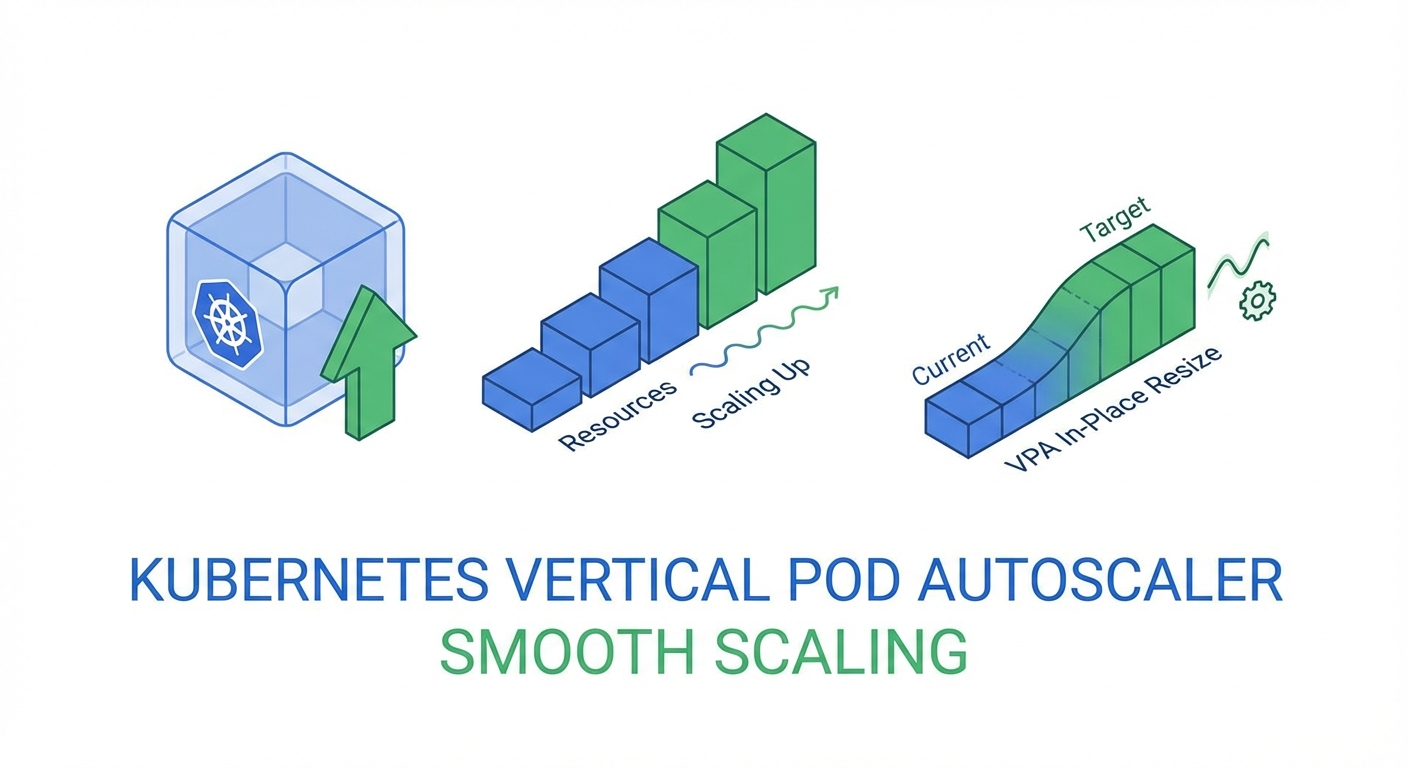
Kubernetes에서 워크로드의 리소스를 자동으로 조정하는 Vertical Pod Autoscaler(VPA)는 오랫동안 "Pod를 재시작해야 한다"는 치명적인 단점이 있었습니다. 하지만 Kubernetes 1.35(2025년 12월)에서 In-Place Pod Resize가 GA로 승격되면서, 드디어 재시작 없이 CPU/메모리를 실시간 조정할 수 있게 되었습니다.
이 글에서는 VPA의 기본 개념부터 In-Place Resize 연동, 프로덕션 배포 전략까지 단계별로 살펴봅니다.
VPA란 무엇인가?
VPA(Vertical Pod Autoscaler)는 Pod의 CPU/메모리 requests와 limits를 자동으로 조정하는 Kubernetes 컴포넌트입니다.
HPA vs VPA
| 구분 | HPA | VPA |
|---|---|---|
| 스케일링 방향 | 수평 (Pod 수 증감) | 수직 (리소스 크기 조정) |
| 적합한 워크로드 | Stateless 서비스 | Stateful, 단일 인스턴스 |
| 다운타임 | 없음 | 기존: 재시작 필요 → 1.35+: 없음 |
VPA 구성 요소
VPA는 세 가지 컴포넌트로 구성됩니다:
# 1. Recommender: 리소스 사용량을 분석하고 추천값 계산
# 2. Updater: 추천값에 따라 Pod 업데이트 트리거
# 3. Admission Controller: 새로 생성되는 Pod에 추천값 적용
VPA 설치
Helm으로 설치
# VPA Helm chart 추가
helm repo add fairwinds-stable https://charts.fairwinds.com/stable
helm repo update

# VPA 설치
helm install vpa fairwinds-stable/vpa \
  --namespace vpa-system \
  --create-namespace \
  --set recommender.enabled=true \
  --set updater.enabled=true \
  --set admissionController.enabled=true

# 설치 확인
kubectl get pods -n vpa-system
수동 설치 (공식 저장소)
git clone https://github.com/kubernetes/autoscaler.git
cd autoscaler/vertical-pod-autoscaler

# CRD 및 컴포넌트 설치
./hack/vpa-up.sh

# 확인
kubectl get customresourcedefinitions | grep verticalpodautoscaler
기본 VPA 설정
VPA 리소스 생성
# vpa-nginx.yaml
apiVersion: autoscaling.k8s.io/v1
kind: VerticalPodAutoscaler
metadata:
  name: nginx-vpa
  namespace: default
spec:
  targetRef:
    apiVersion: apps/v1
    kind: Deployment
    name: nginx-deployment
  updatePolicy:
    updateMode: 'Auto' # Off, Initial, Recreate, Auto
  resourcePolicy:
    containerPolicies:
      - containerName: nginx
        minAllowed:
          cpu: '50m'
          memory: '64Mi'
        maxAllowed:
          cpu: '2'
          memory: '2Gi'
        controlledResources: ['cpu', 'memory']
        controlledValues: RequestsAndLimits
kubectl apply -f vpa-nginx.yaml

# VPA 추천값 확인
kubectl get vpa nginx-vpa -o yaml
updateMode 옵션 비교
# Off: 추천값만 제공, 자동 업데이트 없음 (모니터링용)
updateMode: "Off"

# Initial: Pod 생성 시에만 추천값 적용
updateMode: "Initial"

# Recreate: 추천값이 변경되면 Pod를 재생성
updateMode: "Recreate"

# Auto: 최적의 방법 자동 선택 (1.35+에서는 In-Place 포함)
updateMode: "Auto"

# InPlaceOrRecreate: In-Place 우선, 불가능하면 재생성 (1.35+ Beta)
updateMode: "InPlaceOrRecreate"
In-Place Pod Resize 활성화 (Kubernetes 1.35+)
Feature Gate 확인
Kubernetes 1.35부터 In-Place Pod Resize는 기본 활성화입니다:
# 클러스터 버전 확인
kubectl version --short

# Feature gate 상태 확인 (1.35+에서는 기본 true)
kubectl get --raw /api/v1/nodes | jq '.items[0].status.features'
resizePolicy 설정
Pod가 In-Place Resize를 지원하려면 resizePolicy를 명시해야 합니다:
# deployment-with-resize.yaml
apiVersion: apps/v1
kind: Deployment
metadata:
  name: web-app
spec:
  replicas: 3
  selector:
    matchLabels:
      app: web-app
  template:
    metadata:
      labels:
        app: web-app
    spec:
      containers:
        - name: web
          image: nginx:1.27
          resources:
            requests:
              cpu: '100m'
              memory: '128Mi'
            limits:
              cpu: '500m'
              memory: '512Mi'
          resizePolicy:
            - resourceName: cpu
              restartPolicy: NotRequired # CPU는 재시작 없이 조정
            - resourceName: memory
              restartPolicy: NotRequired # 메모리도 재시작 없이 조정
kubectl apply -f deployment-with-resize.yaml
VPA + InPlaceOrRecreate 연동
# vpa-inplace.yaml
apiVersion: autoscaling.k8s.io/v1
kind: VerticalPodAutoscaler
metadata:
  name: web-app-vpa
spec:
  targetRef:
    apiVersion: apps/v1
    kind: Deployment
    name: web-app
  updatePolicy:
    updateMode: 'InPlaceOrRecreate'
    minReplicas: 2 # 최소 유지 replica 수
  resourcePolicy:
    containerPolicies:
      - containerName: web
        minAllowed:
          cpu: '50m'
          memory: '64Mi'
        maxAllowed:
          cpu: '4'
          memory: '4Gi'
        controlledResources: ['cpu', 'memory']
kubectl apply -f vpa-inplace.yaml

# In-Place resize 발생 확인
kubectl get pods -w
# STATUS가 Running 유지되면서 resources가 변경됨
리사이즈 과정 모니터링
Pod 리소스 변경 확인
# Pod의 현재 리소스 확인
kubectl get pod web-app-xxx -o jsonpath='{.spec.containers[0].resources}'

# allocated resources 확인 (실제 할당된 리소스)
kubectl get pod web-app-xxx -o jsonpath='{.status.containerStatuses[0].allocatedResources}'

# resize 상태 확인
kubectl get pod web-app-xxx -o jsonpath='{.status.resize}'
# "InProgress", "Proposed", "Deferred", "" (완료)
VPA 추천값 모니터링 스크립트
#!/bin/bash
# watch-vpa.sh - VPA 추천값 실시간 모니터링

VPA_NAME=${1:-web-app-vpa}
NAMESPACE=${2:-default}

while true; do
  echo "=== $(date) ==="
  kubectl get vpa $VPA_NAME -n $NAMESPACE -o jsonpath='
  Target:
    CPU: {.status.recommendation.containerRecommendations[0].target.cpu}
    Memory: {.status.recommendation.containerRecommendations[0].target.memory}
  Lower Bound:
    CPU: {.status.recommendation.containerRecommendations[0].lowerBound.cpu}
    Memory: {.status.recommendation.containerRecommendations[0].lowerBound.memory}
  Upper Bound:
    CPU: {.status.recommendation.containerRecommendations[0].upperBound.cpu}
    Memory: {.status.recommendation.containerRecommendations[0].upperBound.memory}
  '
  echo ""
  sleep 30
done
Prometheus 메트릭
# VPA 관련 주요 메트릭
# kube_verticalpodautoscaler_status_recommendation_target
# vpa_recommender_recommendation_latency
# vpa_updater_evictions_total
# Pod CPU 추천값 vs 실제 사용량
rate(container_cpu_usage_seconds_total[5m])
# vs
kube_verticalpodautoscaler_status_recommendation_target{resource="cpu"}
프로덕션 베스트 프랙티스
1. 점진적 도입 전략
# Step 1: Off 모드로 추천값만 관찰 (1-2주)
updateMode: "Off"

# Step 2: Initial 모드로 새 Pod에만 적용
updateMode: "Initial"

# Step 3: InPlaceOrRecreate로 자동 조정
updateMode: "InPlaceOrRecreate"
2. PDB(PodDisruptionBudget)와 함께 사용
apiVersion: policy/v1
kind: PodDisruptionBudget
metadata:
  name: web-app-pdb
spec:
  minAvailable: 2
  selector:
    matchLabels:
      app: web-app
---
# VPA가 Recreate 폴백 시 PDB를 존중함
apiVersion: autoscaling.k8s.io/v1
kind: VerticalPodAutoscaler
metadata:
  name: web-app-vpa
spec:
  targetRef:
    apiVersion: apps/v1
    kind: Deployment
    name: web-app
  updatePolicy:
    updateMode: 'InPlaceOrRecreate'
    minReplicas: 2
    evictionRequirements:
      - resources: ['cpu', 'memory']
        changeRequirement: TargetHigherThanRequests
3. HPA와 VPA 동시 사용
# HPA: CPU 기반 수평 스케일링
apiVersion: autoscaling/v2
kind: HorizontalPodAutoscaler
metadata:
  name: web-app-hpa
spec:
  scaleTargetRef:
    apiVersion: apps/v1
    kind: Deployment
    name: web-app
  minReplicas: 2
  maxReplicas: 10
  metrics:
    - type: Resource
      resource:
        name: cpu
        target:
          type: Utilization
          averageUtilization: 70
---
# VPA: 메모리만 수직 스케일링 (CPU는 HPA가 관리)
apiVersion: autoscaling.k8s.io/v1
kind: VerticalPodAutoscaler
metadata:
  name: web-app-vpa
spec:
  targetRef:
    apiVersion: apps/v1
    kind: Deployment
    name: web-app
  updatePolicy:
    updateMode: 'InPlaceOrRecreate'
  resourcePolicy:
    containerPolicies:
      - containerName: web
        controlledResources: ['memory']
        minAllowed:
          memory: '128Mi'
        maxAllowed:
          memory: '4Gi'
4. Goldilocks로 VPA 추천값 시각화
# Goldilocks 설치 (VPA 추천값 대시보드)
helm install goldilocks fairwinds-stable/goldilocks \
  --namespace goldilocks \
  --create-namespace

# 네임스페이스에 Goldilocks 활성화
kubectl label namespace default goldilocks.fairwinds.com/enabled=true

# 대시보드 접속
kubectl port-forward -n goldilocks svc/goldilocks-dashboard 8080:80
트러블슈팅
In-Place Resize가 작동하지 않을 때
# 1. Kubernetes 버전 확인
kubectl version --short
# 1.35+ 필요

# 2. 노드의 Container Runtime 확인
kubectl get nodes -o jsonpath='{.items[*].status.nodeInfo.containerRuntimeVersion}'
# containerd 1.7+ 또는 CRI-O 1.29+ 필요

# 3. Pod의 resizePolicy 확인
kubectl get pod <pod-name> -o jsonpath='{.spec.containers[0].resizePolicy}'

# 4. resize 상태 확인
kubectl get pod <pod-name> -o jsonpath='{.status.resize}'
# "Deferred" -> 노드에 리소스 부족
# "Infeasible" -> 노드가 resize 지원하지 않음

# 5. 이벤트 확인
kubectl describe pod <pod-name> | grep -A5 "Events"
VPA가 추천값을 생성하지 않을 때
# VPA Recommender 로그 확인
kubectl logs -n vpa-system -l app=vpa-recommender --tail=50

# metrics-server 동작 확인
kubectl top pods

# VPA 상태 확인
kubectl describe vpa <vpa-name>
실전 예제: Java 앱에 VPA 적용
apiVersion: apps/v1
kind: Deployment
metadata:
  name: spring-boot-app
spec:
  replicas: 3
  selector:
    matchLabels:
      app: spring-boot
  template:
    metadata:
      labels:
        app: spring-boot
    spec:
      containers:
        - name: app
          image: myregistry/spring-boot-app:latest
          resources:
            requests:
              cpu: '500m'
              memory: '512Mi'
            limits:
              cpu: '2'
              memory: '2Gi'
          resizePolicy:
            - resourceName: cpu
              restartPolicy: NotRequired
            - resourceName: memory
              restartPolicy: RestartContainer # JVM은 힙 재설정 필요
          env:
            - name: JAVA_OPTS
              value: '-XX:+UseContainerSupport -XX:MaxRAMPercentage=75.0'
---
apiVersion: autoscaling.k8s.io/v1
kind: VerticalPodAutoscaler
metadata:
  name: spring-boot-vpa
spec:
  targetRef:
    apiVersion: apps/v1
    kind: Deployment
    name: spring-boot-app
  updatePolicy:
    updateMode: 'InPlaceOrRecreate'
  resourcePolicy:
    containerPolicies:
      - containerName: app
        minAllowed:
          cpu: '200m'
          memory: '256Mi'
        maxAllowed:
          cpu: '4'
          memory: '4Gi'
마무리
Kubernetes 1.35의 In-Place Pod Resize GA와 VPA의 InPlaceOrRecreate 모드는 프로덕션 환경에서의 리소스 최적화를 한 단계 끌어올립니다. 핵심 포인트:
- In-Place Resize로 Pod 재시작 없이 CPU/메모리 조정 가능
- VPA + InPlaceOrRecreate로 자동화된 수직 스케일링
- HPA와 VPA 병용 시 관리 리소스를 분리 (HPA=CPU, VPA=Memory)
- 점진적 도입: Off → Initial → InPlaceOrRecreate
📝 퀴즈 (5문제)
Q1. VPA의 세 가지 구성 요소는? Recommender, Updater, Admission Controller
Q2. In-Place Pod Resize가 GA된 Kubernetes 버전은? Kubernetes 1.35 (2025년 12월)
Q3. VPA의 updateMode 중 추천값만 제공하고 자동 업데이트하지 않는 모드는? Off
Q4. HPA와 VPA를 동시에 사용할 때 권장되는 리소스 분리 방법은? HPA가 CPU 기반 수평 스케일링, VPA가 메모리만 수직 스케일링
Q5. JVM 기반 앱에서 메모리 In-Place Resize 시 restartPolicy를 RestartContainer로 설정하는 이유는? JVM이 힙 메모리를 동적으로 재설정해야 하므로 컨테이너 재시작이 필요함