Split View: Kubernetes VPA + In-Place Pod Resize 실전 가이드 — 재시작 없는 리소스 자동 조정
Kubernetes VPA + In-Place Pod Resize 실전 가이드 — 재시작 없는 리소스 자동 조정
- 들어가며
- VPA란 무엇인가?
- VPA 설치
- 기본 VPA 설정
- In-Place Pod Resize 활성화 (Kubernetes 1.35+)
- 리사이즈 과정 모니터링
- 프로덕션 베스트 프랙티스
- 트러블슈팅
- 실전 예제: Java 앱에 VPA 적용
- 마무리
들어가며
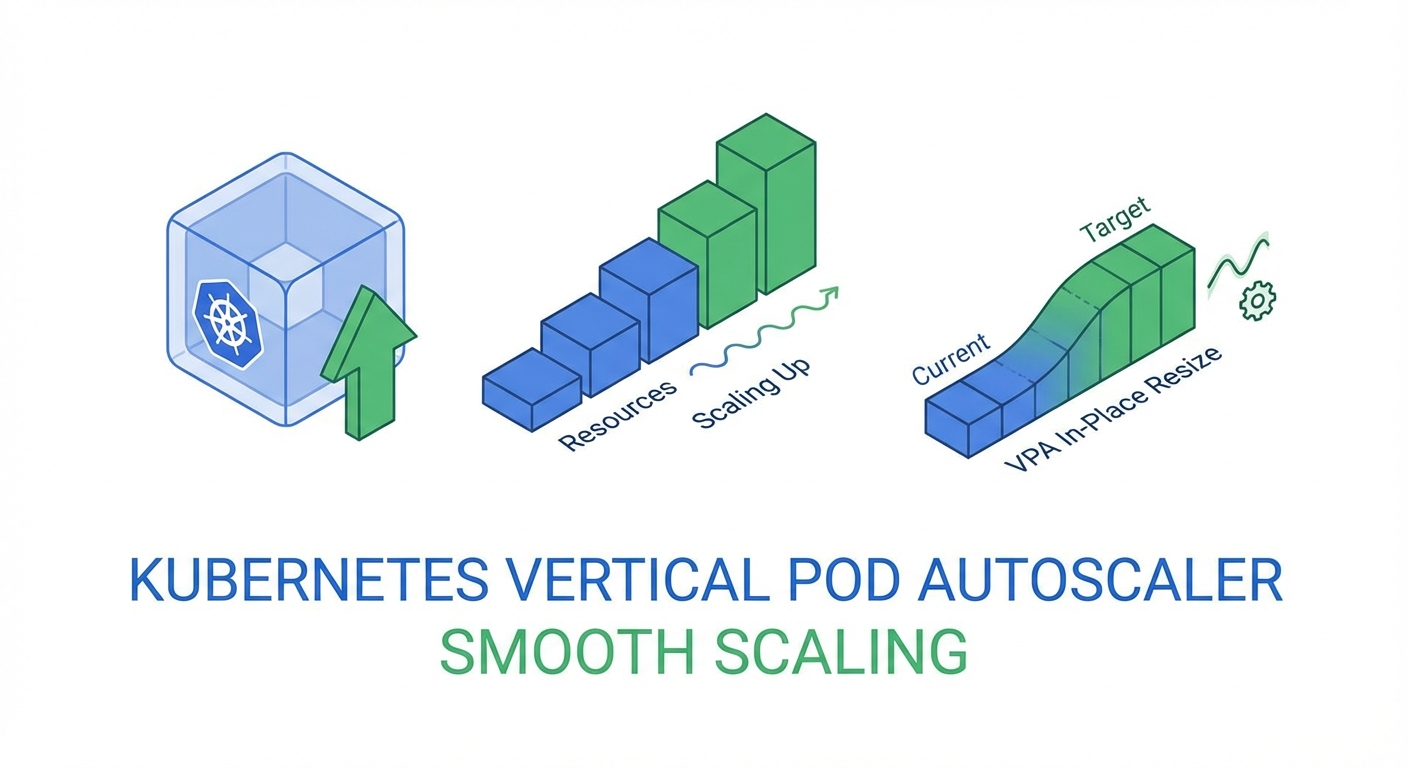
Kubernetes에서 워크로드의 리소스를 자동으로 조정하는 **Vertical Pod Autoscaler(VPA)**는 오랫동안 "Pod를 재시작해야 한다"는 치명적인 단점이 있었습니다. 하지만 Kubernetes 1.35(2025년 12월)에서 In-Place Pod Resize가 GA로 승격되면서, 드디어 재시작 없이 CPU/메모리를 실시간 조정할 수 있게 되었습니다.
이 글에서는 VPA의 기본 개념부터 In-Place Resize 연동, 프로덕션 배포 전략까지 단계별로 살펴봅니다.
VPA란 무엇인가?
VPA(Vertical Pod Autoscaler)는 Pod의 CPU/메모리 requests와 limits를 자동으로 조정하는 Kubernetes 컴포넌트입니다.
HPA vs VPA
| 구분 | HPA | VPA |
|---|---|---|
| 스케일링 방향 | 수평 (Pod 수 증감) | 수직 (리소스 크기 조정) |
| 적합한 워크로드 | Stateless 서비스 | Stateful, 단일 인스턴스 |
| 다운타임 | 없음 | 기존: 재시작 필요 → 1.35+: 없음 |
VPA 구성 요소
VPA는 세 가지 컴포넌트로 구성됩니다:
# 1. Recommender: 리소스 사용량을 분석하고 추천값 계산
# 2. Updater: 추천값에 따라 Pod 업데이트 트리거
# 3. Admission Controller: 새로 생성되는 Pod에 추천값 적용
VPA 설치
Helm으로 설치
# VPA Helm chart 추가
helm repo add fairwinds-stable https://charts.fairwinds.com/stable
helm repo update

# VPA 설치
helm install vpa fairwinds-stable/vpa \
  --namespace vpa-system \
  --create-namespace \
  --set recommender.enabled=true \
  --set updater.enabled=true \
  --set admissionController.enabled=true

# 설치 확인
kubectl get pods -n vpa-system
수동 설치 (공식 저장소)
git clone https://github.com/kubernetes/autoscaler.git
cd autoscaler/vertical-pod-autoscaler

# CRD 및 컴포넌트 설치
./hack/vpa-up.sh

# 확인
kubectl get customresourcedefinitions | grep verticalpodautoscaler
기본 VPA 설정
VPA 리소스 생성
# vpa-nginx.yaml
apiVersion: autoscaling.k8s.io/v1
kind: VerticalPodAutoscaler
metadata:
  name: nginx-vpa
  namespace: default
spec:
  targetRef:
    apiVersion: apps/v1
    kind: Deployment
    name: nginx-deployment
  updatePolicy:
    updateMode: 'Auto' # Off, Initial, Recreate, Auto
  resourcePolicy:
    containerPolicies:
      - containerName: nginx
        minAllowed:
          cpu: '50m'
          memory: '64Mi'
        maxAllowed:
          cpu: '2'
          memory: '2Gi'
        controlledResources: ['cpu', 'memory']
        controlledValues: RequestsAndLimits
kubectl apply -f vpa-nginx.yaml

# VPA 추천값 확인
kubectl get vpa nginx-vpa -o yaml
updateMode 옵션 비교
# Off: 추천값만 제공, 자동 업데이트 없음 (모니터링용)
updateMode: "Off"

# Initial: Pod 생성 시에만 추천값 적용
updateMode: "Initial"

# Recreate: 추천값이 변경되면 Pod를 재생성
updateMode: "Recreate"

# Auto: 최적의 방법 자동 선택 (1.35+에서는 In-Place 포함)
updateMode: "Auto"

# InPlaceOrRecreate: In-Place 우선, 불가능하면 재생성 (1.35+ Beta)
updateMode: "InPlaceOrRecreate"
In-Place Pod Resize 활성화 (Kubernetes 1.35+)
Feature Gate 확인
Kubernetes 1.35부터 In-Place Pod Resize는 기본 활성화입니다:
# 클러스터 버전 확인
kubectl version --short

# Feature gate 상태 확인 (1.35+에서는 기본 true)
kubectl get --raw /api/v1/nodes | jq '.items[0].status.features'
resizePolicy 설정
Pod가 In-Place Resize를 지원하려면 resizePolicy를 명시해야 합니다:
# deployment-with-resize.yaml
apiVersion: apps/v1
kind: Deployment
metadata:
  name: web-app
spec:
  replicas: 3
  selector:
    matchLabels:
      app: web-app
  template:
    metadata:
      labels:
        app: web-app
    spec:
      containers:
        - name: web
          image: nginx:1.27
          resources:
            requests:
              cpu: '100m'
              memory: '128Mi'
            limits:
              cpu: '500m'
              memory: '512Mi'
          resizePolicy:
            - resourceName: cpu
              restartPolicy: NotRequired # CPU는 재시작 없이 조정
            - resourceName: memory
              restartPolicy: NotRequired # 메모리도 재시작 없이 조정
kubectl apply -f deployment-with-resize.yaml
VPA + InPlaceOrRecreate 연동
# vpa-inplace.yaml
apiVersion: autoscaling.k8s.io/v1
kind: VerticalPodAutoscaler
metadata:
  name: web-app-vpa
spec:
  targetRef:
    apiVersion: apps/v1
    kind: Deployment
    name: web-app
  updatePolicy:
    updateMode: 'InPlaceOrRecreate'
    minReplicas: 2 # 최소 유지 replica 수
  resourcePolicy:
    containerPolicies:
      - containerName: web
        minAllowed:
          cpu: '50m'
          memory: '64Mi'
        maxAllowed:
          cpu: '4'
          memory: '4Gi'
        controlledResources: ['cpu', 'memory']
kubectl apply -f vpa-inplace.yaml

# In-Place resize 발생 확인
kubectl get pods -w
# STATUS가 Running 유지되면서 resources가 변경됨
리사이즈 과정 모니터링
Pod 리소스 변경 확인
# Pod의 현재 리소스 확인
kubectl get pod web-app-xxx -o jsonpath='{.spec.containers[0].resources}'

# allocated resources 확인 (실제 할당된 리소스)
kubectl get pod web-app-xxx -o jsonpath='{.status.containerStatuses[0].allocatedResources}'

# resize 상태 확인
kubectl get pod web-app-xxx -o jsonpath='{.status.resize}'
# "InProgress", "Proposed", "Deferred", "" (완료)
VPA 추천값 모니터링 스크립트
#!/bin/bash
# watch-vpa.sh - VPA 추천값 실시간 모니터링

VPA_NAME=${1:-web-app-vpa}
NAMESPACE=${2:-default}

while true; do
  echo "=== $(date) ==="
  kubectl get vpa $VPA_NAME -n $NAMESPACE -o jsonpath='
  Target:
    CPU: {.status.recommendation.containerRecommendations[0].target.cpu}
    Memory: {.status.recommendation.containerRecommendations[0].target.memory}
  Lower Bound:
    CPU: {.status.recommendation.containerRecommendations[0].lowerBound.cpu}
    Memory: {.status.recommendation.containerRecommendations[0].lowerBound.memory}
  Upper Bound:
    CPU: {.status.recommendation.containerRecommendations[0].upperBound.cpu}
    Memory: {.status.recommendation.containerRecommendations[0].upperBound.memory}
  '
  echo ""
  sleep 30
done
Prometheus 메트릭
# VPA 관련 주요 메트릭
# kube_verticalpodautoscaler_status_recommendation_target
# vpa_recommender_recommendation_latency
# vpa_updater_evictions_total
# Pod CPU 추천값 vs 실제 사용량
rate(container_cpu_usage_seconds_total[5m])
# vs
kube_verticalpodautoscaler_status_recommendation_target{resource="cpu"}
프로덕션 베스트 프랙티스
1. 점진적 도입 전략
# Step 1: Off 모드로 추천값만 관찰 (1-2주)
updateMode: "Off"

# Step 2: Initial 모드로 새 Pod에만 적용
updateMode: "Initial"

# Step 3: InPlaceOrRecreate로 자동 조정
updateMode: "InPlaceOrRecreate"
2. PDB(PodDisruptionBudget)와 함께 사용
apiVersion: policy/v1
kind: PodDisruptionBudget
metadata:
  name: web-app-pdb
spec:
  minAvailable: 2
  selector:
    matchLabels:
      app: web-app
---
# VPA가 Recreate 폴백 시 PDB를 존중함
apiVersion: autoscaling.k8s.io/v1
kind: VerticalPodAutoscaler
metadata:
  name: web-app-vpa
spec:
  targetRef:
    apiVersion: apps/v1
    kind: Deployment
    name: web-app
  updatePolicy:
    updateMode: 'InPlaceOrRecreate'
    minReplicas: 2
    evictionRequirements:
      - resources: ['cpu', 'memory']
        changeRequirement: TargetHigherThanRequests
3. HPA와 VPA 동시 사용
# HPA: CPU 기반 수평 스케일링
apiVersion: autoscaling/v2
kind: HorizontalPodAutoscaler
metadata:
  name: web-app-hpa
spec:
  scaleTargetRef:
    apiVersion: apps/v1
    kind: Deployment
    name: web-app
  minReplicas: 2
  maxReplicas: 10
  metrics:
    - type: Resource
      resource:
        name: cpu
        target:
          type: Utilization
          averageUtilization: 70
---
# VPA: 메모리만 수직 스케일링 (CPU는 HPA가 관리)
apiVersion: autoscaling.k8s.io/v1
kind: VerticalPodAutoscaler
metadata:
  name: web-app-vpa
spec:
  targetRef:
    apiVersion: apps/v1
    kind: Deployment
    name: web-app
  updatePolicy:
    updateMode: 'InPlaceOrRecreate'
  resourcePolicy:
    containerPolicies:
      - containerName: web
        controlledResources: ['memory']
        minAllowed:
          memory: '128Mi'
        maxAllowed:
          memory: '4Gi'
4. Goldilocks로 VPA 추천값 시각화
# Goldilocks 설치 (VPA 추천값 대시보드)
helm install goldilocks fairwinds-stable/goldilocks \
  --namespace goldilocks \
  --create-namespace

# 네임스페이스에 Goldilocks 활성화
kubectl label namespace default goldilocks.fairwinds.com/enabled=true

# 대시보드 접속
kubectl port-forward -n goldilocks svc/goldilocks-dashboard 8080:80
트러블슈팅
In-Place Resize가 작동하지 않을 때
# 1. Kubernetes 버전 확인
kubectl version --short
# 1.35+ 필요

# 2. 노드의 Container Runtime 확인
kubectl get nodes -o jsonpath='{.items[*].status.nodeInfo.containerRuntimeVersion}'
# containerd 1.7+ 또는 CRI-O 1.29+ 필요

# 3. Pod의 resizePolicy 확인
kubectl get pod <pod-name> -o jsonpath='{.spec.containers[0].resizePolicy}'

# 4. resize 상태 확인
kubectl get pod <pod-name> -o jsonpath='{.status.resize}'
# "Deferred" -> 노드에 리소스 부족
# "Infeasible" -> 노드가 resize 지원하지 않음

# 5. 이벤트 확인
kubectl describe pod <pod-name> | grep -A5 "Events"
VPA가 추천값을 생성하지 않을 때
# VPA Recommender 로그 확인
kubectl logs -n vpa-system -l app=vpa-recommender --tail=50

# metrics-server 동작 확인
kubectl top pods

# VPA 상태 확인
kubectl describe vpa <vpa-name>
실전 예제: Java 앱에 VPA 적용
apiVersion: apps/v1
kind: Deployment
metadata:
  name: spring-boot-app
spec:
  replicas: 3
  selector:
    matchLabels:
      app: spring-boot
  template:
    metadata:
      labels:
        app: spring-boot
    spec:
      containers:
        - name: app
          image: myregistry/spring-boot-app:latest
          resources:
            requests:
              cpu: '500m'
              memory: '512Mi'
            limits:
              cpu: '2'
              memory: '2Gi'
          resizePolicy:
            - resourceName: cpu
              restartPolicy: NotRequired
            - resourceName: memory
              restartPolicy: RestartContainer # JVM은 힙 재설정 필요
          env:
            - name: JAVA_OPTS
              value: '-XX:+UseContainerSupport -XX:MaxRAMPercentage=75.0'
---
apiVersion: autoscaling.k8s.io/v1
kind: VerticalPodAutoscaler
metadata:
  name: spring-boot-vpa
spec:
  targetRef:
    apiVersion: apps/v1
    kind: Deployment
    name: spring-boot-app
  updatePolicy:
    updateMode: 'InPlaceOrRecreate'
  resourcePolicy:
    containerPolicies:
      - containerName: app
        minAllowed:
          cpu: '200m'
          memory: '256Mi'
        maxAllowed:
          cpu: '4'
          memory: '4Gi'
마무리
Kubernetes 1.35의 In-Place Pod Resize GA와 VPA의 InPlaceOrRecreate 모드는 프로덕션 환경에서의 리소스 최적화를 한 단계 끌어올립니다. 핵심 포인트:
- In-Place Resize로 Pod 재시작 없이 CPU/메모리 조정 가능
- VPA + InPlaceOrRecreate로 자동화된 수직 스케일링
- HPA와 VPA 병용 시 관리 리소스를 분리 (HPA=CPU, VPA=Memory)
- 점진적 도입: Off → Initial → InPlaceOrRecreate
📝 퀴즈 (5문제)
Q1. VPA의 세 가지 구성 요소는? Recommender, Updater, Admission Controller
Q2. In-Place Pod Resize가 GA된 Kubernetes 버전은? Kubernetes 1.35 (2025년 12월)
Q3. VPA의 updateMode 중 추천값만 제공하고 자동 업데이트하지 않는 모드는? Off
Q4. HPA와 VPA를 동시에 사용할 때 권장되는 리소스 분리 방법은? HPA가 CPU 기반 수평 스케일링, VPA가 메모리만 수직 스케일링
Q5. JVM 기반 앱에서 메모리 In-Place Resize 시 restartPolicy를 RestartContainer로 설정하는 이유는? JVM이 힙 메모리를 동적으로 재설정해야 하므로 컨테이너 재시작이 필요함
Kubernetes VPA + In-Place Pod Resize Practical Guide — Automatic Resource Adjustment Without Restarts
- Introduction
- What Is VPA?
- Installing VPA
- Basic VPA Configuration
- Enabling In-Place Pod Resize (Kubernetes 1.35+)
- Monitoring the Resize Process
- Production Best Practices
- Troubleshooting
- Practical Example: Applying VPA to a Java Application
- Conclusion
- Quiz
Introduction
The Vertical Pod Autoscaler (VPA) for automatically adjusting workload resources in Kubernetes has long had one critical drawback: it required Pod restarts. However, with the GA promotion of In-Place Pod Resize in Kubernetes 1.35 (December 2025), it is now finally possible to adjust CPU and memory in real time without restarts.
This article walks through VPA fundamentals, In-Place Resize integration, and production deployment strategies step by step.
What Is VPA?
VPA (Vertical Pod Autoscaler) is a Kubernetes component that automatically adjusts CPU/memory requests and limits for Pods.
HPA vs VPA
| Aspect | HPA | VPA |
|---|---|---|
| Scaling direction | Horizontal (Pod count) | Vertical (resource sizing) |
| Best for | Stateless services | Stateful, single-instance workloads |
| Downtime | None | Legacy: restart needed, 1.35+: none |
VPA Components
VPA consists of three components:
# 1. Recommender: Analyzes resource usage and computes recommendations
# 2. Updater: Triggers Pod updates based on recommendations
# 3. Admission Controller: Applies recommendations to newly created Pods
Installing VPA
Installing with Helm
# Add VPA Helm chart
helm repo add fairwinds-stable https://charts.fairwinds.com/stable
helm repo update

# Install VPA
helm install vpa fairwinds-stable/vpa \
  --namespace vpa-system \
  --create-namespace \
  --set recommender.enabled=true \
  --set updater.enabled=true \
  --set admissionController.enabled=true

# Verify installation
kubectl get pods -n vpa-system
Manual Installation (Official Repository)
git clone https://github.com/kubernetes/autoscaler.git
cd autoscaler/vertical-pod-autoscaler

# Install CRDs and components
./hack/vpa-up.sh

# Verify
kubectl get customresourcedefinitions | grep verticalpodautoscaler
Basic VPA Configuration
Creating a VPA Resource
# vpa-nginx.yaml
apiVersion: autoscaling.k8s.io/v1
kind: VerticalPodAutoscaler
metadata:
  name: nginx-vpa
  namespace: default
spec:
  targetRef:
    apiVersion: apps/v1
    kind: Deployment
    name: nginx-deployment
  updatePolicy:
    updateMode: 'Auto' # Off, Initial, Recreate, Auto
  resourcePolicy:
    containerPolicies:
      - containerName: nginx
        minAllowed:
          cpu: '50m'
          memory: '64Mi'
        maxAllowed:
          cpu: '2'
          memory: '2Gi'
        controlledResources: ['cpu', 'memory']
        controlledValues: RequestsAndLimits
kubectl apply -f vpa-nginx.yaml

# Check VPA recommendations
kubectl get vpa nginx-vpa -o yaml
updateMode Options Comparison
# Off: Only provides recommendations, no automatic updates (for monitoring)
updateMode: "Off"

# Initial: Applies recommendations only at Pod creation time
updateMode: "Initial"

# Recreate: Recreates Pods when recommendations change
updateMode: "Recreate"

# Auto: Automatically selects the optimal method (includes In-Place on 1.35+)
updateMode: "Auto"

# InPlaceOrRecreate: Prefers In-Place, falls back to recreate if not possible (1.35+ Beta)
updateMode: "InPlaceOrRecreate"
Enabling In-Place Pod Resize (Kubernetes 1.35+)
Verifying the Feature Gate
Starting with Kubernetes 1.35, In-Place Pod Resize is enabled by default:
# Check cluster version
kubectl version --short

# Check feature gate status (default true on 1.35+)
kubectl get --raw /api/v1/nodes | jq '.items[0].status.features'
Configuring resizePolicy
Pods must specify resizePolicy to support In-Place Resize:
# deployment-with-resize.yaml
apiVersion: apps/v1
kind: Deployment
metadata:
  name: web-app
spec:
  replicas: 3
  selector:
    matchLabels:
      app: web-app
  template:
    metadata:
      labels:
        app: web-app
    spec:
      containers:
        - name: web
          image: nginx:1.27
          resources:
            requests:
              cpu: '100m'
              memory: '128Mi'
            limits:
              cpu: '500m'
              memory: '512Mi'
          resizePolicy:
            - resourceName: cpu
              restartPolicy: NotRequired # CPU adjusted without restart
            - resourceName: memory
              restartPolicy: NotRequired # Memory also adjusted without restart
kubectl apply -f deployment-with-resize.yaml
VPA + InPlaceOrRecreate Integration
# vpa-inplace.yaml
apiVersion: autoscaling.k8s.io/v1
kind: VerticalPodAutoscaler
metadata:
  name: web-app-vpa
spec:
  targetRef:
    apiVersion: apps/v1
    kind: Deployment
    name: web-app
  updatePolicy:
    updateMode: 'InPlaceOrRecreate'
    minReplicas: 2 # Minimum replicas to maintain
  resourcePolicy:
    containerPolicies:
      - containerName: web
        minAllowed:
          cpu: '50m'
          memory: '64Mi'
        maxAllowed:
          cpu: '4'
          memory: '4Gi'
        controlledResources: ['cpu', 'memory']
kubectl apply -f vpa-inplace.yaml

# Verify In-Place resize events
kubectl get pods -w
# STATUS remains Running while resources change
Monitoring the Resize Process
Verifying Pod Resource Changes
# Check current resources of a Pod
kubectl get pod web-app-xxx -o jsonpath='{.spec.containers[0].resources}'

# Check allocated resources (actually assigned)
kubectl get pod web-app-xxx -o jsonpath='{.status.containerStatuses[0].allocatedResources}'

# Check resize status
kubectl get pod web-app-xxx -o jsonpath='{.status.resize}'
# "InProgress", "Proposed", "Deferred", "" (complete)
VPA Recommendation Monitoring Script
#!/bin/bash
# watch-vpa.sh - Real-time VPA recommendation monitoring

VPA_NAME=${1:-web-app-vpa}
NAMESPACE=${2:-default}

while true; do
  echo "=== $(date) ==="
  kubectl get vpa $VPA_NAME -n $NAMESPACE -o jsonpath='
  Target:
    CPU: {.status.recommendation.containerRecommendations[0].target.cpu}
    Memory: {.status.recommendation.containerRecommendations[0].target.memory}
  Lower Bound:
    CPU: {.status.recommendation.containerRecommendations[0].lowerBound.cpu}
    Memory: {.status.recommendation.containerRecommendations[0].lowerBound.memory}
  Upper Bound:
    CPU: {.status.recommendation.containerRecommendations[0].upperBound.cpu}
    Memory: {.status.recommendation.containerRecommendations[0].upperBound.memory}
  '
  echo ""
  sleep 30
done
Prometheus Metrics
# Key VPA-related metrics
# kube_verticalpodautoscaler_status_recommendation_target
# vpa_recommender_recommendation_latency
# vpa_updater_evictions_total
# Pod CPU recommendation vs actual usage
rate(container_cpu_usage_seconds_total[5m])
# vs
kube_verticalpodautoscaler_status_recommendation_target{resource="cpu"}
Production Best Practices
1. Gradual Adoption Strategy
# Step 1: Observe recommendations in Off mode (1-2 weeks)
updateMode: "Off"

# Step 2: Apply only to new Pods with Initial mode
updateMode: "Initial"

# Step 3: Enable automatic adjustment with InPlaceOrRecreate
updateMode: "InPlaceOrRecreate"
2. Using with PDB (PodDisruptionBudget)
apiVersion: policy/v1
kind: PodDisruptionBudget
metadata:
  name: web-app-pdb
spec:
  minAvailable: 2
  selector:
    matchLabels:
      app: web-app
---
# VPA respects PDBs during Recreate fallback
apiVersion: autoscaling.k8s.io/v1
kind: VerticalPodAutoscaler
metadata:
  name: web-app-vpa
spec:
  targetRef:
    apiVersion: apps/v1
    kind: Deployment
    name: web-app
  updatePolicy:
    updateMode: 'InPlaceOrRecreate'
    minReplicas: 2
    evictionRequirements:
      - resources: ['cpu', 'memory']
        changeRequirement: TargetHigherThanRequests
3. Using HPA and VPA Together
# HPA: CPU-based horizontal scaling
apiVersion: autoscaling/v2
kind: HorizontalPodAutoscaler
metadata:
  name: web-app-hpa
spec:
  scaleTargetRef:
    apiVersion: apps/v1
    kind: Deployment
    name: web-app
  minReplicas: 2
  maxReplicas: 10
  metrics:
    - type: Resource
      resource:
        name: cpu
        target:
          type: Utilization
          averageUtilization: 70
---
# VPA: Vertical scaling for memory only (CPU managed by HPA)
apiVersion: autoscaling.k8s.io/v1
kind: VerticalPodAutoscaler
metadata:
  name: web-app-vpa
spec:
  targetRef:
    apiVersion: apps/v1
    kind: Deployment
    name: web-app
  updatePolicy:
    updateMode: 'InPlaceOrRecreate'
  resourcePolicy:
    containerPolicies:
      - containerName: web
        controlledResources: ['memory']
        minAllowed:
          memory: '128Mi'
        maxAllowed:
          memory: '4Gi'
4. Visualizing VPA Recommendations with Goldilocks
# Install Goldilocks (VPA recommendation dashboard)
helm install goldilocks fairwinds-stable/goldilocks \
  --namespace goldilocks \
  --create-namespace

# Enable Goldilocks for a namespace
kubectl label namespace default goldilocks.fairwinds.com/enabled=true

# Access the dashboard
kubectl port-forward -n goldilocks svc/goldilocks-dashboard 8080:80
Troubleshooting
When In-Place Resize Is Not Working
# 1. Check Kubernetes version
kubectl version --short
# 1.35+ required

# 2. Check the node's Container Runtime
kubectl get nodes -o jsonpath='{.items[*].status.nodeInfo.containerRuntimeVersion}'
# containerd 1.7+ or CRI-O 1.29+ required

# 3. Check the Pod's resizePolicy
kubectl get pod <pod-name> -o jsonpath='{.spec.containers[0].resizePolicy}'

# 4. Check resize status
kubectl get pod <pod-name> -o jsonpath='{.status.resize}'
# "Deferred" -> Insufficient resources on node
# "Infeasible" -> Node does not support resize

# 5. Check events
kubectl describe pod <pod-name> | grep -A5 "Events"
When VPA Is Not Generating Recommendations
# Check VPA Recommender logs
kubectl logs -n vpa-system -l app=vpa-recommender --tail=50

# Verify metrics-server is working
kubectl top pods

# Check VPA status
kubectl describe vpa <vpa-name>
Practical Example: Applying VPA to a Java Application
apiVersion: apps/v1
kind: Deployment
metadata:
  name: spring-boot-app
spec:
  replicas: 3
  selector:
    matchLabels:
      app: spring-boot
  template:
    metadata:
      labels:
        app: spring-boot
    spec:
      containers:
        - name: app
          image: myregistry/spring-boot-app:latest
          resources:
            requests:
              cpu: '500m'
              memory: '512Mi'
            limits:
              cpu: '2'
              memory: '2Gi'
          resizePolicy:
            - resourceName: cpu
              restartPolicy: NotRequired
            - resourceName: memory
              restartPolicy: RestartContainer # JVM needs heap reconfiguration
          env:
            - name: JAVA_OPTS
              value: '-XX:+UseContainerSupport -XX:MaxRAMPercentage=75.0'
---
apiVersion: autoscaling.k8s.io/v1
kind: VerticalPodAutoscaler
metadata:
  name: spring-boot-vpa
spec:
  targetRef:
    apiVersion: apps/v1
    kind: Deployment
    name: spring-boot-app
  updatePolicy:
    updateMode: 'InPlaceOrRecreate'
  resourcePolicy:
    containerPolicies:
      - containerName: app
        minAllowed:
          cpu: '200m'
          memory: '256Mi'
        maxAllowed:
          cpu: '4'
          memory: '4Gi'
Conclusion
The GA of In-Place Pod Resize in Kubernetes 1.35 and VPA's InPlaceOrRecreate mode take resource optimization in production environments to the next level. Key takeaways:
- In-Place Resize enables CPU/memory adjustment without Pod restarts
- VPA + InPlaceOrRecreate delivers automated vertical scaling
- When using HPA and VPA together, separate managed resources (HPA=CPU, VPA=Memory)
- Adopt gradually: Off -> Initial -> InPlaceOrRecreate
Quiz (5 Questions)
Q1. What are the three components of VPA? Recommender, Updater, Admission Controller
Q2. Which Kubernetes version promoted In-Place Pod Resize to GA? Kubernetes 1.35 (December 2025)
Q3. Which VPA updateMode only provides recommendations without automatic updates? Off
Q4. What is the recommended resource separation when using HPA and VPA together? HPA handles CPU-based horizontal scaling, VPA handles memory-only vertical scaling
Q5. Why should the restartPolicy be set to RestartContainer for memory In-Place Resize in JVM-based applications? Because the JVM needs to reconfigure its heap memory, requiring a container restart
Quiz
Q1: What is the main topic covered in "Kubernetes VPA + In-Place Pod Resize Practical Guide —
Automatic Resource Adjustment Without Restarts"?
A hands-on guide to combining In-Place Pod Resize (GA in Kubernetes 1.35) with VPA InPlaceOrRecreate mode for automatic CPU/memory adjustment without Pod restarts. Covers configuration through monitoring with code examples.
Q2: What Is VPA??
VPA (Vertical Pod Autoscaler) is a Kubernetes component that automatically adjusts CPU/memory
requests and limits for Pods. HPA vs VPA VPA Components VPA consists of three components:
Q3: What are the key steps for Installing VPA?
Installing with Helm Manual Installation (Official Repository)
Q4: What are the key steps for Basic VPA Configuration?
Creating a VPA Resource updateMode Options Comparison
Q5: How does Enabling In-Place Pod Resize (Kubernetes 1.35+) work?
Verifying the Feature Gate Starting with Kubernetes 1.35, In-Place Pod Resize is enabled by
default: Configuring resizePolicy Pods must specify resizePolicy to support In-Place Resize: VPA +
InPlaceOrRecreate Integration