- Authors
- Name
- Introduction
- Architecture Overview
- Project Setup
- Document Indexing
- Building the RAG Chain
- Slack Bot Integration
- Docker Deployment
- Performance Optimization
- Conclusion
Introduction
"Where's the deployment procedure doc in Confluence?" "How do I access the Kubernetes cluster?"
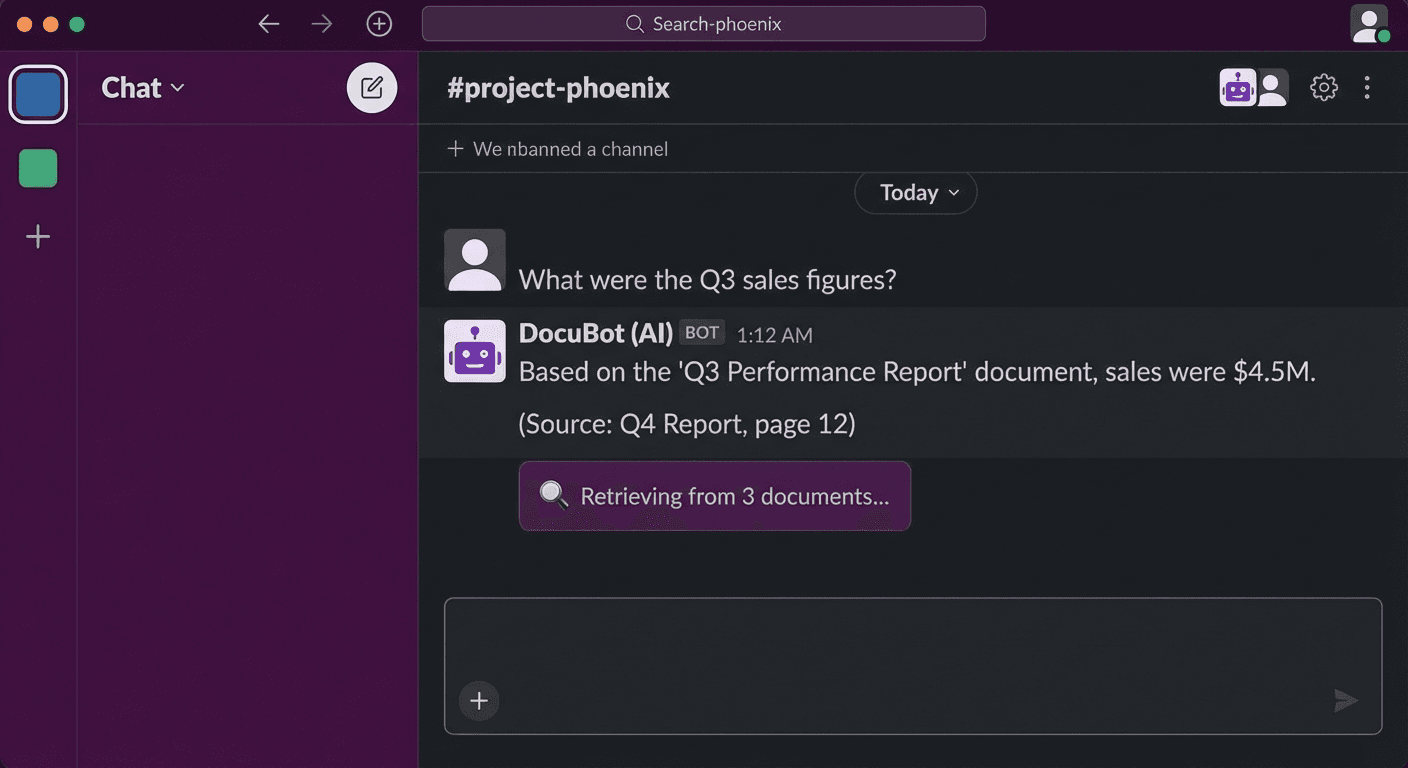
Instead of having someone answer these questions every time, let's build an AI chatbot that searches internal documents. We'll create a production-level chatbot using the combination of LangChain + RAG (Retrieval-Augmented Generation) + Slack Bot.
Architecture Overview
# Indexing Pipeline (Offline)
# Documents → Chunking → Embedding → Vector DB (ChromaDB)

# Query Pipeline (Online)
# Slack Message → Embedding → Vector Search → LLM Generation → Slack Response
Project Setup
Installing Dependencies
mkdir slack-rag-bot && cd slack-rag-bot

# Virtual environment
python -m venv .venv
source .venv/bin/activate

# Dependencies
pip install \
  langchain==0.2.16 \
  langchain-openai==0.1.25 \
  langchain-community==0.2.16 \
  chromadb==0.5.3 \
  slack-bolt==1.20.0 \
  python-dotenv==1.0.1 \
  unstructured==0.15.0 \
  tiktoken==0.7.0
Environment Variables
# .env
OPENAI_API_KEY=sk-xxx
SLACK_BOT_TOKEN=xoxb-xxx
SLACK_APP_TOKEN=xapp-xxx
SLACK_SIGNING_SECRET=xxx
CHROMA_PERSIST_DIR=./chroma_db
DOCS_DIR=./documents
Project Structure
slack-rag-bot/
├── .env
├── main.py              # Slack Bot entry point
├── indexer.py           # Document indexing
├── rag_chain.py         # RAG chain
├── config.py            # Configuration
├── documents/           # Internal documents (Markdown, PDF, etc.)
│   ├── deployment-guide.md
│   ├── k8s-access.md
│   └── onboarding.pdf
└── chroma_db/           # Vector DB storage
Document Indexing
Loading and Chunking Documents
# indexer.py
import os
from pathlib import Path
from langchain_community.document_loaders import (
    DirectoryLoader,
    UnstructuredMarkdownLoader,
    PyPDFLoader,
    TextLoader
)
from langchain.text_splitter import RecursiveCharacterTextSplitter
from langchain_openai import OpenAIEmbeddings
from langchain_community.vectorstores import Chroma
from dotenv import load_dotenv

load_dotenv()


def load_documents(docs_dir: str):
    """Load documents in various formats"""
    documents = []

    # Markdown files
    md_loader = DirectoryLoader(
        docs_dir,
        glob="**/*.md",
        loader_cls=UnstructuredMarkdownLoader,
        show_progress=True
    )
    documents.extend(md_loader.load())

    # PDF files
    pdf_loader = DirectoryLoader(
        docs_dir,
        glob="**/*.pdf",
        loader_cls=PyPDFLoader,
        show_progress=True
    )
    documents.extend(pdf_loader.load())

    # Text files
    txt_loader = DirectoryLoader(
        docs_dir,
        glob="**/*.txt",
        loader_cls=TextLoader,
        show_progress=True
    )
    documents.extend(txt_loader.load())

    print(f"Total {len(documents)} documents loaded")
    return documents


def split_documents(documents):
    """Split documents into chunks"""
    text_splitter = RecursiveCharacterTextSplitter(
        chunk_size=1000,
        chunk_overlap=200,
        length_function=len,
        separators=["\n## ", "\n### ", "\n\n", "\n", " ", ""]
    )

    chunks = text_splitter.split_documents(documents)
    print(f"Total {len(chunks)} chunks created")
    return chunks


def create_vectorstore(chunks, persist_dir: str):
    """Create vector DB"""
    embeddings = OpenAIEmbeddings(
        model="text-embedding-3-small",
        chunk_size=500
    )

    vectorstore = Chroma.from_documents(
        documents=chunks,
        embedding=embeddings,
        persist_directory=persist_dir,
        collection_metadata={"hnsw:space": "cosine"}
    )

    print(f"Vector DB created at: {persist_dir}")
    return vectorstore


def index_documents():
    """Full indexing pipeline"""
    docs_dir = os.getenv("DOCS_DIR", "./documents")
    persist_dir = os.getenv("CHROMA_PERSIST_DIR", "./chroma_db")

    # Load → Chunk → Embed → Store
    documents = load_documents(docs_dir)
    chunks = split_documents(documents)
    vectorstore = create_vectorstore(chunks, persist_dir)

    return vectorstore


if __name__ == "__main__":
    index_documents()
# Run indexing
python indexer.py
Building the RAG Chain
# rag_chain.py
import os
from langchain_openai import ChatOpenAI, OpenAIEmbeddings
from langchain_community.vectorstores import Chroma
from langchain.prompts import ChatPromptTemplate
from langchain_core.runnables import RunnablePassthrough
from langchain_core.output_parsers import StrOutputParser
from dotenv import load_dotenv

load_dotenv()


class RAGChain:
    def __init__(self):
        self.embeddings = OpenAIEmbeddings(model="text-embedding-3-small")
        self.vectorstore = Chroma(
            persist_directory=os.getenv("CHROMA_PERSIST_DIR", "./chroma_db"),
            embedding_function=self.embeddings
        )
        self.retriever = self.vectorstore.as_retriever(
            search_type="mmr",  # Maximum Marginal Relevance
            search_kwargs={
                "k": 5,
                "fetch_k": 20,
                "lambda_mult": 0.7
            }
        )
        self.llm = ChatOpenAI(
            model="gpt-4o-mini",
            temperature=0.1,
            max_tokens=2000
        )
        self.chain = self._build_chain()

    def _build_chain(self):
        """Build the RAG chain"""
        prompt = ChatPromptTemplate.from_messages([
            ("system", """You are an internal document-based Q&A assistant.
Answer questions based on the context below.

Rules:
1. Use only the information in the context.
2. If unsure, answer "I could not find related documents."
3. Include source documents in your answer.
4. Format code or commands in code blocks.

Context:
{context}"""),
            ("human", "{question}")
        ])

        def format_docs(docs):
            formatted = []
            for i, doc in enumerate(docs):
                source = doc.metadata.get("source", "unknown")
                formatted.append(f"[Document {i+1}] ({source})\n{doc.page_content}")
            return "\n\n---\n\n".join(formatted)

        chain = (
            {"context": self.retriever | format_docs, "question": RunnablePassthrough()}
            | prompt
            | self.llm
            | StrOutputParser()
        )

        return chain

    def ask(self, question: str) -> dict:
        """Answer a question"""
        # Search for relevant documents
        docs = self.retriever.invoke(question)

        # LLM generation
        answer = self.chain.invoke(question)

        # Source document information
        sources = list(set(
            doc.metadata.get("source", "unknown") for doc in docs
        ))

        return {
            "answer": answer,
            "sources": sources,
            "num_docs": len(docs)
        }

    def refresh_index(self):
        """Refresh the index"""
        from indexer import index_documents
        self.vectorstore = index_documents()
        self.retriever = self.vectorstore.as_retriever(
            search_type="mmr",
            search_kwargs={"k": 5, "fetch_k": 20, "lambda_mult": 0.7}
        )
        self.chain = self._build_chain()
Slack Bot Integration
Slack App Configuration
1. Create a new app at https://api.slack.com/apps
2. Enable Socket Mode
3. Add Bot Token Scopes:
   - app_mentions:read
   - chat:write
   - im:history
   - im:read
   - im:write
4. Enable Event Subscriptions:
   - app_mention
   - message.im
5. Install to workspace
Slack Bot Implementation
# main.py
import os
import logging
from slack_bolt import App
from slack_bolt.adapter.socket_mode import SocketModeHandler
from rag_chain import RAGChain
from dotenv import load_dotenv

load_dotenv()
logging.basicConfig(level=logging.INFO)

# Initialize Slack App
app = App(token=os.environ["SLACK_BOT_TOKEN"])

# Initialize RAG Chain
rag = RAGChain()


@app.event("app_mention")
def handle_mention(event, say, client):
    """Receive questions via @mention"""
    user = event["user"]
    text = event["text"]
    channel = event["channel"]
    thread_ts = event.get("thread_ts", event["ts"])

    # Remove bot mention
    question = text.split(">", 1)[-1].strip()

    if not question:
        say(
            text="Please enter a question! Example: `@DocBot tell me about the deployment process`",
            thread_ts=thread_ts
        )
        return

    # Loading message
    loading_msg = client.chat_postMessage(
        channel=channel,
        thread_ts=thread_ts,
        text=":mag: Searching documents..."
    )

    try:
        # RAG query
        result = rag.ask(question)

        # Format response
        response = f"<@{user}>\n\n{result['answer']}"

        if result["sources"]:
            sources_text = "\n".join(f"• `{s}`" for s in result["sources"])
            response += f"\n\n:page_facing_up: *Reference documents:*\n{sources_text}"

        # Update loading message
        client.chat_update(
            channel=channel,
            ts=loading_msg["ts"],
            text=response
        )

    except Exception as e:
        logging.error(f"RAG error: {e}")
        client.chat_update(
            channel=channel,
            ts=loading_msg["ts"],
            text=f"Sorry, an error occurred: {str(e)}"
        )


@app.event("message")
def handle_dm(event, say):
    """Receive questions via DM"""
    if event.get("channel_type") != "im":
        return
    if event.get("bot_id"):
        return

    question = event["text"]

    try:
        result = rag.ask(question)

        response = result["answer"]
        if result["sources"]:
            sources_text = "\n".join(f"• `{s}`" for s in result["sources"])
            response += f"\n\n:page_facing_up: *Reference documents:*\n{sources_text}"

        say(text=response)

    except Exception as e:
        say(text=f"An error occurred: {str(e)}")


@app.command("/docbot-reindex")
def handle_reindex(ack, say):
    """Refresh index via slash command"""
    ack()
    say("Refreshing the index... :hourglass_flowing_sand:")

    try:
        rag.refresh_index()
        say("Index refresh complete! :white_check_mark:")
    except Exception as e:
        say(f"Index refresh failed: {str(e)}")


if __name__ == "__main__":
    handler = SocketModeHandler(app, os.environ["SLACK_APP_TOKEN"])
    print("Slack RAG Bot started!")
    handler.start()
Docker Deployment
# Dockerfile
FROM python:3.11-slim

WORKDIR /app

COPY requirements.txt .
RUN pip install --no-cache-dir -r requirements.txt

COPY . .

# Start bot after indexing
CMD ["python", "main.py"]
# docker-compose.yml
version: '3.8'

services:
  slack-rag-bot:
    build: .
    env_file: .env
    volumes:
      - ./documents:/app/documents
      - ./chroma_db:/app/chroma_db
    restart: unless-stopped
# Build and run
docker compose up -d

# Check logs
docker compose logs -f
Performance Optimization
Embedding Caching
from langchain.storage import LocalFileStore
from langchain.embeddings import CacheBackedEmbeddings

store = LocalFileStore("./embedding_cache")
cached_embeddings = CacheBackedEmbeddings.from_bytes_store(
    underlying_embeddings=OpenAIEmbeddings(model="text-embedding-3-small"),
    document_embedding_cache=store,
    namespace="text-embedding-3-small"
)
Conversation History (Thread Context)
from langchain.memory import ConversationBufferWindowMemory

# Per-thread memory management
thread_memories = {}

def get_memory(thread_ts: str) -> ConversationBufferWindowMemory:
    if thread_ts not in thread_memories:
        thread_memories[thread_ts] = ConversationBufferWindowMemory(
            k=5,
            memory_key="chat_history",
            return_messages=True
        )
    return thread_memories[thread_ts]
Conclusion
Key points for a Slack RAG chatbot:
- Document chunking: Semantic-unit splitting with RecursiveCharacterTextSplitter
- Vector search: Diverse document retrieval with MMR (Maximum Marginal Relevance)
- Prompting: Design to cite sources and answer honestly when uncertain
- Slack integration: Socket Mode + app_mention/DM event handling
- Re-indexing: Reflect document updates via slash command
📝 Quiz (7 Questions)
Q1. What is the full name and core idea of RAG? Retrieval-Augmented Generation. It retrieves external knowledge and uses it to augment LLM generation.
Q2. What is the role of chunk_overlap in RecursiveCharacterTextSplitter? It creates overlapping sections between chunks to prevent context loss.
Q3. What is the advantage of MMR (Maximum Marginal Relevance) search? Instead of returning only the most similar documents, it also considers diversity to reduce redundancy.
Q4. What is the advantage of Slack Socket Mode? It can receive events via WebSocket without a public URL or inbound port.
Q5. Why specify "use only the information in the context" in the prompt? To prevent LLM hallucination and guide accurate document-based answers.
Q6. Why use thread_ts? To maintain conversation context within a Slack thread.
Q7. What is the effect of embedding caching? It prevents redundant embedding API calls for the same documents, saving cost and time.