- Authors
- Name
- Introduction
- Cluster Autoscaler vs Karpenter
- Understanding Karpenter Architecture
- Installation and Configuration
- Practical NodePool Patterns
- Consolidation Strategy
- Spot Interruption Handling
- Monitoring
- Migrating from CA to Karpenter
- Cost Optimization Tips
- Troubleshooting
- Quiz
- Conclusion
- References
Introduction
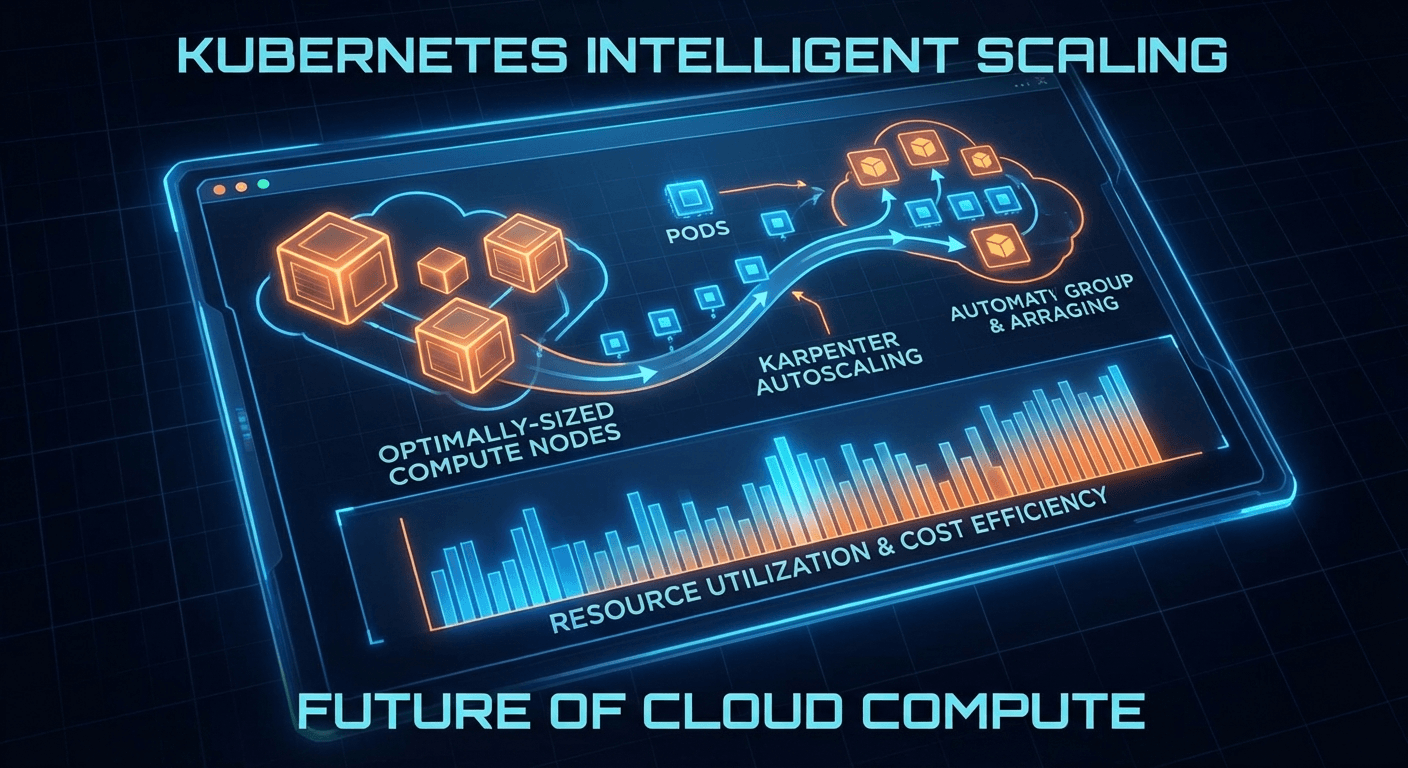
Node autoscaling in Kubernetes clusters is central to both cost optimization and service reliability. While Cluster Autoscaler (CA) has long been the standard, Karpenter, developed by AWS, has revolutionized node provisioning with a fundamentally different approach.
In 2025, Salesforce migrated over 1,000 EKS clusters from Cluster Autoscaler to Karpenter — a landmark case that demonstrates Karpenter's maturity.
Cluster Autoscaler vs Karpenter
Limitations of Cluster Autoscaler
# Cluster Autoscaler scales only at the Node Group level
# Bound to pre-defined instance types
apiVersion: eksctl.io/v1alpha5
kind: ClusterConfig
managedNodeGroups:
  - name: general
    instanceType: m5.xlarge # Fixed instance type
    minSize: 2
    maxSize: 10
    desiredCapacity: 3
Key limitations of CA:
- Node Group dependency: Scales only within pre-defined ASG/Node Groups
- Slow response: Scheduling failure -> CA detection -> ASG update -> EC2 provisioning (takes several minutes)
- Inefficient bin-packing: Resource waste due to node group-level scaling
- Manual instance selection: Requires manually configuring optimal instances for workloads
Karpenter's Approach
# Karpenter automatically selects optimal instances based on Pod requirements
apiVersion: karpenter.sh/v1
kind: NodePool
metadata:
  name: default
spec:
  template:
    spec:
      requirements:
        - key: kubernetes.io/arch
          operator: In
          values: ['amd64', 'arm64']
        - key: karpenter.sh/capacity-type
          operator: In
          values: ['on-demand', 'spot']
        - key: karpenter.k8s.aws/instance-category
          operator: In
          values: ['c', 'm', 'r']
        - key: karpenter.k8s.aws/instance-generation
          operator: Gt
          values: ['4']
      nodeClassRef:
        group: karpenter.k8s.aws
        kind: EC2NodeClass
        name: default
  limits:
    cpu: '1000'
    memory: 1000Gi
  disruption:
    consolidationPolicy: WhenEmptyOrUnderutilized
    consolidateAfter: 1m
Key advantages of Karpenter:
| Feature | Cluster Autoscaler | Karpenter |
|---|---|---|
| Scaling unit | Node Group (ASG) | Per-Pod basis |
| Instance selection | Manual config | Auto-optimized |
| Provisioning speed | Minutes | Tens of seconds |
| Bin-packing | Limited | Optimized |
| Spot handling | Separate setup | Native support |
| Consolidation | Not supported | Native support |
Understanding Karpenter Architecture
Core Resources
Karpenter v1 (GA) uses two core CRDs:
1. NodePool — Defines node provisioning policies
apiVersion: karpenter.sh/v1
kind: NodePool
metadata:
  name: gpu-workloads
spec:
  template:
    metadata:
      labels:
        workload-type: gpu
    spec:
      requirements:
        - key: karpenter.k8s.aws/instance-family
          operator: In
          values: ['p4d', 'p5', 'g5']
        - key: karpenter.sh/capacity-type
          operator: In
          values: ['on-demand']
      taints:
        - key: nvidia.com/gpu
          effect: NoSchedule
      nodeClassRef:
        group: karpenter.k8s.aws
        kind: EC2NodeClass
        name: gpu-nodes
  limits:
    cpu: '100'
    nvidia.com/gpu: '16'
  weight: 10 # Priority (higher value = tried first)
2. EC2NodeClass — AWS infrastructure configuration
apiVersion: karpenter.k8s.aws/v1
kind: EC2NodeClass
metadata:
  name: default
spec:
  role: 'KarpenterNodeRole-my-cluster'
  amiSelectorTerms:
    - alias: al2023@latest
  subnetSelectorTerms:
    - tags:
        karpenter.sh/discovery: 'my-cluster'
  securityGroupSelectorTerms:
    - tags:
        karpenter.sh/discovery: 'my-cluster'
  blockDeviceMappings:
    - deviceName: /dev/xvda
      ebs:
        volumeSize: 100Gi
        volumeType: gp3
        iops: 3000
        throughput: 125
        encrypted: true
  userData: |
    #!/bin/bash
    echo "Custom bootstrap script"
Provisioning Flow
Pod created (Pending)
    ↓
Karpenter Controller detects
    ↓
Analyzes Pod requirements
(CPU, Memory, GPU, Topology, Affinity)
    ↓
Calculates optimal instance type
(Price, availability, bin-packing optimization)
    ↓
Creates EC2 instance directly
(Uses EC2 Fleet API without ASG)
    ↓
Creates NodeClaim → Registers Node
    ↓
Pod scheduling
Installation and Configuration
Installing with Helm
# Install Karpenter v1.1.x (latest as of 2026)
helm upgrade --install karpenter oci://public.ecr.aws/karpenter/karpenter \
  --version "1.1.2" \
  --namespace kube-system \
  --set "settings.clusterName=my-cluster" \
  --set "settings.interruptionQueue=my-cluster" \
  --set controller.resources.requests.cpu=1 \
  --set controller.resources.requests.memory=1Gi \
  --set controller.resources.limits.cpu=1 \
  --set controller.resources.limits.memory=1Gi \
  --wait
IAM Configuration
{
  "Version": "2012-10-17",
  "Statement": [
    {
      "Sid": "KarpenterController",
      "Effect": "Allow",
      "Action": [
        "ec2:CreateFleet",
        "ec2:CreateLaunchTemplate",
        "ec2:CreateTags",
        "ec2:DescribeAvailabilityZones",
        "ec2:DescribeImages",
        "ec2:DescribeInstances",
        "ec2:DescribeInstanceTypeOfferings",
        "ec2:DescribeInstanceTypes",
        "ec2:DescribeLaunchTemplates",
        "ec2:DescribeSecurityGroups",
        "ec2:DescribeSubnets",
        "ec2:DeleteLaunchTemplate",
        "ec2:RunInstances",
        "ec2:TerminateInstances",
        "iam:PassRole",
        "ssm:GetParameter",
        "pricing:GetProducts"
      ],
      "Resource": "*"
    },
    {
      "Sid": "KarpenterInterruption",
      "Effect": "Allow",
      "Action": ["sqs:DeleteMessage", "sqs:GetQueueUrl", "sqs:ReceiveMessage"],
      "Resource": "arn:aws:sqs:*:*:my-cluster"
    }
  ]
}
Practical NodePool Patterns
Pattern 1: General-Purpose Workloads
apiVersion: karpenter.sh/v1
kind: NodePool
metadata:
  name: general
spec:
  template:
    spec:
      requirements:
        - key: kubernetes.io/arch
          operator: In
          values: ['amd64']
        - key: karpenter.sh/capacity-type
          operator: In
          values: ['on-demand', 'spot']
        - key: karpenter.k8s.aws/instance-category
          operator: In
          values: ['c', 'm', 'r']
        - key: karpenter.k8s.aws/instance-generation
          operator: Gt
          values: ['5']
        - key: karpenter.k8s.aws/instance-size
          operator: NotIn
          values: ['metal', '24xlarge', '16xlarge']
      nodeClassRef:
        group: karpenter.k8s.aws
        kind: EC2NodeClass
        name: default
  limits:
    cpu: '500'
    memory: 2000Gi
  disruption:
    consolidationPolicy: WhenEmptyOrUnderutilized
    consolidateAfter: 30s
Pattern 2: Spot-First with On-Demand Fallback
# Spot-only NodePool (high priority)
apiVersion: karpenter.sh/v1
kind: NodePool
metadata:
  name: spot-first
spec:
  template:
    spec:
      requirements:
        - key: karpenter.sh/capacity-type
          operator: In
          values: ['spot']
        - key: karpenter.k8s.aws/instance-category
          operator: In
          values: ['c', 'm', 'r']
      nodeClassRef:
        group: karpenter.k8s.aws
        kind: EC2NodeClass
        name: default
  weight: 80 # High priority
  disruption:
    consolidationPolicy: WhenEmptyOrUnderutilized
    consolidateAfter: 15s
---
# On-Demand fallback NodePool
apiVersion: karpenter.sh/v1
kind: NodePool
metadata:
  name: on-demand-fallback
spec:
  template:
    spec:
      requirements:
        - key: karpenter.sh/capacity-type
          operator: In
          values: ['on-demand']
        - key: karpenter.k8s.aws/instance-category
          operator: In
          values: ['c', 'm']
      nodeClassRef:
        group: karpenter.k8s.aws
        kind: EC2NodeClass
        name: default
  weight: 20 # Low priority (used when Spot fails)
Pattern 3: Leveraging ARM64 Graviton
apiVersion: karpenter.sh/v1
kind: NodePool
metadata:
  name: graviton
spec:
  template:
    metadata:
      labels:
        arch: arm64
    spec:
      requirements:
        - key: kubernetes.io/arch
          operator: In
          values: ['arm64']
        - key: karpenter.k8s.aws/instance-family
          operator: In
          values: ['c7g', 'm7g', 'r7g', 'c8g', 'm8g']
        - key: karpenter.sh/capacity-type
          operator: In
          values: ['on-demand', 'spot']
      nodeClassRef:
        group: karpenter.k8s.aws
        kind: EC2NodeClass
        name: graviton
  weight: 90 # Graviton preferred
Consolidation Strategy
One of Karpenter's most powerful features is automatic consolidation.
Consolidation Policies
disruption:
  # WhenEmpty: Only remove empty nodes
  # WhenEmptyOrUnderutilized: Remove empty nodes + consolidate underutilized nodes
  consolidationPolicy: WhenEmptyOrUnderutilized
  consolidateAfter: 30s

  # Allow consolidation only during specific times
  budgets:
    - nodes: '10%' # Consolidate at most 10% of nodes at a time
    - nodes: '0'
      schedule: '0 9 * * 1-5' # Pause consolidation at 9 AM on weekdays
      duration: 8h # For 8 hours
How Consolidation Works
Current state:
┌──────────┐ ┌──────────┐ ┌──────────┐
│ Node A   │ │ Node B   │ │ Node C   │
│ CPU: 80% │ │ CPU: 20% │ │ CPU: 15% │
│ m5.2xl   │ │ m5.2xl   │ │ m5.2xl   │
└──────────┘ └──────────┘ └──────────┘

After consolidation:
┌──────────┐ ┌──────────┐
│ Node A   │ │ Node D   │   Nodes B, C removed
│ CPU: 80% │ │ CPU: 35% │   → Replaced with smaller instance
│ m5.2xl   │ │ m5.xl    │
└──────────┘ └──────────┘
Do-Not-Disrupt Annotation
# Apply to Pods with critical workloads
apiVersion: v1
kind: Pod
metadata:
  annotations:
    karpenter.sh/do-not-disrupt: 'true'
spec:
  containers:
    - name: critical-job
      image: batch-processor:latest
Spot Interruption Handling
# Spot interruption notifications via SQS queue
# Karpenter handles automatically:
# 1. Receives Spot interruption notification (2 minutes ahead)
# 2. Cordons + Drains Pods on the affected node
# 3. Provisions a new node
# 4. Reschedules Pods

# EventBridge Rule (CloudFormation)
AWSTemplateFormatVersion: '2010-09-09'
Resources:
  SpotInterruptionRule:
    Type: AWS::Events::Rule
    Properties:
      EventPattern:
        source: ['aws.ec2']
        detail-type: ['EC2 Spot Instance Interruption Warning']
      Targets:
        - Arn: !GetAtt InterruptionQueue.Arn
          Id: SpotInterruptionTarget

  RebalanceRule:
    Type: AWS::Events::Rule
    Properties:
      EventPattern:
        source: ['aws.ec2']
        detail-type: ['EC2 Instance Rebalance Recommendation']
      Targets:
        - Arn: !GetAtt InterruptionQueue.Arn
          Id: RebalanceTarget

  InterruptionQueue:
    Type: AWS::SQS::Queue
    Properties:
      QueueName: my-cluster
      MessageRetentionPeriod: 300
Monitoring
Prometheus Metrics
# ServiceMonitor for Karpenter
apiVersion: monitoring.coreos.com/v1
kind: ServiceMonitor
metadata:
  name: karpenter
  namespace: kube-system
spec:
  selector:
    matchLabels:
      app.kubernetes.io/name: karpenter
  endpoints:
    - port: http-metrics
      interval: 30s
Key metrics:
# Total provisioned nodes
karpenter_nodeclaims_created_total

# Node provisioning latency
histogram_quantile(0.99, karpenter_nodeclaims_registered_duration_seconds_bucket)

# Nodes removed by consolidation
karpenter_nodeclaims_disrupted_total{reason="consolidation"}

# Pending Pods (waiting for Karpenter)
karpenter_pods_state{state="pending"}

# Node distribution by instance type
count by (instance_type) (karpenter_nodeclaims_instance_type)
Migrating from CA to Karpenter
Step-by-Step Transition
# Step 1: Install Karpenter (coexisting with CA)
helm install karpenter oci://public.ecr.aws/karpenter/karpenter \
  --namespace kube-system \
  --set "settings.clusterName=my-cluster"

# Step 2: Create NodePool (avoid overlap with CA Node Groups)
kubectl apply -f nodepool-general.yaml

# Step 3: Direct new workloads to Karpenter
kubectl label nodes -l eks.amazonaws.com/nodegroup=old-ng \
  migration-phase=legacy

# Step 4: Gradually migrate existing workloads

# Step 5: Scale down and remove CA Node Groups
eksctl scale nodegroup --cluster my-cluster \
  --name old-ng --nodes 0 --nodes-min 0
Important Considerations
# Verify PodDisruptionBudgets
apiVersion: policy/v1
kind: PodDisruptionBudget
metadata:
  name: critical-app-pdb
spec:
  minAvailable: 2
  selector:
    matchLabels:
      app: critical-app
# Karpenter respects PDBs, so it will skip
# consolidation if it would violate a PDB
Cost Optimization Tips
1. Allow a Wide Range of Instance Types
# Bad example: Restricting instance types
requirements:
  - key: node.kubernetes.io/instance-type
    operator: In
    values: ["m5.xlarge"]  # Low Spot availability

# Good example: Allowing a broad range
requirements:
  - key: karpenter.k8s.aws/instance-category
    operator: In
    values: ["c", "m", "r"]
  - key: karpenter.k8s.aws/instance-generation
    operator: Gt
    values: ["5"]
2. Accurate Resource Requests
# The more accurate the Pod resource requests, the better the bin-packing efficiency
resources:
  requests:
    cpu: '500m'
    memory: '512Mi'
  limits:
    cpu: '1000m'
    memory: '1Gi'
3. Leverage Topology Spread
topologySpreadConstraints:
  - maxSkew: 1
    topologyKey: topology.kubernetes.io/zone
    whenUnsatisfiable: DoNotSchedule
    labelSelector:
      matchLabels:
        app: web
Troubleshooting
Common Issues
# When NodeClaims are not being created
kubectl describe nodepool default
kubectl get events --field-selector reason=FailedProvisioning

# Insufficient capacity errors (ICE)
# → Allow more instance types
# → Allow more Availability Zones

# Slow provisioning
kubectl logs -n kube-system -l app.kubernetes.io/name=karpenter \
  --tail=100 | grep -i "provision"

# AMI issues
kubectl get ec2nodeclass default -o yaml | grep -A5 amiSelector
Quiz
Q1. What fundamentally differentiates Karpenter from Cluster Autoscaler?
Karpenter directly analyzes Pod requirements and provisions optimal EC2 instances without relying on Node Groups (ASGs). In contrast, CA can only scale within pre-defined Node Groups.
Q2. What are the two core CRDs used in Karpenter v1?
NodePool (node provisioning policies) and EC2NodeClass (AWS infrastructure configuration).
Q3. What does the WhenEmptyOrUnderutilized consolidation policy do?
It removes empty nodes and migrates Pods from underutilized nodes to other nodes, then either removes those nodes or replaces them with smaller instances.
Q4. What AWS services are required for Karpenter to handle Spot interruptions?
An SQS queue and EventBridge Rules are required. EC2 Spot interruption warnings and rebalance recommendation events are forwarded to SQS, which Karpenter processes automatically.
Q5. What is the purpose of the karpenter.sh/do-not-disrupt annotation?
It protects the node running the annotated Pod from being disrupted by Karpenter's consolidation or expiration actions. It is used for batch jobs and critical workloads.
Q6. What role does the weight field play in a NodePool?
It determines priority when multiple NodePools exist. Higher weight values are tried first. For example, a Spot NodePool (weight: 80) is used before an On-Demand NodePool (weight: 20).
Q7. How do you configure Karpenter to use Graviton (ARM64) instances?
Specify kubernetes.io/arch: arm64 and Graviton instance families (c7g, m7g, etc.) in the NodePool requirements. The application must support ARM64.
Conclusion
Karpenter is transforming the paradigm of Kubernetes node autoscaling. By eliminating the Node Group intermediary layer, it responds directly to Pod requirements to provision optimal instances. As of 2026, v1 GA is running stably in production, and its reliability at scale has been proven by Salesforce's migration of over 1,000 clusters.