- Authors
- Name
Background
HBase is a real-time database that runs on top of Hadoop, but it does not provide high-level DML like a relational DB. Even as a NoSQL database, it only provides very simple APIs to developers, focusing on performance and scalability. PUT, GET, SCAN, DELETE, INCREMENT, and a few derived operations are all there is. Secondary indexes and JOINs commonly used in relational DBs are not available, and transactions are only provided at the row level. Therefore, if you design the row-key (the only key) incorrectly, you may need to perform a Full Scan across the entire table when querying or aggregating data. Parallelizing a Full Scan is not easy either. If running single-threaded with small data, a full scan might be acceptable, but when data reaches the TB level, it could take several days. This is not a good approach.
Fortunately, there is a way to speed up this Full Scan -- by using MapReduce. HBase can be used as a data source for Hadoop's MapReduce. While MapReduce is an older technology, it works fine for batch processing, and the official HBase documentation also provides guidance on integrating HBase with MapReduce.
Goal
We will create the simplest MapReduce program: one that counts table rows.
Steps
HBase Cluster
Obviously, you need an HBase cluster. You also need YARN components to run MapReduce jobs. For HBase installation instructions, refer to this page.
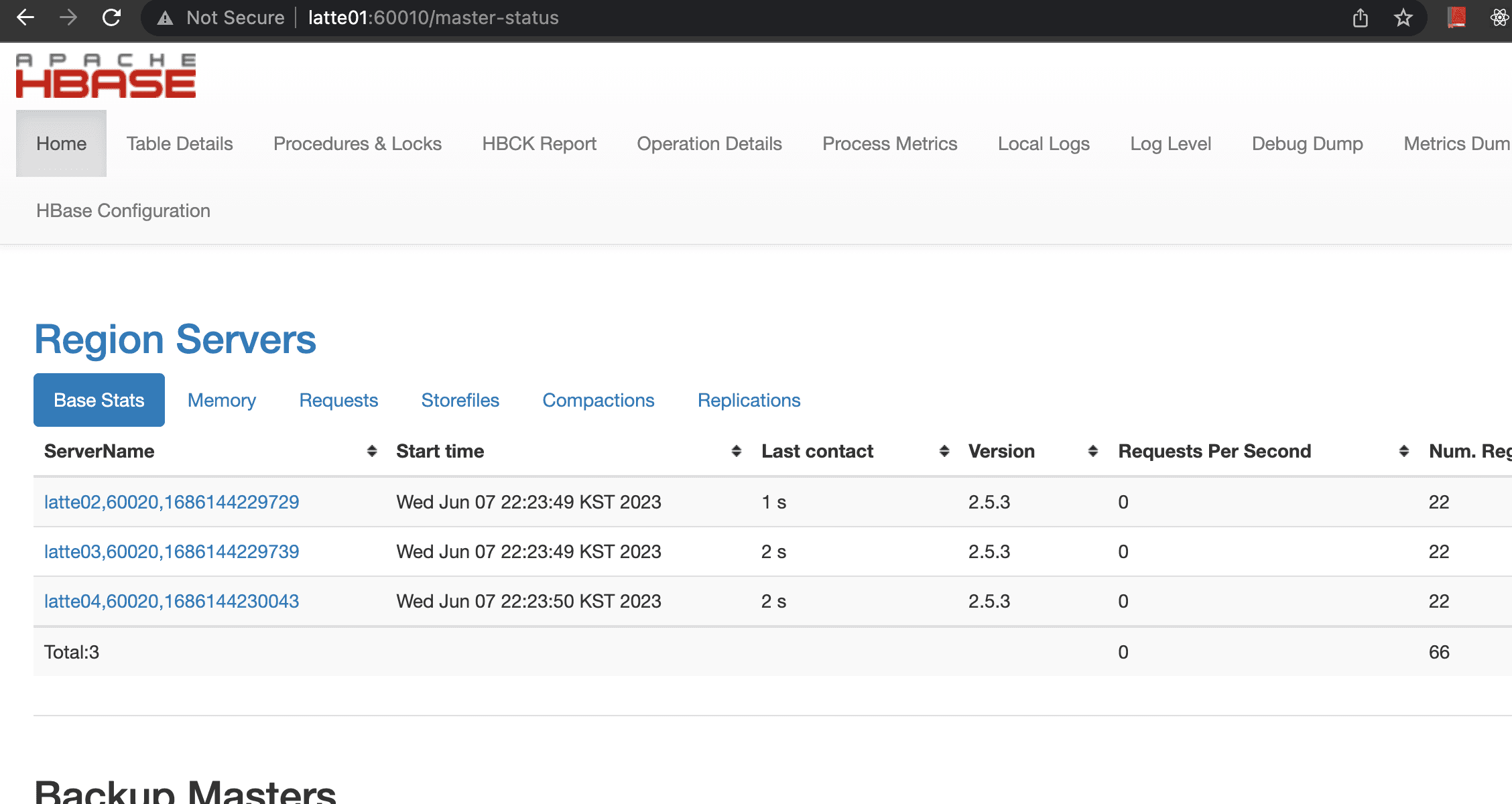
The current cluster consists of 1 master node and 3 worker nodes.
Setting Up the Development Environment
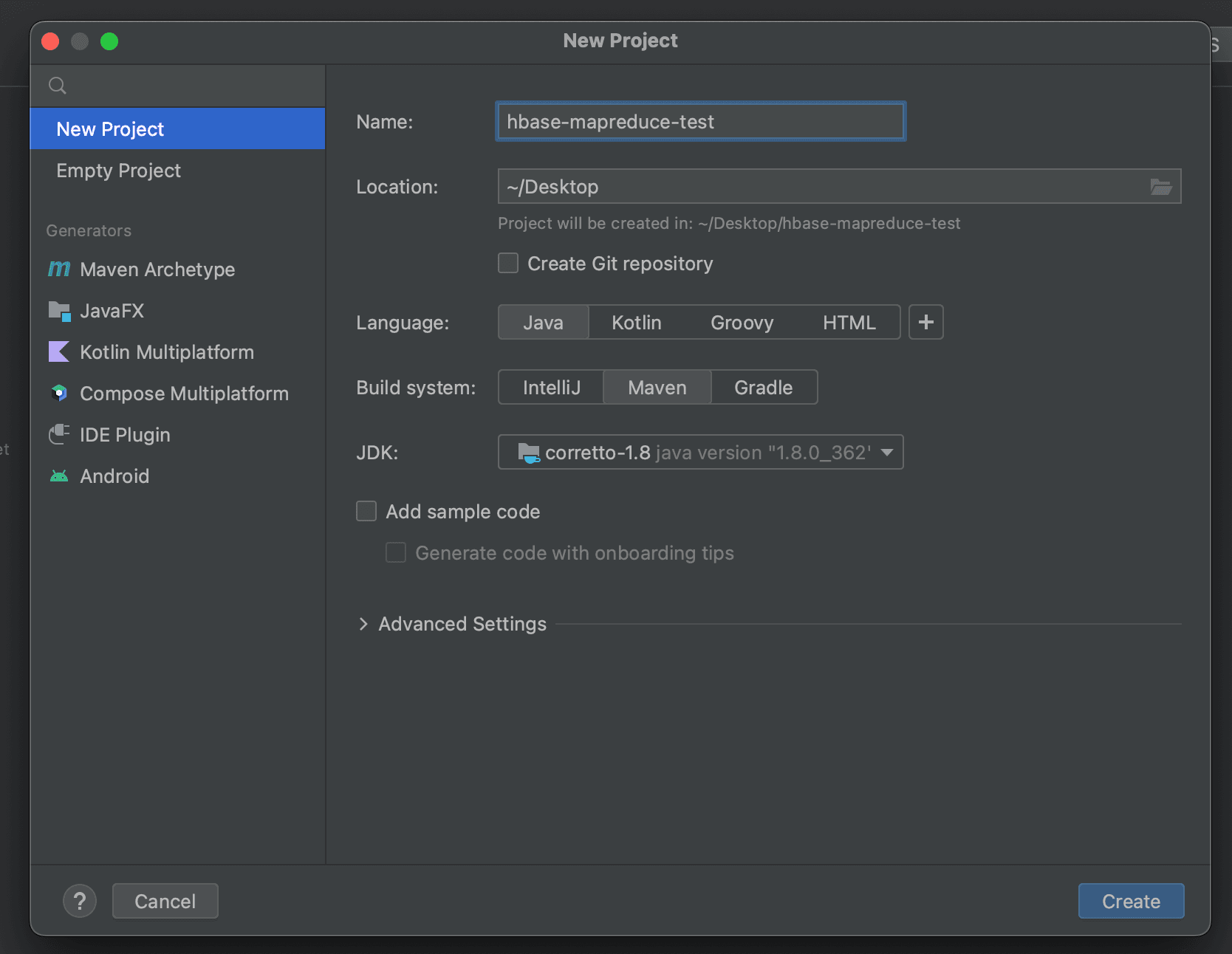
Create a new project in IntelliJ.
Writing the MapReduce Program
To create a MapReduce program, you generally need three components: Driver, Mapper, and Reducer. Since the Row Counter program does not need a Reducer, we only write the Driver and Mapper.
Writing the Driver Function
import org.apache.hadoop.conf.Configuration;
import org.apache.hadoop.hbase.HBaseConfiguration;
import org.apache.hadoop.hbase.client.Scan;
import org.apache.hadoop.hbase.mapreduce.TableMapReduceUtil;
import org.apache.hadoop.io.IntWritable;
import org.apache.hadoop.io.Text;
import org.apache.hadoop.mapreduce.Job;
import org.apache.hadoop.mapreduce.lib.output.NullOutputFormat;
import java.io.IOException;
public class RowCounterJob {
    private static final String zookeeper_quorum = "latte01,latte02,latte03";
    private static final String zookeeper_port = "2181";

    public static void main(String[] args) throws IOException, InterruptedException, ClassNotFoundException {
        // Register HBase-related config
        Configuration config = HBaseConfiguration.create();
        config.set("hbase.zookeeper.quorum", zookeeper_quorum);
        config.set("hbase.zookeeper.property.clientPort", zookeeper_port);
        // Create Job
        Job job = new Job(config, "RowCounter");
        job.setJarByClass(RowCounterJob.class);
        Scan scan = new Scan();
        // When doing a Full Scan, the scan object should be configured as follows.
        scan.setCaching(500);
        scan.setCacheBlocks(false);
        // Register Table Mapper
        TableMapReduceUtil.initTableMapperJob(
                "usertable", // table name
                scan,
                RowCounterMapper.class, // Register Mapper Class
                Text.class,
                IntWritable.class,
                job
        );
        job.setOutputFormatClass(NullOutputFormat.class);
        job.setNumReduceTasks(1);
        // Submit job
        boolean b = job.waitForCompletion(true);
        if(!b){
            throw new IOException("error with job");
        }
    }
}
Writing the Mapper Function
import org.apache.hadoop.hbase.client.Result;
import org.apache.hadoop.hbase.io.ImmutableBytesWritable;
import org.apache.hadoop.hbase.mapreduce.TableMapper;
import org.apache.hadoop.io.IntWritable;
import org.apache.hadoop.io.Text;
import org.apache.hadoop.mapreduce.Mapper;

import java.io.IOException;
public class RowCounterMapper extends TableMapper<Text, IntWritable> {
    public enum Counters {ROWS}

    @Override
    protected void map(ImmutableBytesWritable key, Result value, Mapper<ImmutableBytesWritable, Result, Text, IntWritable>.Context context) throws IOException, InterruptedException {
        context.getCounter(Counters.ROWS).increment(1);
    }
}
Required Libraries
Check the versions of Hadoop and HBase deployed in the current cluster.
HBase: 2.5.3 Hadoop: 3.3.2
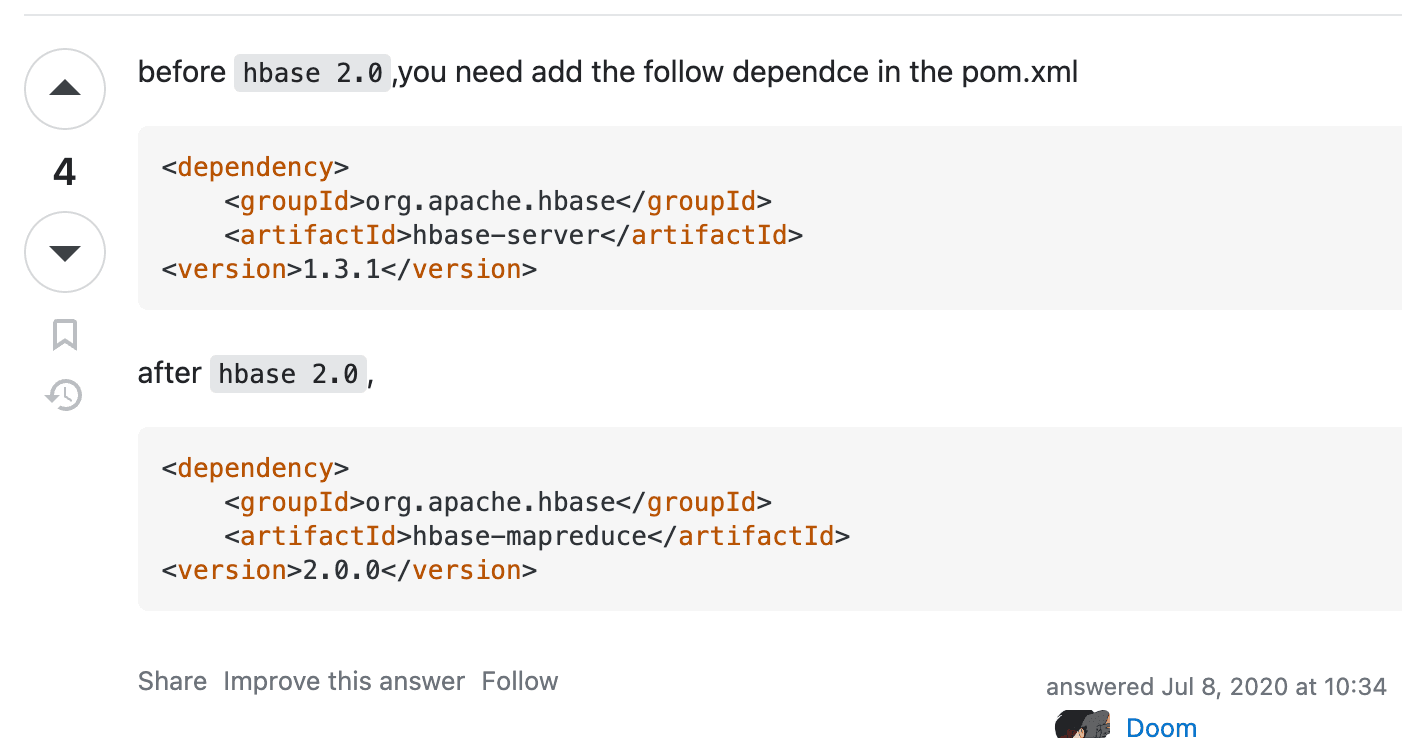
The required library names differ depending on the HBase version.
hbase-client and hbase-mapreduce are needed.
    <dependencies>
        <dependency>
            <groupId>org.apache.hbase</groupId>
            <artifactId>hbase-client</artifactId>
            <version>2.5.3</version>
        </dependency>
        <dependency>
            <groupId>org.apache.hbase</groupId>
            <artifactId>hbase-mapreduce</artifactId>
            <version>2.5.3</version>
        </dependency>
    </dependencies>
Building and Creating the MapReduce JAR
To run a MapReduce job, you need to create a single JAR file that includes all necessary dependencies. You can use Maven's maven-assembly-plugin, but for convenience, we will use the Artifacts feature provided by IntelliJ.
Click File (top left) then Project Structure then Artifacts then ADD then JAR then From Modules with dependencies.
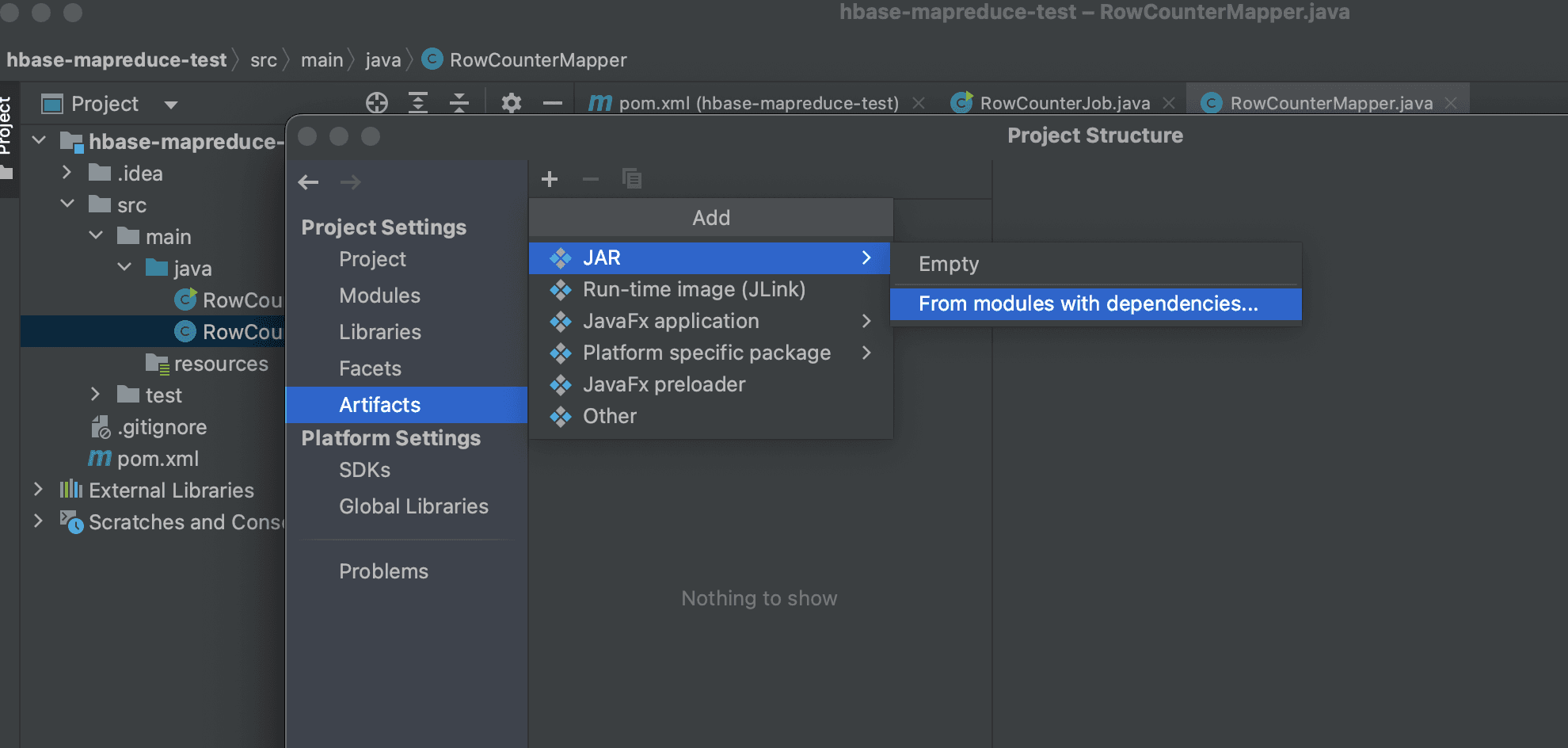
Then, find the Main Class and select "extract to the target JAR" to create a new artifact.
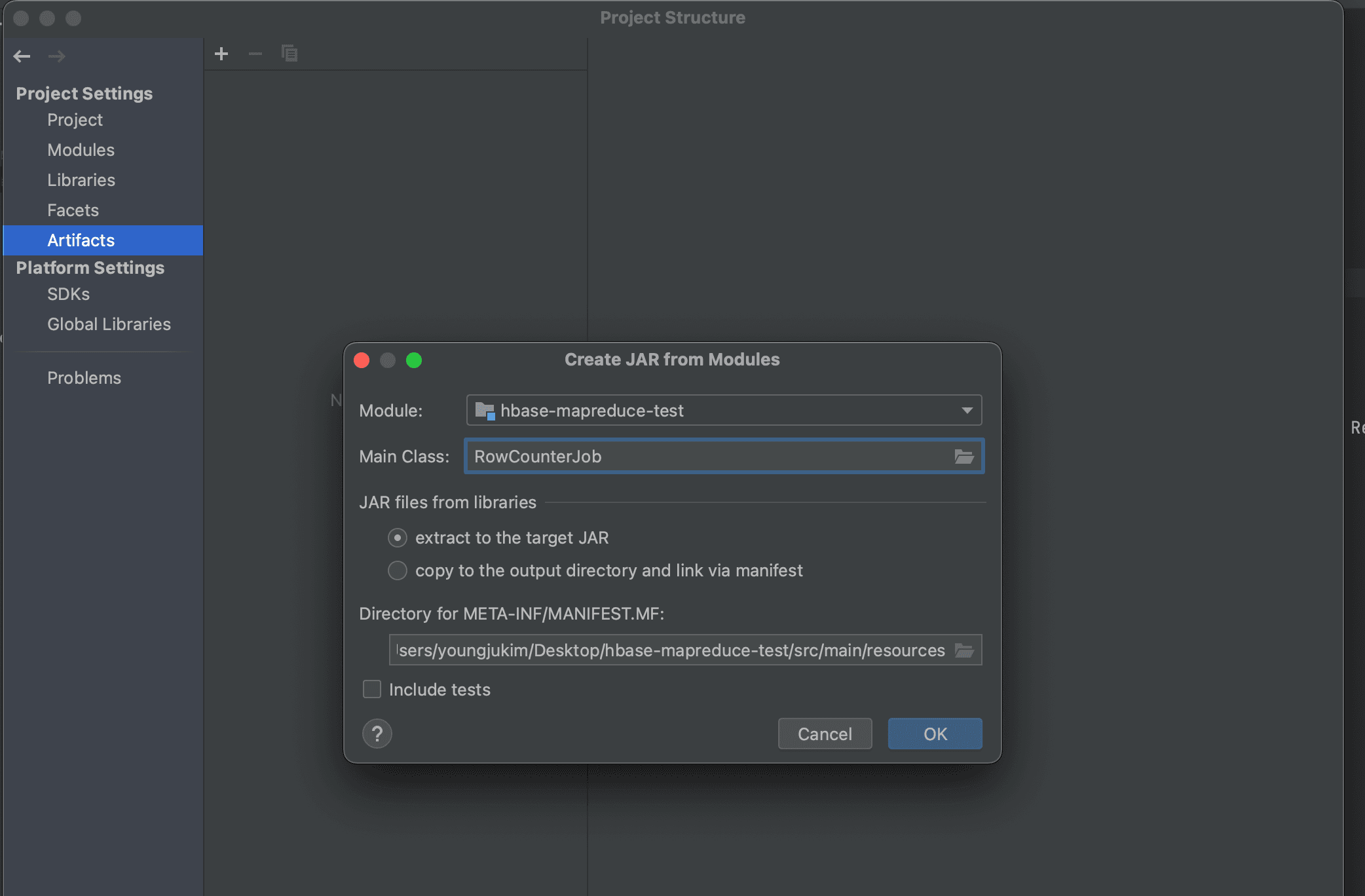
Click Build then Build Artifact from the top menu to proceed with the build.
Under the project root directory, navigate to Out then artifacts, and you will find the generated JAR file.
How to Run the JAR File
Transfer the file to a server where you can run HBase and YARN. Since I registered my local PC's public key in latte01's authorized_keys, I could use the following scp command to transfer the file.
scp hbase-mapreduce-test.jar latte01:<path you want to move>
Submitting the MapReduce job.
HADOOP_CLASSPATH=`hbase classpath` hadoop jar hbase-mapreduce-test.jar RowCounterJob
When running with the above command, the following error message was generated and the job was not submitted.
Exception in thread "main" java.lang.IllegalAccessError: class org.apache.hadoop.hdfs.web.HftpFileSystem cannot access its superinterface org.apache.hadoop.hdfs.web.TokenAspect$TokenManagementDelegator
According to https://stackoverflow.com/questions/62880009/error-through-remote-spark-job-java-lang-illegalaccesserror-class-org-apache-h, it seems the hadoop-hdfs library causes issues when creating a fat JAR, so I removed that library when generating the artifact.
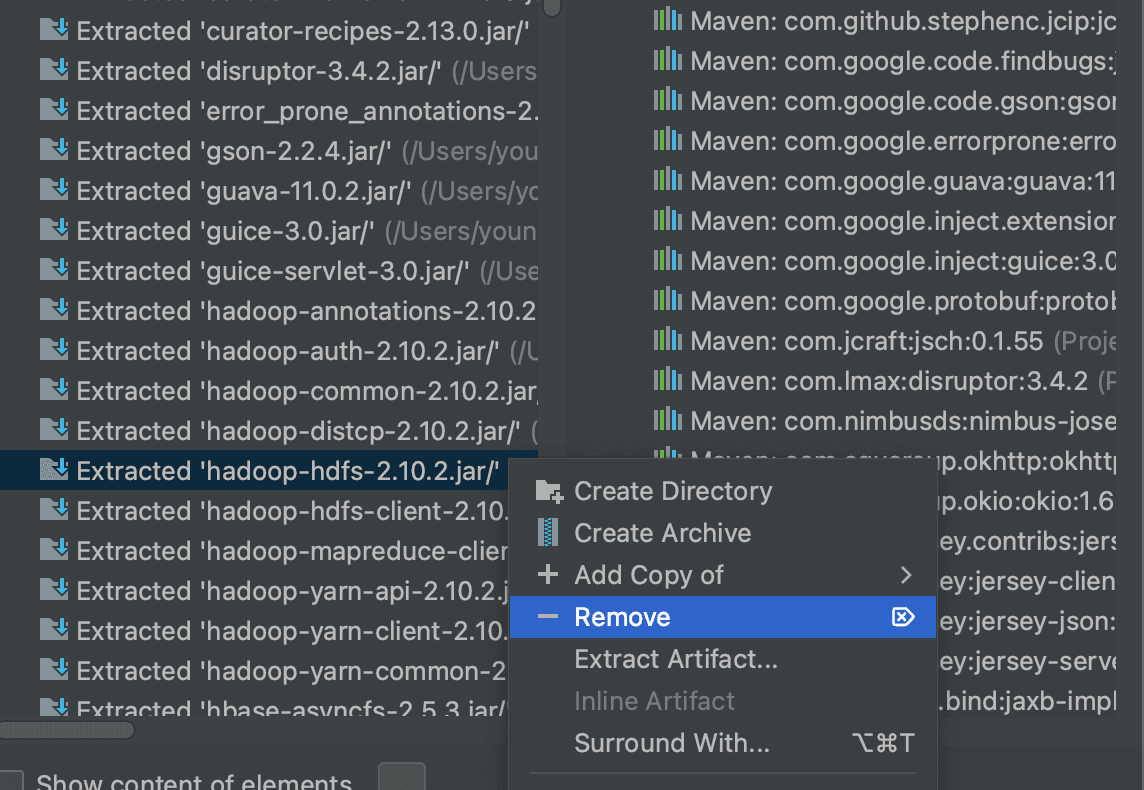
The same error persisted, so I checked whether the built-in row counter in HBase works normally.
hbase org.apache.hadoop.hbase.mapreduce.RowCounter <table name>
It appears there was an issue with the YARN cluster in the first place.
Create the /user/hdfs, /user/hbase, and /user/root directories on HDFS.
hdfs dfs -mkdir /user
hdfs dfs -mkdir /user/hdfs
hdfs dfs -mkdir /user/hbase
hdfs dfs -mkdir /user/root

hdfs dfs -chown hbase:supergroup /user/hbase
hdfs dfs -chown hdfs:supergroup /user/hdfs
Even after creating the user directories, the following error occurred.
023-06-10 16:11:13,539 ERROR [main] org.apache.hadoop.mapreduce.v2.app.MRAppMaster: Error starting MRAppMaster
java.lang.ClassCastException: org.apache.hadoop.hdfs.protocol.proto.ClientNamenodeProtocolProtos$GetFileInfoRequestProto cannot be cast to com.google.protobuf.Message
	at org.apache.hadoop.ipc.ProtobufRpcEngine$Invoker.invoke(ProtobufRpcEngine.java:232)
According to https://ngela.tistory.com/66, this is a problem that occurs when protobuf versions differ depending on the Hadoop version.
Reinstall Hadoop and HBase with matching versions and try again.
HBase: 2.5.3 Hadoop: 2.10.2 Zookeeper: 3.5.7
Configuration for Hadoop 2.10.2 reinstallation:
<configuration>
    <property>
        <name>fs.defaultFS</name>
         <value>hdfs://latte01:9000</value>
    </property>
</configuration>
<configuration>
        <property>
                <name>dfs.replication</name>
                <value>3</value>
        </property>
        <property>
                <name>dfs.webhdfs.enabled</name>
                <value>true</value>
        </property>
        <property>
                <name>dfs.namenode.name.dir</name>
                <value>file:///dfs/nn</value>
        </property>
        <property>
                <name>dfs.datanode.data.dir</name>
                <value>file:///dfs/dn</value>
        </property>
        <property>
                <name>dfs.namenode.checkpoint.dir</name>
                <value>file:///dfs/sn</value>
        </property>
        <property>
                <name>dfs.namenode.http-address</name>
                <value>0.0.0.0:9870</value>
        </property>
</configuration>
export HADOOP_IDENT_STRING=$USER
export JAVA_HOME=/usr/lib/jvm/java-8-openjdk-amd64
export HDFS_NAMENODE_USER=root
export HDFS_SECONDARYNAMENODE_USER=root
export HDFS_DATANODE_USER=root
export YARN_RESOURCEMANAGER_USER=root
export YARN_NODEMANAGER_USER=root
<configuration>
<!-- Site specific YARN configuration properties -->
    <property>
      <name>yarn.nodemanager.aux-services</name>
      <value>mapreduce_shuffle</value>
    </property>
    <property>
      <name>yarn.resourcemanager.resource-tracker.address</name>
      <value>latte01:8025</value>
    </property>
    <property>
      <name>yarn.resourcemanager.scheduler.address</name>
      <value>latte01:8030</value>
    </property>
    <property>
      <name>yarn.resourcemanager.address</name>
      <value>latte01:8040</value>
    </property>
    <property>
        <name>yarn.nodemanager.local-dirs</name>
         <value>file:///dfs/yarn/local</value>
    </property>
    <property>
        <name>yarn.nodemanager.log-dirs</name>
         <value>file:///dfs/yarn/logs</value>
    </property>
</configuration>
<configuration>
  <property>
    <name>mapreduce.framework.name</name>
    <value>yarn</value>
  </property>
<property>
  <name>yarn.app.mapreduce.am.env</name>
  <value>HADOOP_MAPRED_HOME=/usr/local/hadoop</value>
</property>
<property>
  <name>mapreduce.map.env</name>
  <value>HADOOP_MAPRED_HOME=/usr/local/hadoop</value>
</property>
<property>
  <name>mapreduce.reduce.env</name>
  <value>HADOOP_MAPRED_HOME=/usr/local/hadoop</value>
</property>
</configuration>
latte02
latte03
latte04
Format NameNode and Start HDFS
Run the following on the NameNode.
hadoop namenode -format
Start Hadoop and YARN components.
start-all.sh
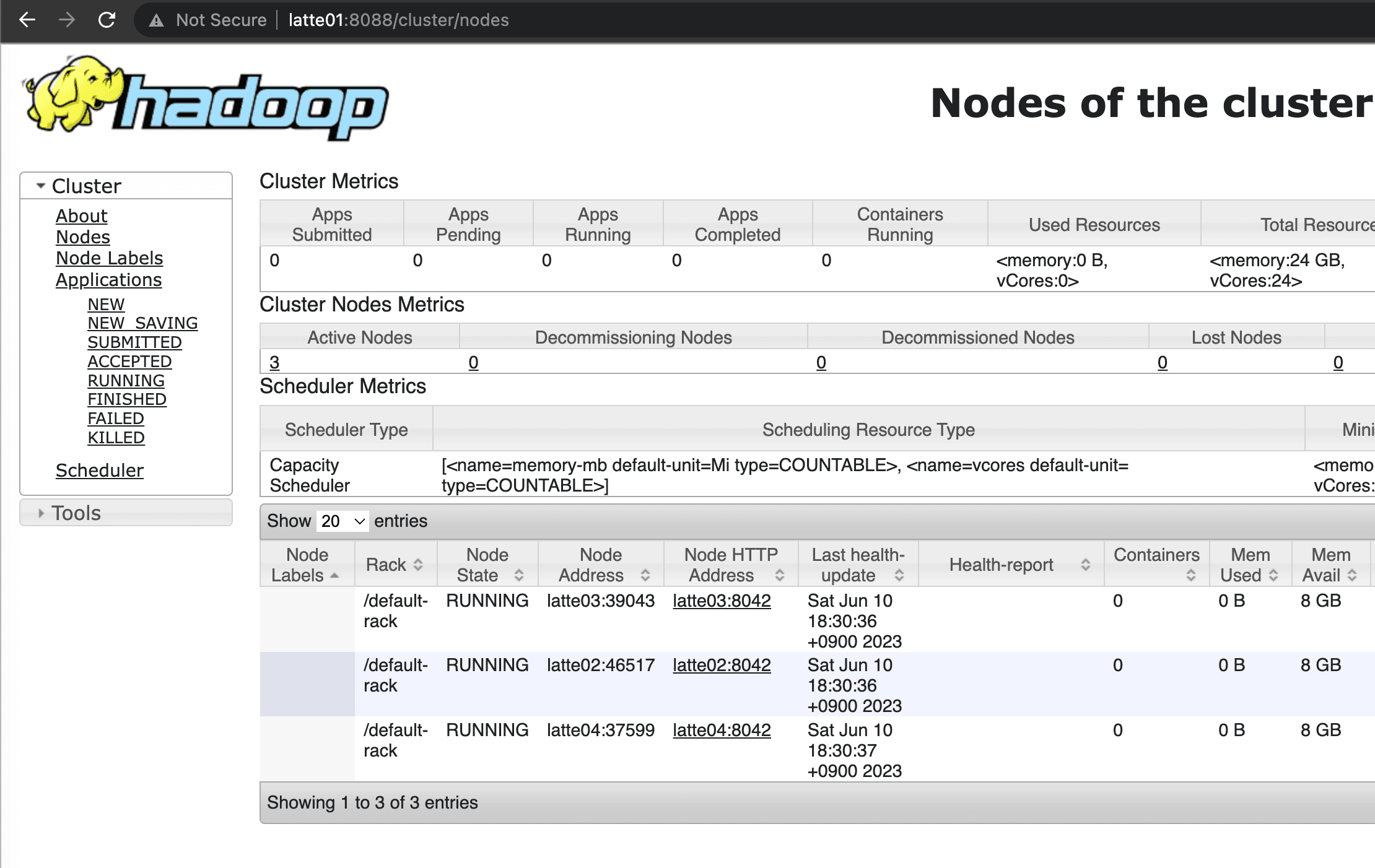
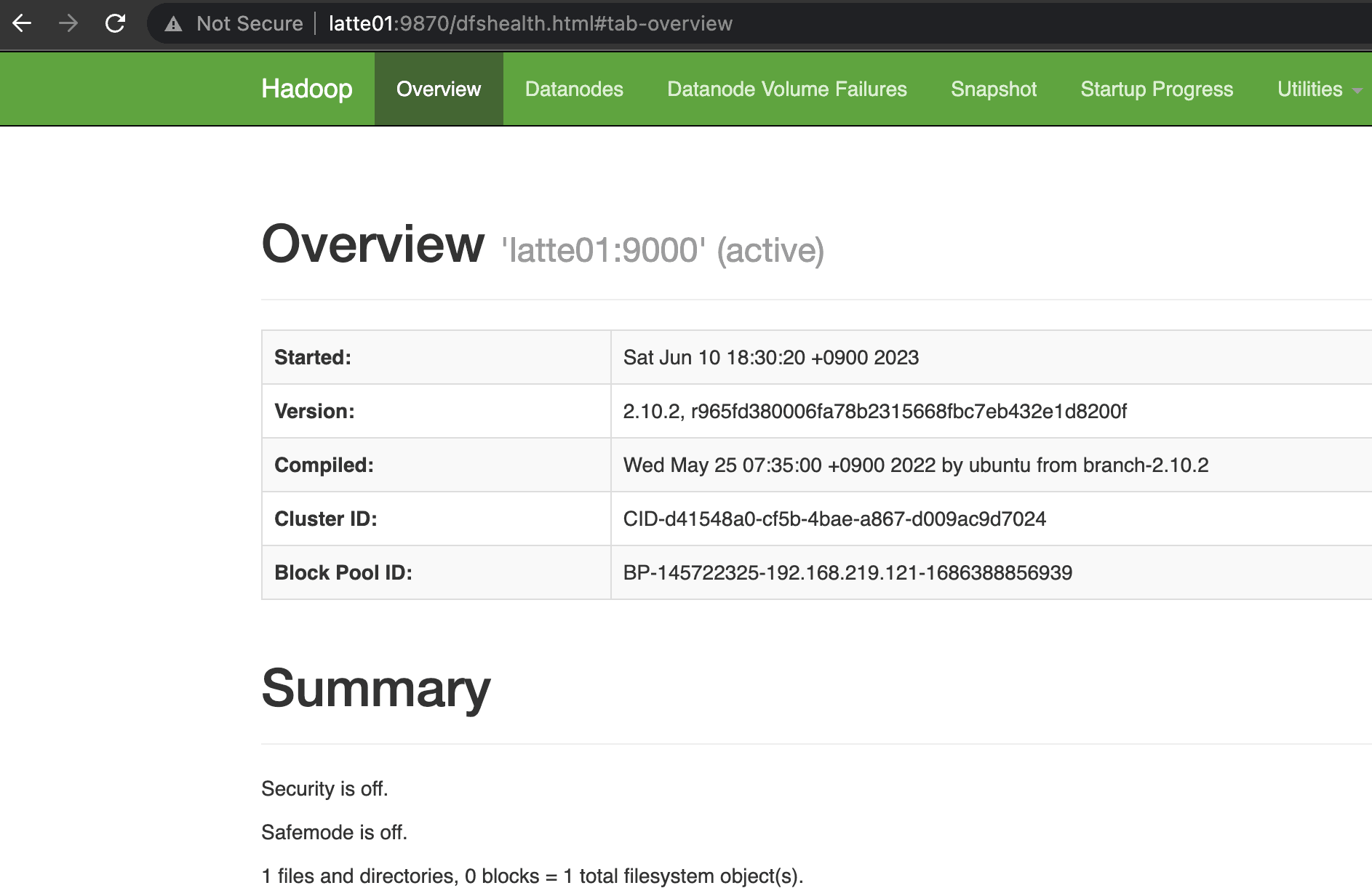
Confirmed that NameNode and Resource Manager started successfully.
Start HBase.
Starting HBase
start-hbase.sh
Download and Run YCSB
curl -O --location https://github.com/brianfrankcooper/YCSB/releases/download/0.17.0/ycsb-0.17.0.tar.gz
tar xfvz ycsb-0.17.0.tar.gz
cd ycsb-0.17.0
mkdir latte_hbase
vim hbase-site.xml
vim testoption
<configuration>
  <property>
    <name>hbase.cluster.distributed</name>
    <value>true</value>
  </property>
  <property>
    <name>hbase.rootdir</name>
    <value>hdfs://latte01:9000/hbase</value>
  </property>
  <property>
    <name>hbase.unsafe.stream.capability.enforce</name>
    <value>false</value>
  </property>
<property>
        <name>hbase.master.port</name>
        <value>60000</value>
</property>
<property>
        <name>hbase.master.info.port</name>
        <value>60010</value>
</property>
<property>
        <name>hbase.regionserver.info.bindAddress</name>
        <value>0.0.0.0</value>
</property>
<property>
        <name>hbase.regionserver.port</name>
        <value>60020</value>
</property>
<property>
        <name>hbase.regionserver.info.port</name>
        <value>60030</value>
</property>

  <property>
	<name>hbase.zookeeper.quorum</name>
	<value>latte01,latte02,latte03</value>
  </property>
<property>
        <name>hbase.zookeeper.property.clientPort</name>
        <value>2181</value>
</property>
<property>
  <name>hbase.wal.provider</name>
  <value>filesystem</value>
</property>
<property>
  <name>hbase.backup.enable</name>
  <value>true</value>
</property>
<property>
  <name>hbase.master.logcleaner.plugins</name>
  <value>org.apache.hadoop.hbase.backup.master.BackupLogCleaner</value>
</property>
</configuration>
recordcount=10000000
operationcount=1000000
Connect to HBase shell and create the usertable.
hbase(main):001:0> n_splits = 30
# HBase recommends (10 * number of regionservers)
hbase(main):002:0> create 'usertable', 'family', {SPLITS => (1..n_splits).map {|i| "user#{1000+i*(9999-1000)/n_splits}"}}
bin/ycsb load hbase20 -P workloads/workloada -P latte_hbase/testoptions -cp latte_hbase/ -p table=usertable -p columnfamily=family -p recordcount=10000000 -p operationcount=1000000 -threads 10
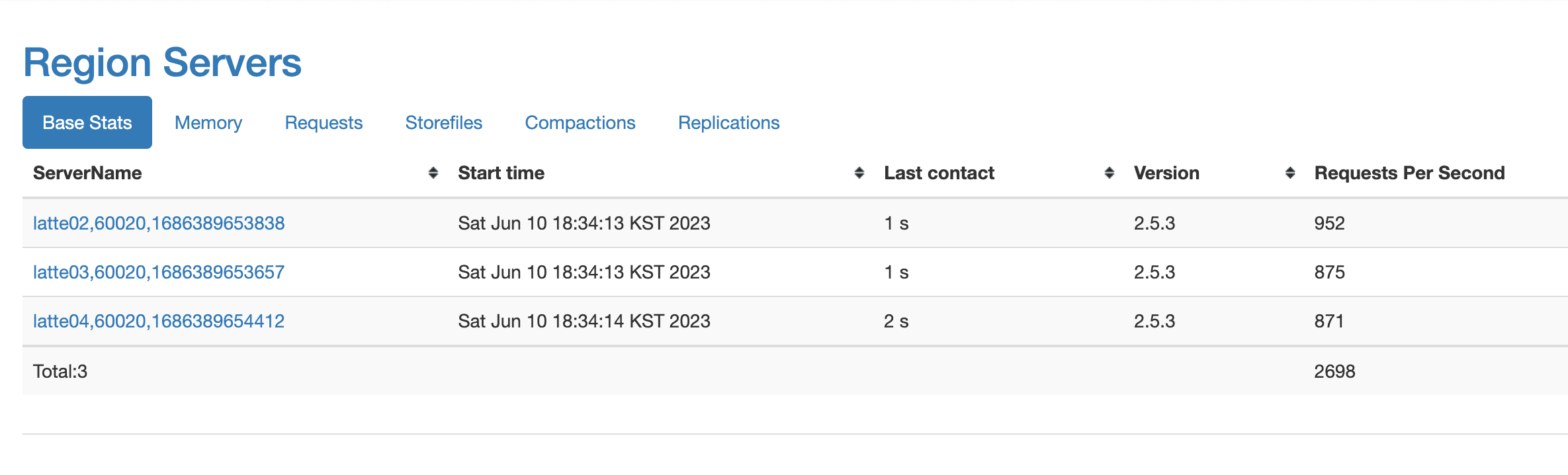
You can see that the number of requests increased to nearly 1K.
Running the Row Count MapReduce Again
hbase org.apache.hadoop.hbase.mapreduce.RowCounter usertable
The MapReduce job completed successfully.
2023-06-10 19:13:18,891 INFO  [main] mapreduce.Job (Job.java:monitorAndPrintJob(1643)) - Job job_1686391929383_0001 running in uber mode : false
2023-06-10 19:13:18,894 INFO  [main] mapreduce.Job (Job.java:monitorAndPrintJob(1650)) -  map 0% reduce 0%
2023-06-10 19:13:51,888 INFO  [main] mapreduce.Job (Job.java:monitorAndPrintJob(1650)) -  map 6% reduce 0%
2023-06-10 19:13:52,948 INFO  [main] mapreduce.Job (Job.java:monitorAndPrintJob(1650)) -  map 16% reduce 0%
2023-06-10 19:13:53,966 INFO  [main] mapreduce.Job (Job.java:monitorAndPrintJob(1650)) -  map 26% reduce 0%
2023-06-10 19:13:59,063 INFO  [main] mapreduce.Job (Job.java:monitorAndPrintJob(1650)) -  map 35% reduce 0%
2023-06-10 19:14:00,097 INFO  [main] mapreduce.Job (Job.java:monitorAndPrintJob(1650)) -  map 39% reduce 0%
2023-06-10 19:14:01,118 INFO  [main] mapreduce.Job (Job.java:monitorAndPrintJob(1650)) -  map 52% reduce 0%

	HBaseCounters
		BYTES_IN_REMOTE_RESULTS=14106802
		BYTES_IN_RESULTS=59441193
		MILLIS_BETWEEN_NEXTS=282081
		NOT_SERVING_REGION_EXCEPTION=0
		REGIONS_SCANNED=31
		REMOTE_RPC_CALLS=22
		REMOTE_RPC_RETRIES=0
		ROWS_FILTERED=44
		ROWS_SCANNED=374127
		RPC_CALLS=88
		RPC_RETRIES=0
	org.apache.hadoop.hbase.mapreduce.RowCounter$RowCounterMapper$Counters
		ROWS=374127
	File Input Format Counters
		Bytes Read=0
	File Output Format Counters
		Bytes Written=0
Confirmed that there are 374,127 rows.
Running our custom row counter MapReduce.
hadoop jar hbase-mapreduce-test.jar RowCounterJob
The same result was output as shown below.
23/06/10 19:40:03 INFO mapreduce.Job:  map 87% reduce 0%
23/06/10 19:40:04 INFO mapreduce.Job:  map 94% reduce 0%
23/06/10 19:40:05 INFO mapreduce.Job:  map 97% reduce 0%
23/06/10 19:40:06 INFO mapreduce.Job:  map 100% reduce 0%
	RowCounterMapper$Counters
		ROWS=374127
	File Input Format Counters
		Bytes Read=0
	File Output Format Counters
		Bytes Written=0