- Authors
- Name
Overview
HBase splits a single table into multiple units called regions for distributed processing. Starting from a single region, as the region grows in size, large regions are automatically split into two regions. However, this splitting process incurs significant cost. Therefore, if you expect a large amount of initial data, pre-splitting regions when creating the table can reduce the load on the cluster.
So, what criteria should you use to split a table? The answer likely depends on your row-key design. If you know in advance that the rowkey range will be from 1xxxxxx to 9xxxxxx, it would be best to pre-split into regions with prefixes 1 through 9.
I will introduce three methods that can be used universally for commonly used rowkey patterns in general situations.
PreSplit Methods
- HexStringSplit
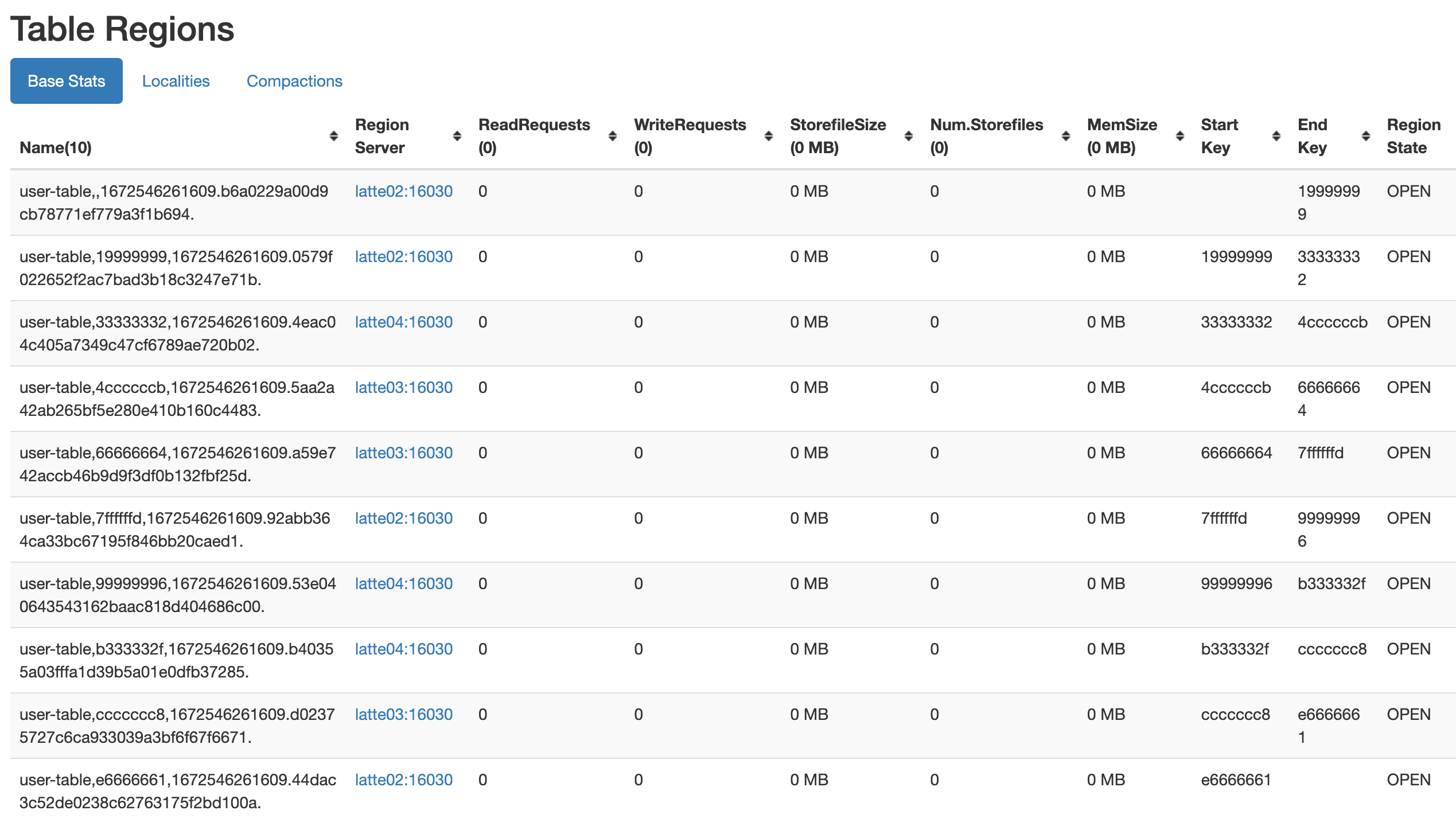
As shown below, if you select HexStringSplit as the split algorithm when creating a table, regions will be split based on HexString[1-9a-z].
create 'user-table', 'cf', {NUMREGIONS =>10, SPLITALGO => 'HexStringSplit'}
- UniformSplit
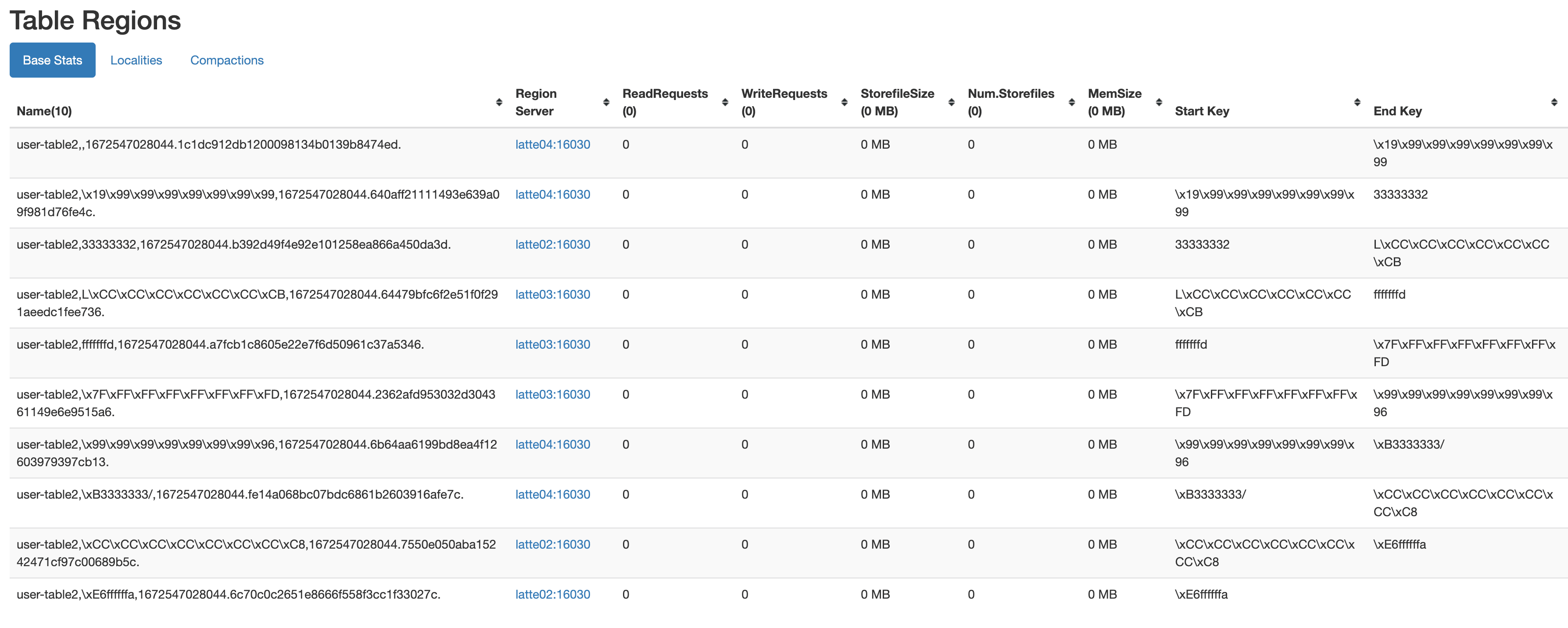
The UniformSplit option also exists. This method splits the table using random bytes keys, and the regions are created as shown below.
create 'user-table2', 'cf', {NUMREGIONS =>10, SPLITALGO => 'UniformSplit'}
- Custom Split
Instead of using the default split algorithms provided by HBase, you can configure a custom split function to pre-split regions accordingly. For example, if all data has a rowkey of user#xxxx and you need to prepend the prefix user#, you can create a table in the hbase shell as follows.
n_splits = 10
create 'usertable', 'family', {SPLITS => (1..n_splits).map {|i| "user#{1000+i*(9999-1000)/n_splits}"}}
Reference
This concludes the post on three methods for presplitting HBase tables.