- Authors
- Name
Background
I would like to introduce Async Profiler, a software that helps investigate which functions and calls are being made at runtime with minimal impact on the Java application.
Install
 wget https://github.com/jvm-profiling-tools/async-profiler/releases/download/v2.9/async-profiler-2.9-linux-x64.tar.gz

 tar -zxvf async-profiler-2.9-linux-x64.tar.gz
Execute
$./profiler.sh
Usage: ./profiler.sh [action] [options] <pid>
Actions:
  start             start profiling and return immediately
  resume            resume profiling without resetting collected data
  stop              stop profiling
  dump              dump collected data without stopping profiling session
  check             check if the specified profiling event is available
  status            print profiling status
  meminfo           print profiler memory stats
  list              list profiling events supported by the target JVM
  collect           collect profile for the specified period of time
                    and then stop (default action)
Options:
  -e event          profiling event: cpu|alloc|lock|cache-misses etc.
  -d duration       run profiling for <duration> seconds
  -f filename       dump output to <filename>
  -i interval       sampling interval in nanoseconds
  -j jstackdepth    maximum Java stack depth
  -t                profile different threads separately
  -s                simple class names instead of FQN
  -g                print method signatures
  -a                annotate Java methods
  -l                prepend library names
  -o fmt            output format: flat|traces|collapsed|flamegraph|tree|jfr
  -I include        output only stack traces containing the specified pattern
  -X exclude        exclude stack traces with the specified pattern
  -v, --version     display version string

  --title string    FlameGraph title
  --minwidth pct    skip frames smaller than pct%
  --reverse         generate stack-reversed FlameGraph / Call tree

  --loop time       run profiler in a loop
  --alloc bytes     allocation profiling interval in bytes
  --live            build allocation profile from live objects only
  --lock duration   lock profiling threshold in nanoseconds
  --total           accumulate the total value (time, bytes, etc.)
  --all-user        only include user-mode events
  --sched           group threads by scheduling policy
  --cstack mode     how to traverse C stack: fp|dwarf|lbr|no
  --begin function  begin profiling when function is executed
  --end function    end profiling when function is executed
  --ttsp            time-to-safepoint profiling
  --jfrsync config  synchronize profiler with JFR recording
  --lib path        full path to libasyncProfiler.so in the container
  --fdtransfer      use fdtransfer to serve perf requests
                    from the non-privileged target

<pid> is a numeric process ID of the target JVM
      or 'jps' keyword to find running JVM automatically
      or the application's name as it would appear in the jps tool

Example: ./profiler.sh -d 30 -f profile.html 3456
         ./profiler.sh start -i 999000 jps
         ./profiler.sh stop -o flat jps
         ./profiler.sh -d 5 -e alloc MyAppName


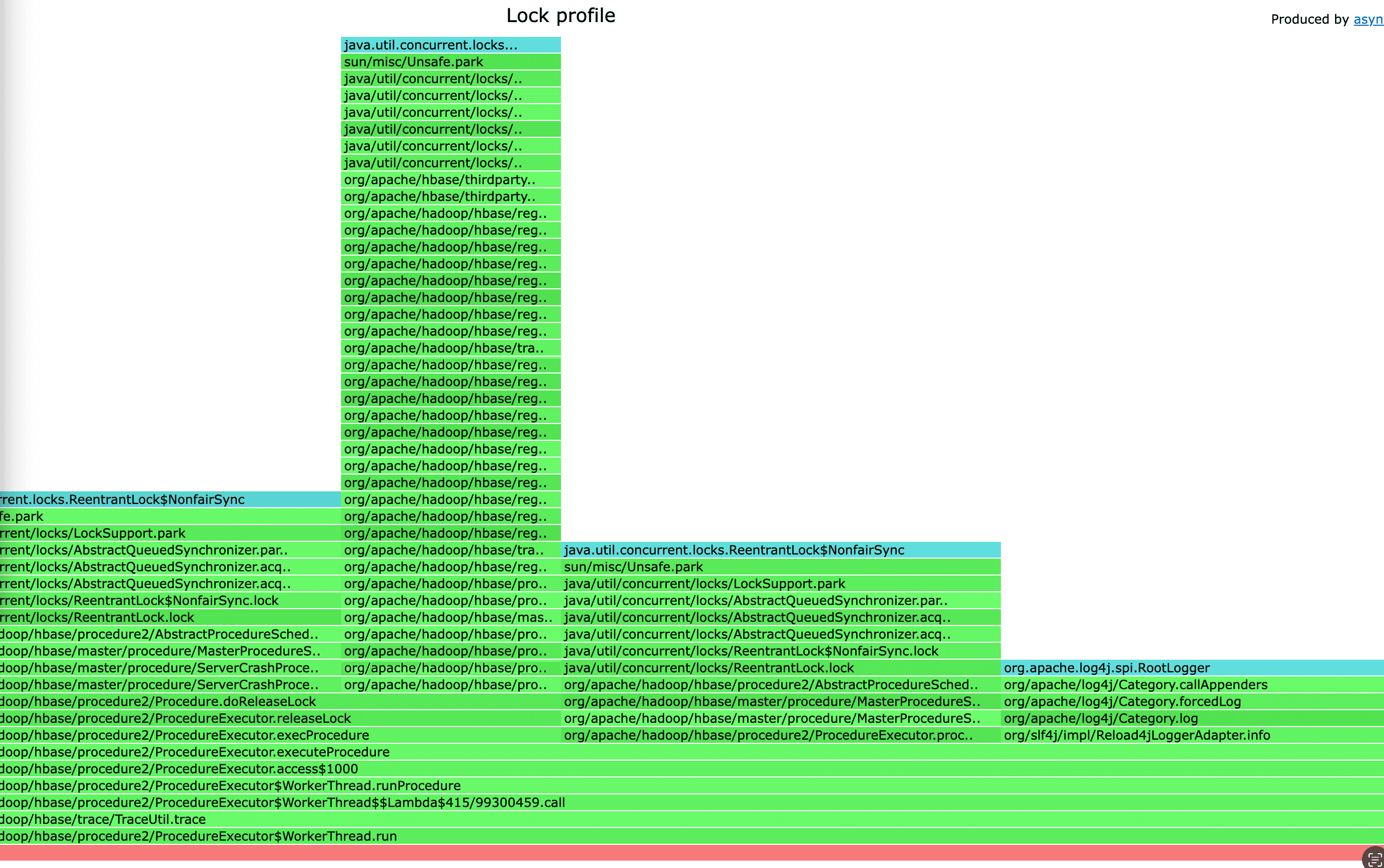
$ ./profiler.sh -e lock -d 10 -o flamegraph -f flamegraph.html 1245729
Viewing the Results
Start a temporary server such as python3 -m http.server in the directory where the saved flamegraph.html is located to make it accessible from outside. You can then view the profiling results through the web UI as shown below.