- Authors
- Name
Overview
Hadoop can store large amounts of data. Therefore, Kerberos must be applied to securely protect this data. In this post, we introduce the process of building a KDC server required for Kerberos implementation. For more details, please refer to the ubuntu-MIT-kerberos-setting documentation.
- Installing krb5-kdc and krb5-admin-server
- Running kadmin.local
- Registering KDC Admin ACL
- kinit Test
- Reference
Installing krb5-kdc and krb5-admin-server
Install krb5-kdc and krb5-admin-server using the apt command.
sudo apt install krb5-kdc krb5-admin-server
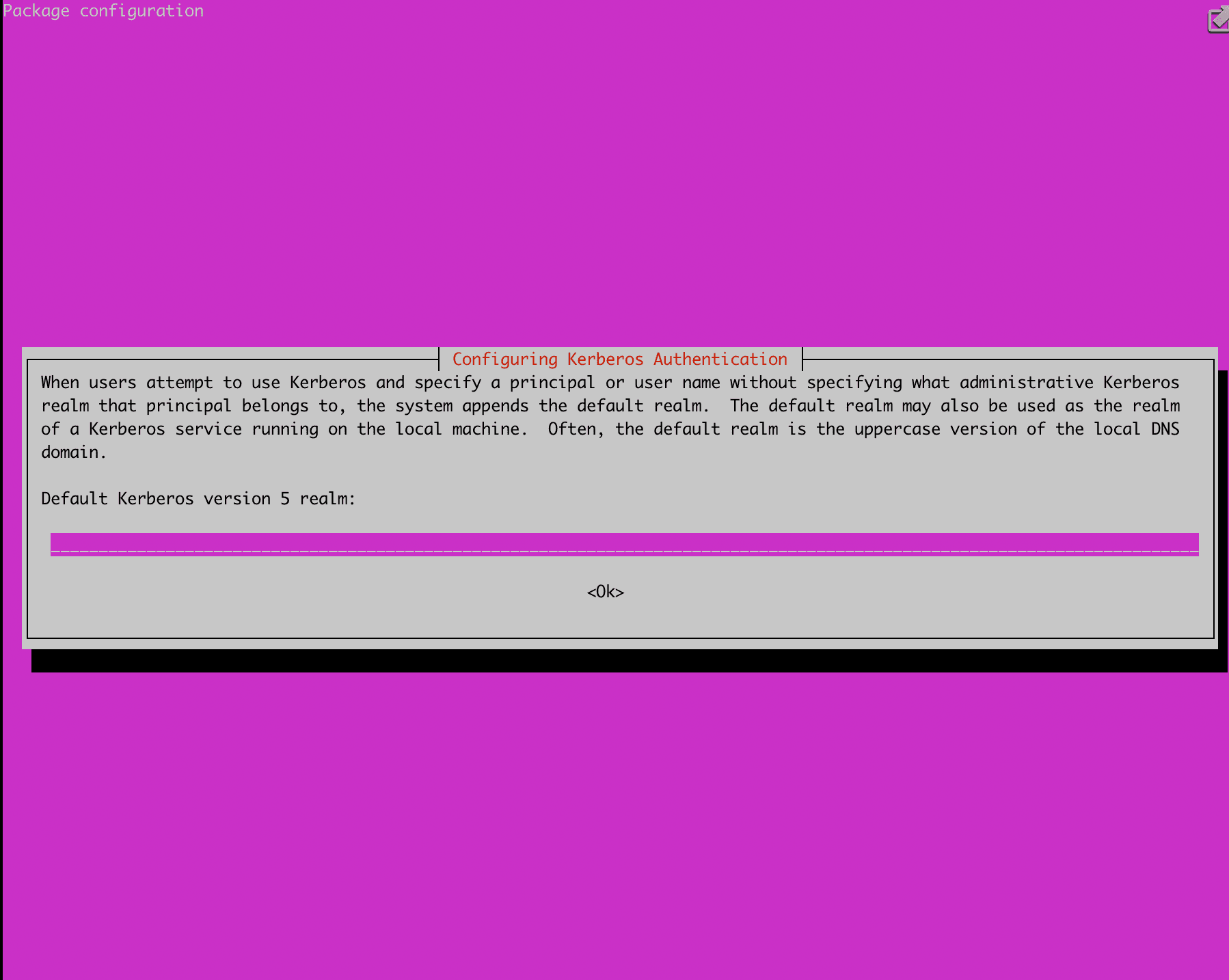
During installation, a screen will appear asking you to enter a realm as shown below. Enter your desired realm at this point. I set it to UBUNTU.YJ.COM.
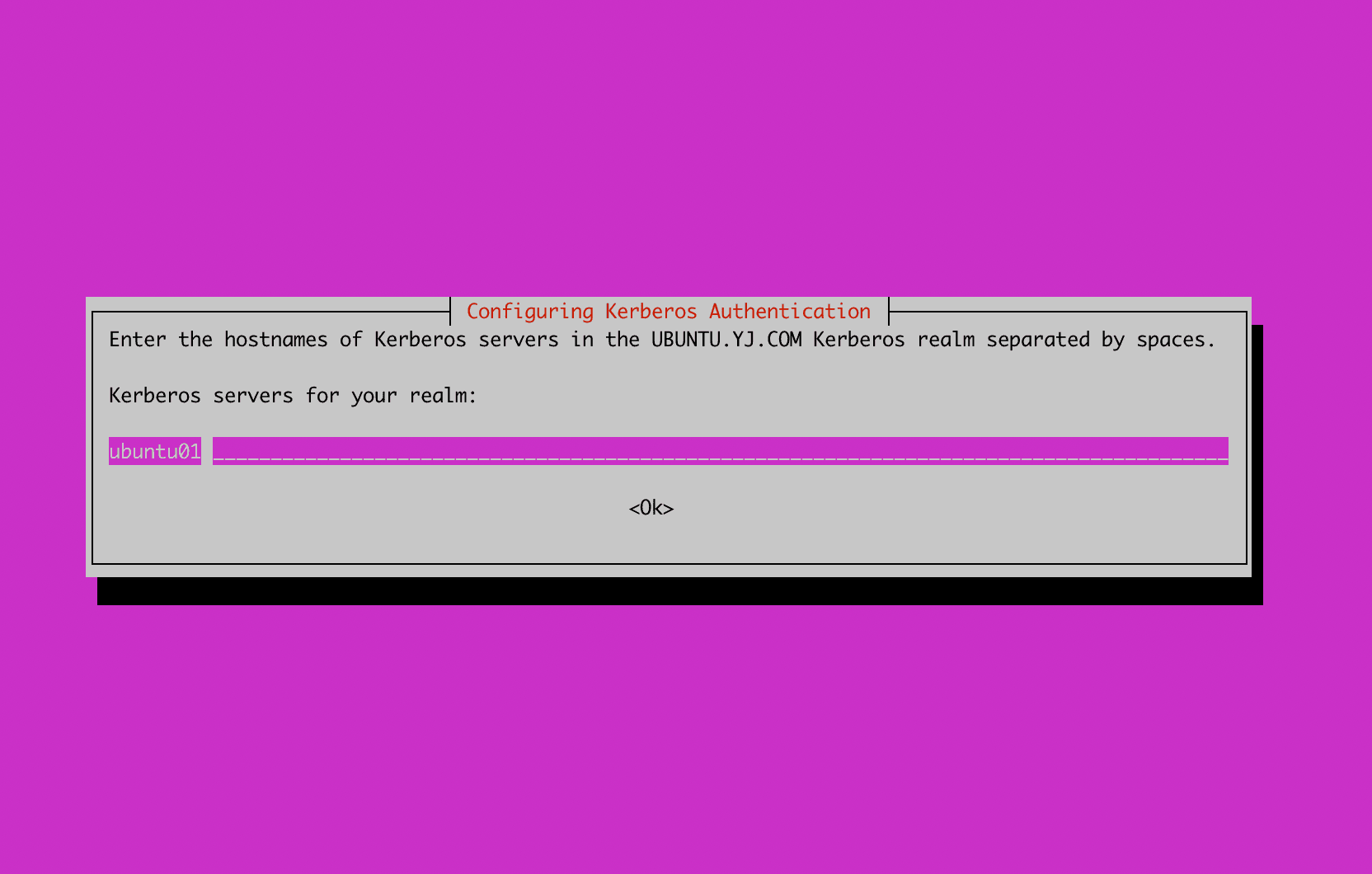
A screen will appear asking you to enter the hostname where the Kerberos server will be installed. Enter the server's hostname as shown below.
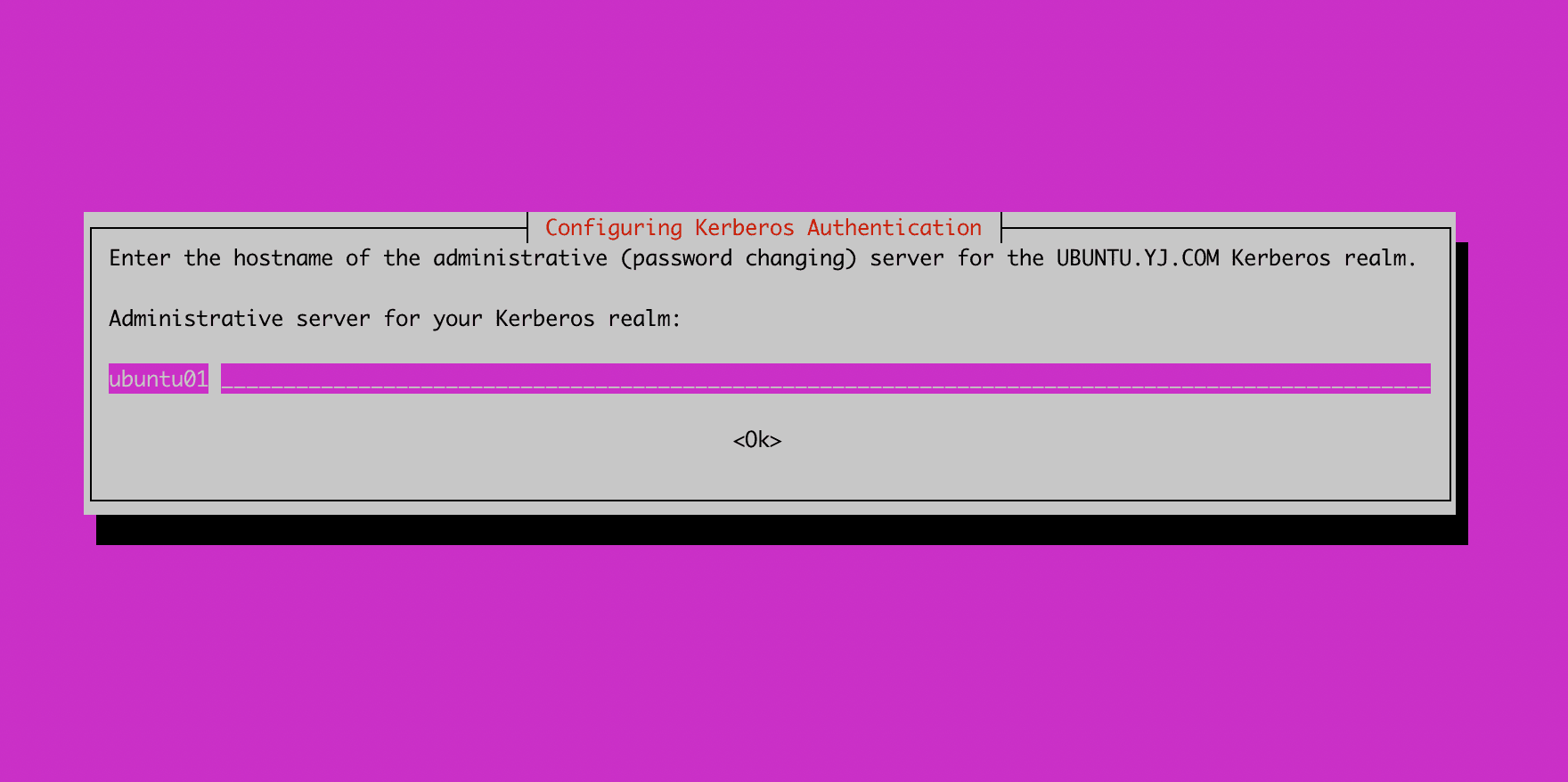
Next, enter the hostname for the admin server. In my case, since I am installing the admin server on the same server as the Kerberos server, I entered the same hostname.
Once the installation is complete, create the database using the krb5_newrealm command. During this process, you will set the database master password.
root@ubuntu01:~# sudo krb5_newrealm
This script should be run on the master KDC/admin server to initialize
a Kerberos realm.  It will ask you to type in a master key password.
This password will be used to generate a key that is stored in
/etc/krb5kdc/stash.  You should try to remember this password, but it
is much more important that it be a strong password than that it be
remembered.  However, if you lose the password and /etc/krb5kdc/stash,
you cannot decrypt your Kerberos database.
Loading random data
Initializing database '/var/lib/krb5kdc/principal' for realm 'UBUNTU.YJ.COM',
master key name 'K/M@UBUNTU.YJ.COM'
You will be prompted for the database Master Password.
It is important that you NOT FORGET this password.
Enter KDC database master key:
Re-enter KDC database master key to verify:
Now that your realm is set up you may wish to create an administrative
principal using the addprinc subcommand of the kadmin.local program.
Then, this principal can be added to /etc/krb5kdc/kadm5.acl so that
you can use the kadmin program on other computers.  Kerberos admin
principals usually belong to a single user and end in /admin.  For
example, if jruser is a Kerberos administrator, then in addition to
the normal jruser principal, a jruser/admin principal should be
created.

Don't forget to set up DNS information so your clients can find your
KDC and admin servers.  Doing so is documented in the administration
guide.
Running kadmin.local
Running the kadmin.local command launches a program that can manage principals belonging to the realm and KDC. Running listprinc shows the currently registered principals.
root@ubuntu01:~# kadmin.local
Authenticating as principal youngjukim/admin@UBUNTU.YJ.COM with password.
kadmin.local:  listprincs
K/M@UBUNTU.YJ.COM
kadmin/admin@UBUNTU.YJ.COM
kadmin/changepw@UBUNTU.YJ.COM
krbtgt/UBUNTU.YJ.COM@UBUNTU.YJ.COM
Commands available in kadmin.local
kadmin.local:  ?
Available kadmin.local requests:

add_principal, addprinc, ank
                         Add principal
delete_principal, delprinc
                         Delete principal
modify_principal, modprinc
                         Modify principal
rename_principal, renprinc
                         Rename principal
change_password, cpw     Change password
get_principal, getprinc  Get principal
list_principals, listprincs, get_principals, getprincs
                         List principals
add_policy, addpol       Add policy
modify_policy, modpol    Modify policy
delete_policy, delpol    Delete policy
get_policy, getpol       Get policy
list_policies, listpols, get_policies, getpols
                         List policies
get_privs, getprivs      Get privileges
ktadd, xst               Add entry(s) to a keytab
ktremove, ktrem          Remove entry(s) from a keytab
lock                     Lock database exclusively (use with extreme caution!)
unlock                   Release exclusive database lock
purgekeys                Purge previously retained old keys from a principal
get_strings, getstrs     Show string attributes on a principal
set_string, setstr       Set a string attribute on a principal
del_string, delstr       Delete a string attribute on a principal
list_requests, lr, ?     List available requests.
Registering KDC Admin ACL
If you want to register admin principals other than the youngjukim/admin principal, uncomment the */admin * section as shown below. After restarting krb5-admin-server, any principal created with */admin will be configured to have admin privileges.
# This file Is the access control list for krb5 administration.
# When this file is edited run service krb5-admin-server restart to activate
# One common way to set up Kerberos administration is to allow any principal
# ending in /admin  is given full administrative rights.
# To enable this, uncomment the following line:
*/admin *
Restart krb5-admin-server to apply the admin ACL.
root@ubuntu01:~# service krb5-admin-server status
● krb5-admin-server.service - Kerberos 5 Admin Server
     Loaded: loaded (/lib/systemd/system/krb5-admin-server.service; enabled; vendor preset: enabled)
     Active: active (running) since Sun 2022-11-20 16:00:19 UTC; 11min ago
root@ubuntu01:~# service krb5-admin-server restart
You can change the KDC server's port, ticket lifetime, log location, database location, encryption type, and more in the file below.
[kdcdefaults]
    kdc_ports = 750,88

[realms]
    UBUNTU.YJ.COM = {
        database_name = /var/lib/krb5kdc/principal
        admin_keytab = FILE:/etc/krb5kdc/kadm5.keytab
        acl_file = /etc/krb5kdc/kadm5.acl
        key_stash_file = /etc/krb5kdc/stash
        kdc_ports = 750,88
        max_life = 10h 0m 0s
        max_renewable_life = 7d 0h 0m 0s
        master_key_type = des3-hmac-sha1
        #supported_enctypes = aes256-cts:normal aes128-cts:normal
        default_principal_flags = +preauth
    }
kinit Test
For a client to access the KDC and obtain a ticket, the following must be done first. For more details, refer to (krb5-client)[https://plugins.miniorange.com/steps-to-setup-kerberos-on-ubuntu-rhel-centos].
- The principal that wants to access the KDC must be added to the database on the KDC server side.
- The client must have the library installed for KDC access. (krb5-user or krb5-workstation)
- The client performs kinit principal. At this point, the client must either have the keytab for that principal or know the password.
1. Creating a principal in kadmin.local (password method)
root@ubuntu01:~# kadmin.local
Authenticating as principal youngjukim/admin@UBUNTU.YJ.COM with password.
kadmin.local:  addprinc test-user
No policy specified for test-user@UBUNTU.YJ.COM; defaulting to no policy
Enter password for principal "test-user@UBUNTU.YJ.COM":
Re-enter password for principal "test-user@UBUNTU.YJ.COM":
Principal "test-user@UBUNTU.YJ.COM" created.
2. Installing the library for KDC access on the client + Modifying /etc/krb5.conf
Enter the command sudo apt install krb5-user to proceed with the installation.
root@ubuntu02:~# cat /etc/krb5.conf
[libdefaults]
	default_realm = UBUNTU.YJ.COM

# The following krb5.conf variables are only for MIT Kerberos.
	kdc_timesync = 1
	ccache_type = 4
	forwardable = true
	proxiable = true

# The following encryption type specification will be used by MIT Kerberos
# if uncommented.  In general, the defaults in the MIT Kerberos code are
# correct and overriding these specifications only serves to disable new
# encryption types as they are added, creating interoperability problems.
#
# The only time when you might need to uncomment these lines and change
# the enctypes is if you have local software that will break on ticket
# caches containing ticket encryption types it doesn't know about (such as
# old versions of Sun Java).

#	default_tgs_enctypes = des3-hmac-sha1
#	default_tkt_enctypes = des3-hmac-sha1
#	permitted_enctypes = des3-hmac-sha1

# The following libdefaults parameters are only for Heimdal Kerberos.
	fcc-mit-ticketflags = true

[realms]
	UBUNTU.YJ.COM = {
		kdc = ubuntu01
		admin_server = ubuntu01
	}

[domain_realm]
3. Performing kinit principal
Perform kinit principal. If you have a keytab, you can specify the keytab path using the -kt option. Entering klist will show the information of the issued Kerberos ticket.
root@ubuntu02:~# kinit  -V test-user
Using default cache: /tmp/krb5cc_0
Using principal: test-user@UBUNTU.YJ.COM
Password for test-user@UBUNTU.YJ.COM:
Authenticated to Kerberos v5
root@ubuntu02:~# klist
Ticket cache: FILE:/tmp/krb5cc_0
Default principal: test-user@UBUNTU.YJ.COM

Valid starting       Expires              Service principal
11/20/2022 16:34:17  11/21/2022 02:34:17  krbtgt/UBUNTU.YJ.COM@UBUNTU.YJ.COM
	renew until 11/21/2022 16:33:33