0%
💡 왼쪽 원문을 읽으면서 오른쪽에 따라 써보세요. Tab 키로 힌트를 받을 수 있습니다.
Overview
Hadoop 2.6.0 을 Java-client Library를 사용하여 다루는 법을 알아본다.
hdfs_skim 은 hdfs://{active_namenode_url}:{port}형식의 String 타입의 변수이다.
Hadoop Client 설치 방법
hadoop-client Maven Repository 에서 Hadoop 버젼에 맞는 maven repository를 찾는다.
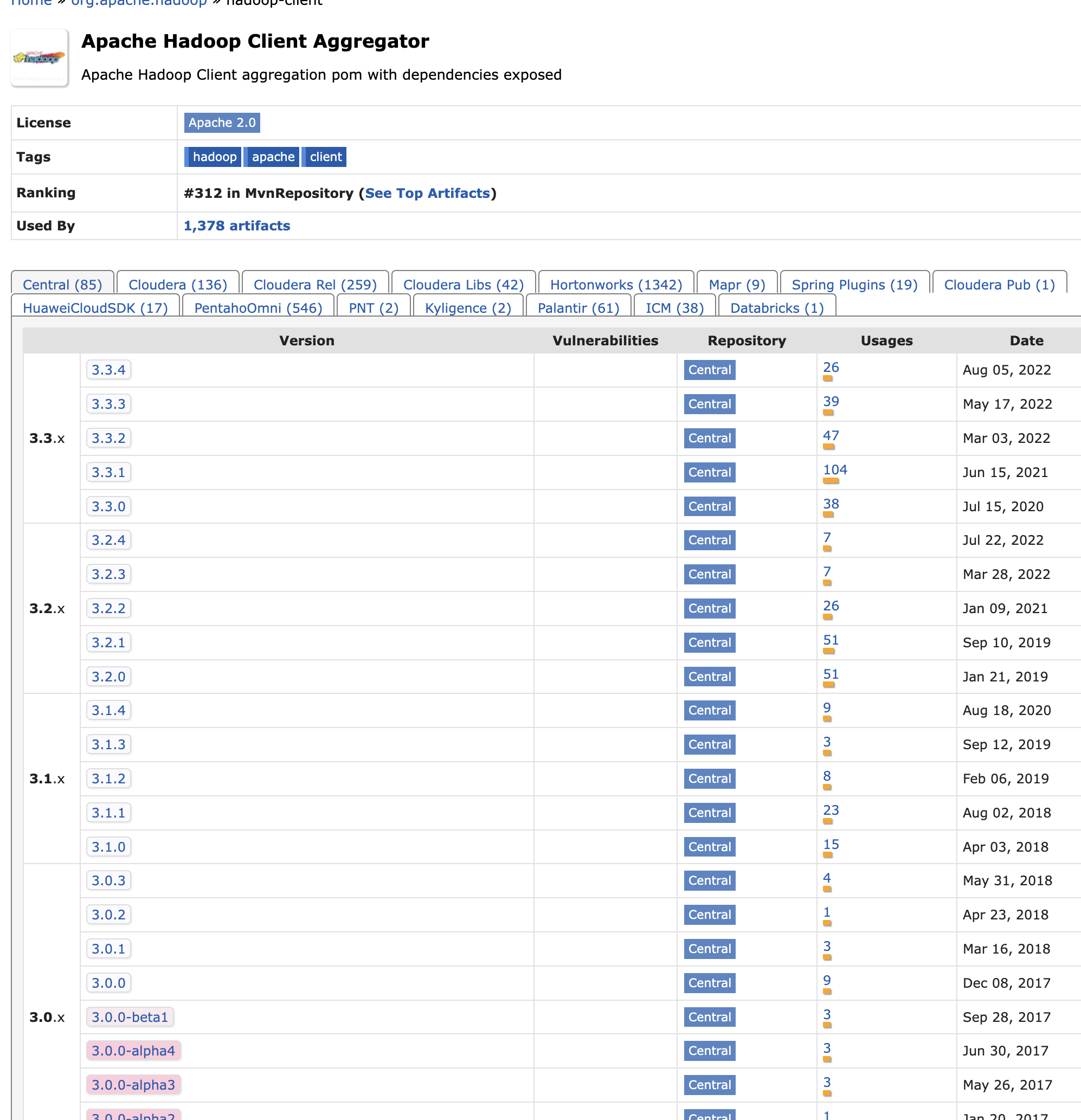
프로젝트의 pom.xml에 hadoop-client를 dependency로 등록한다.
pom.xml
    <dependencies>
        <dependency>
            <groupId>org.apache.hadoop</groupId>
            <artifactId>hadoop-client</artifactId>
            <version>2.6.0</version>
        </dependency>
    </dependencies>
hadoop-client
create directory
hdfs에 /tmp/ 디렉터리 밑에 test라는 이름의 폴더를 추가.
create_directory
import org.apache.hadoop.fs.FileSystem;
import org.apache.hadoop.conf.Configuration;

    public static void createDirectory() throws IOException {
        // create directory
        Configuration configuration = new Configuration();
        configuration.set("fs.defaultFS", hdfs_skim);
        FileSystem fileSystem = FileSystem.get(configuration);
        String directoryName = "/tmp/test";
        Path path = new Path(directoryName);
        fileSystem.mkdirs(path);
    }
new_directory_check
 hdfs dfs -ls /tmp
 drwxr-xr-x   - user   supergroup          0 2022-10-03 19:04 /tmp/test
create file
hdfs에 /tmp/test 디렉터리 밑에 read_write_hdfs_example.txt라는 이름의 텍스트 파일 추가.
add
import org.apache.hadoop.fs.FSDataOutputStream;
import java.io.BufferedWriter;

    public static void writeFileToHDFS() throws IOException {
        Configuration configuration = new Configuration();
        configuration.set("fs.defaultFS", hdfs_skim);
        FileSystem fileSystem = FileSystem.get(configuration);
        //Create a path
        String fileName = "read_write_hdfs_example.txt";
        Path hdfsWritePath = new Path("/tmp/test/" + fileName);
        FSDataOutputStream fsDataOutputStream = fileSystem.create(hdfsWritePath,true);

        BufferedWriter bufferedWriter = new BufferedWriter(new OutputStreamWriter(fsDataOutputStream,StandardCharsets.UTF_8));
        bufferedWriter.write("Java API to write data in HDFS");
        bufferedWriter.newLine();
        bufferedWriter.close();
        fileSystem.close();
    }
new_file_check
hdfs dfs -ls /tmp/test
Found 1 items
-rw-r--r--   3 user supergroup         31 2022-10-03 19:40 /tmp/test/read_write_hdfs_example.txt
edit file
hdfs에 /tmp/test/read_write_hdfs_example.txt 파일에 텍스트 라인 한 줄 추가
edit
import org.apache.hadoop.fs.FSDataOutputStream;
import java.io.BufferedWriter;

    public static void writeFileToHDFS() throws IOException {
        Configuration configuration = new Configuration();
        configuration.set("fs.defaultFS", hdfs_skim);
        FileSystem fileSystem = FileSystem.get(configuration);
        //Create a path
        String fileName = "read_write_hdfs_example.txt";
        Path hdfsWritePath = new Path("/tmp/test/" + fileName);
        FSDataOutputStream fsDataOutputStream = fileSystem.create(hdfsWritePath,true);

        BufferedWriter bufferedWriter = new BufferedWriter(new OutputStreamWriter(fsDataOutputStream,StandardCharsets.UTF_8));
        bufferedWriter.write("Java API to write data in HDFS");
        bufferedWriter.newLine();
        bufferedWriter.close();
        fileSystem.close();
    }
edit_file_check
hdfs dfs -cat /tmp/test/read_write_hdfs_example.txt
Java API to write data in HDFS
Java API to append data in HDFS file
read file
hdfs에 /tmp/test/read_write_hdfs_example.txt 파일을 읽어오기
edit
import org.apache.hadoop.fs.FSDataOutputStream;
import org.apache.hadoop.fs.FSDataInputStream;
import org.apache.hadoop.fs.FileSystem;
import java.io.*;

    public static void readFileFromHDFS() throws IOException {
        Configuration configuration = new Configuration();
        configuration.set("fs.defaultFS", hdfs_skim);
        FileSystem fileSystem = FileSystem.get(configuration);
        //Create a path
        String fileName = "read_write_hdfs_example.txt";
        Path hdfsReadPath = new Path("/tmp/test/" + fileName);
        //Init input stream
        FSDataInputStream inputStream = fileSystem.open(hdfsReadPath);
        //Classical input stream usage
//        String out= IOUtils.toString(inputStream, "UTF-8");
//        System.out.println(out);

        BufferedReader bufferedReader = new BufferedReader(
                new InputStreamReader(inputStream, StandardCharsets.UTF_8));

        String line = null;
        while ((line=bufferedReader.readLine())!=null){
            System.out.println(line);
        }

        inputStream.close();
        fileSystem.close();
    }
output
Java API to write data in HDFS
Java API to append data in HDFS file

Process finished with exit code 0
현재 단락 (1/77)
Hadoop 2.6.0 을 Java-client Library를 사용하여 다루는 법을 알아본다.
작성 글자: 0자원문 글자: 3,368자작성 단락: 0/77