- 들어가며
- KFP v2 설치 및 기본 개념
- 컴포넌트 정의
- 파이프라인 작성
- 고급 패턴
- CI/CD 통합
- 컴파일하면 무엇이 나오나
- 실행을 제출하고 런을 읽는 법
- 처음부터 끝까지 한 번 돌려보기
- 컴포넌트는 생각보다 훨씬 고립되어 있다
- 실패한 런을 읽는 순서
- 캐싱은 기본으로 켜져 있다
- 제어 흐름과 플랫폼 기능은 이름이 바뀌었다
- 언제 KFP를 쓰지 않나
- 마무리
- 참고 자료
- 퀴즈
들어가며
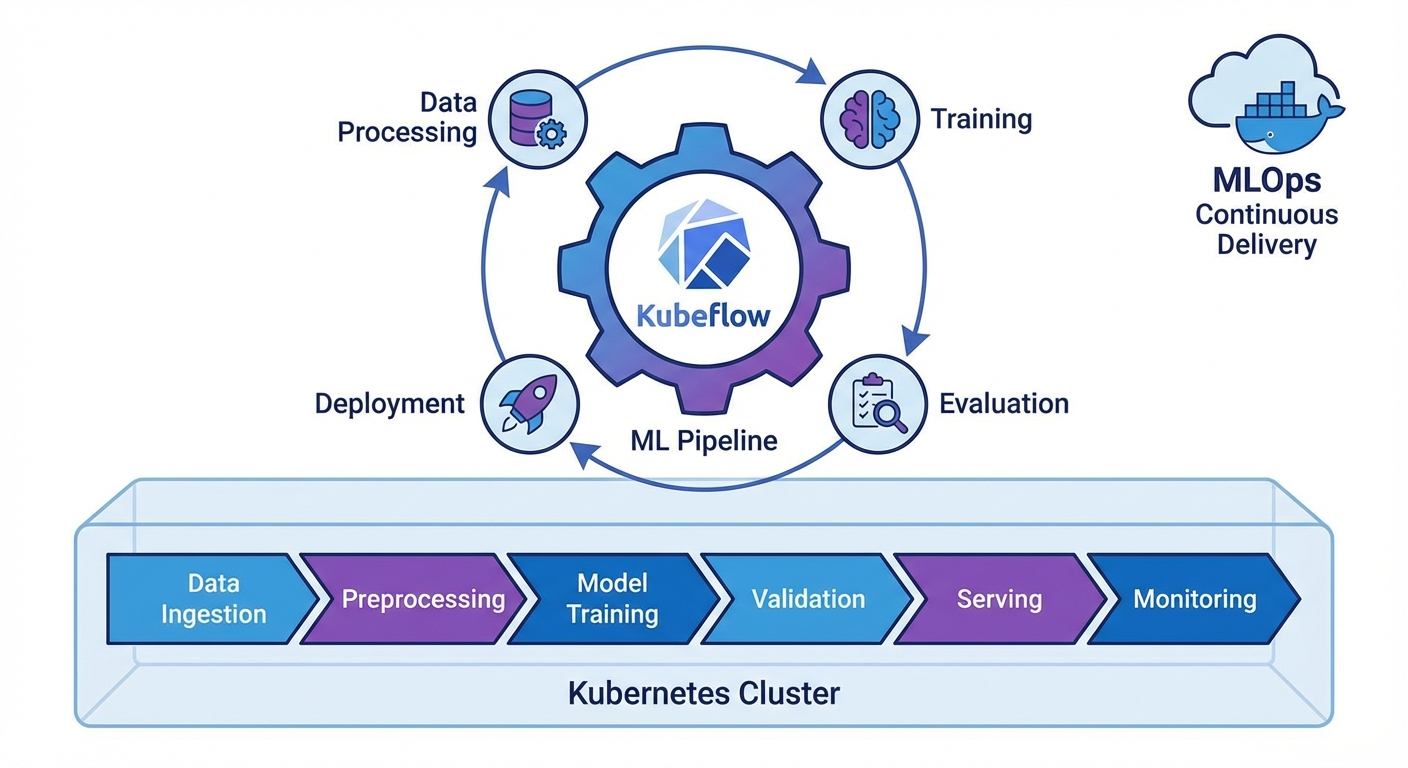
ML 모델을 실험에서 프로덕션으로 옮기는 과정에서 재현성, 자동화, 버전 관리는 필수입니다. Kubeflow Pipelines(KFP) v2는 Kubernetes 위에서 ML 워크플로를 정의하고 실행하는 프레임워크로, 파이썬 데코레이터만으로 파이프라인을 구성할 수 있습니다.
이 글에서는 KFP v2 SDK의 핵심 기능과 실전 파이프라인 구축을 다룹니다.
KFP v2 설치 및 기본 개념
설치
pip install kfp==2.7.0

# Kubeflow Pipelines 백엔드 설치 (Kubernetes)
kubectl apply -k "github.com/kubeflow/pipelines/manifests/kustomize/env/platform-agnostic?ref=2.2.0"

# 포트포워딩
kubectl port-forward svc/ml-pipeline-ui -n kubeflow 8080:80
핵심 개념
# 1. Component: 파이프라인의 단위 작업 (Python 함수)
# 2. Pipeline: Component들의 DAG(방향 비순환 그래프)
# 3. Artifact: 입출력 데이터 (Dataset, Model, Metrics 등)
# 4. Run: 파이프라인의 한 번 실행
# 5. Experiment: Run들의 논리적 그룹
컴포넌트 정의
Lightweight Python Component
from kfp import dsl
from kfp.dsl import (
    Dataset, Input, Output, Model, Metrics,
    ClassificationMetrics, component
)


@dsl.component(
    base_image="python:3.11-slim",
    packages_to_install=["pandas==2.1.4", "scikit-learn==1.4.0"]
)
def load_data(
    dataset_url: str,
    output_dataset: Output[Dataset]
):
    """데이터 로드 컴포넌트"""
    import pandas as pd

    df = pd.read_csv(dataset_url)
    print(f"Loaded {len(df)} rows")

    # Output artifact에 저장
    df.to_csv(output_dataset.path, index=False)
    output_dataset.metadata["num_rows"] = len(df)
    output_dataset.metadata["num_columns"] = len(df.columns)


@dsl.component(
    base_image="python:3.11-slim",
    packages_to_install=["pandas==2.1.4", "scikit-learn==1.4.0"]
)
def preprocess_data(
    input_dataset: Input[Dataset],
    train_dataset: Output[Dataset],
    test_dataset: Output[Dataset],
    test_size: float = 0.2
):
    """데이터 전처리 및 분할"""
    import pandas as pd
    from sklearn.model_selection import train_test_split

    df = pd.read_csv(input_dataset.path)

    # 전처리
    df = df.dropna()
    df = df.drop_duplicates()

    # 분할
    train_df, test_df = train_test_split(df, test_size=test_size, random_state=42)

    train_df.to_csv(train_dataset.path, index=False)
    test_df.to_csv(test_dataset.path, index=False)

    train_dataset.metadata["num_rows"] = len(train_df)
    test_dataset.metadata["num_rows"] = len(test_df)


@dsl.component(
    base_image="python:3.11-slim",
    packages_to_install=[
        "pandas==2.1.4", "scikit-learn==1.4.0",
        "joblib==1.3.2", "xgboost==2.0.3"
    ]
)
def train_model(
    train_dataset: Input[Dataset],
    model_output: Output[Model],
    metrics_output: Output[Metrics],
    n_estimators: int = 100,
    max_depth: int = 6,
    learning_rate: float = 0.1
):
    """모델 학습"""
    import pandas as pd
    import joblib
    from xgboost import XGBClassifier
    from sklearn.model_selection import cross_val_score

    df = pd.read_csv(train_dataset.path)
    X = df.drop("target", axis=1)
    y = df["target"]

    # 학습
    model = XGBClassifier(
        n_estimators=n_estimators,
        max_depth=max_depth,
        learning_rate=learning_rate,
        random_state=42
    )
    model.fit(X, y)

    # 교차 검증
    cv_scores = cross_val_score(model, X, y, cv=5, scoring="accuracy")

    # 모델 저장
    joblib.dump(model, model_output.path)
    model_output.metadata["framework"] = "xgboost"
    model_output.metadata["n_estimators"] = n_estimators

    # 메트릭 기록
    metrics_output.log_metric("cv_accuracy_mean", float(cv_scores.mean()))
    metrics_output.log_metric("cv_accuracy_std", float(cv_scores.std()))
    metrics_output.log_metric("n_estimators", n_estimators)


@dsl.component(
    base_image="python:3.11-slim",
    packages_to_install=[
        "pandas==2.1.4", "scikit-learn==1.4.0",
        "joblib==1.3.2", "xgboost==2.0.3"
    ]
)
def evaluate_model(
    test_dataset: Input[Dataset],
    model_input: Input[Model],
    metrics_output: Output[ClassificationMetrics],
    eval_metrics: Output[Metrics]
) -> float:
    """모델 평가"""
    import pandas as pd
    import joblib
    from sklearn.metrics import accuracy_score, classification_report

    df = pd.read_csv(test_dataset.path)
    X = df.drop("target", axis=1)
    y = df["target"]

    model = joblib.load(model_input.path)
    y_pred = model.predict(X)
    y_prob = model.predict_proba(X)

    accuracy = accuracy_score(y, y_pred)

    # Classification metrics (Confusion Matrix 시각화)
    metrics_output.log_confusion_matrix(
        categories=["Class 0", "Class 1"],
        matrix=[[int(sum((y == 0) & (y_pred == 0))), int(sum((y == 0) & (y_pred == 1)))],
                [int(sum((y == 1) & (y_pred == 0))), int(sum((y == 1) & (y_pred == 1)))]]
    )

    eval_metrics.log_metric("test_accuracy", accuracy)

    return accuracy
커스텀 Docker 이미지 컴포넌트
@dsl.component(
    base_image="pytorch/pytorch:2.1.0-cuda12.1-cudnn8-runtime",
    packages_to_install=["transformers==4.37.0", "datasets==2.16.0"]
)
def finetune_llm(
    model_name: str,
    train_dataset: Input[Dataset],
    output_model: Output[Model],
    epochs: int = 3,
    batch_size: int = 8
):
    """LLM 파인튜닝 (GPU 사용)"""
    from transformers import AutoModelForSequenceClassification, Trainer
    # ... 학습 코드
    pass
파이프라인 작성
기본 파이프라인
@dsl.pipeline(
    name="ML Training Pipeline",
    description="데이터 로드 → 전처리 → 학습 → 평가 파이프라인"
)
def ml_training_pipeline(
    dataset_url: str = "https://example.com/data.csv",
    test_size: float = 0.2,
    n_estimators: int = 100,
    max_depth: int = 6,
    learning_rate: float = 0.1,
    accuracy_threshold: float = 0.85
):
    # Step 1: 데이터 로드
    load_task = load_data(dataset_url=dataset_url)

    # Step 2: 전처리 (load_task 완료 후 실행)
    preprocess_task = preprocess_data(
        input_dataset=load_task.outputs["output_dataset"],
        test_size=test_size
    )

    # Step 3: 모델 학습
    train_task = train_model(
        train_dataset=preprocess_task.outputs["train_dataset"],
        n_estimators=n_estimators,
        max_depth=max_depth,
        learning_rate=learning_rate
    )
    # GPU 리소스 설정
    train_task.set_cpu_limit("4")
    train_task.set_memory_limit("8Gi")

    # Step 4: 평가
    eval_task = evaluate_model(
        test_dataset=preprocess_task.outputs["test_dataset"],
        model_input=train_task.outputs["model_output"]
    )

    # Step 5: 조건부 배포
    with dsl.If(eval_task.output >= accuracy_threshold):
        deploy_task = deploy_model(
            model_input=train_task.outputs["model_output"],
            accuracy=eval_task.output
        )


@dsl.component(base_image="python:3.11-slim")
def deploy_model(
    model_input: Input[Model],
    accuracy: float
):
    """모델 배포 (조건 충족 시)"""
    print(f"Deploying model with accuracy: {accuracy:.4f}")
    print(f"Model path: {model_input.path}")
    # 실제 배포 로직 (K8s Serving, BentoML 등)
파이프라인 컴파일 및 실행
from kfp import compiler
from kfp.client import Client

# 1. YAML로 컴파일
compiler.Compiler().compile(
    pipeline_func=ml_training_pipeline,
    package_path="ml_pipeline.yaml"
)

# 2. KFP 서버에 제출
client = Client(host="http://localhost:8080")

# Experiment 생성
experiment = client.create_experiment(name="ml-experiments")

# Run 실행
run = client.create_run_from_pipeline_func(
    ml_training_pipeline,
    experiment_name="ml-experiments",
    run_name="training-run-001",
    arguments={
        "dataset_url": "gs://my-bucket/data.csv",
        "n_estimators": 200,
        "max_depth": 8,
        "accuracy_threshold": 0.90
    }
)

print(f"Run ID: {run.run_id}")
print(f"Run URL: http://localhost:8080/#/runs/details/{run.run_id}")
반복 실행 (Recurring Run)
# 매일 새벽 2시에 실행
client.create_recurring_run(
    experiment_id=experiment.experiment_id,
    job_name="daily-retraining",
    pipeline_func=ml_training_pipeline,
    cron_expression="0 2 * * *",
    max_concurrency=1,
    arguments={
        "dataset_url": "gs://my-bucket/latest-data.csv",
        "accuracy_threshold": 0.85
    }
)
고급 패턴
병렬 실행 (ParallelFor)
@dsl.pipeline(name="Hyperparameter Search")
def hp_search_pipeline():
    # 하이퍼파라미터 조합 정의
    hp_configs = [
        {"n_estimators": 100, "max_depth": 4, "lr": 0.1},
        {"n_estimators": 200, "max_depth": 6, "lr": 0.05},
        {"n_estimators": 300, "max_depth": 8, "lr": 0.01},
    ]

    # 병렬 학습
    with dsl.ParallelFor(hp_configs) as config:
        train_task = train_model(
            train_dataset=load_task.outputs["output_dataset"],
            n_estimators=config.n_estimators,
            max_depth=config.max_depth,
            learning_rate=config.lr
        )
캐싱
# 컴포넌트 레벨에서 캐싱 비활성화
load_task = load_data(dataset_url=dataset_url)
load_task.set_caching_options(False)  # 항상 새로 실행

# 파이프라인 레벨에서 캐싱 설정
run = client.create_run_from_pipeline_func(
    ml_training_pipeline,
    enable_caching=True  # 동일 입력이면 캐시 사용
)
볼륨 마운트
@dsl.component(base_image="python:3.11-slim")
def process_large_data(output_data: Output[Dataset]):
    """대용량 데이터 처리"""
    pass

# PVC 마운트
process_task = process_large_data()
process_task.add_pvolumes({
    "/mnt/data": dsl.PipelineVolume(pvc="data-pvc")
})
CI/CD 통합
GitHub Actions + KFP
# .github/workflows/ml-pipeline.yml
name: ML Pipeline CI/CD

on:
  push:
    branches: [main]
    paths:
      - 'pipelines/**'
      - 'components/**'

jobs:
  deploy-pipeline:
    runs-on: ubuntu-latest
    steps:
      - uses: actions/checkout@v4

      - name: Set up Python
        uses: actions/setup-python@v5
        with:
          python-version: '3.11'

      - name: Install dependencies
        run: pip install kfp==2.7.0

      - name: Compile pipeline
        run: python pipelines/compile.py

      - name: Upload and run pipeline
        env:
          KFP_HOST: ${{ secrets.KFP_HOST }}
        run: |
          python -c "
          from kfp.client import Client
          client = Client(host='$KFP_HOST')
          client.upload_pipeline(
            pipeline_package_path='ml_pipeline.yaml',
            pipeline_name='ml-training-v2',
            description='Automated ML training pipeline'
          )
          "
컴파일하면 무엇이 나오나
먼저 버전입니다. 이 절부터의 API는 kfp SDK 2.17.0 기준이고, kfp-kubernetes 2.17.0과 kfp-server-api 2.17.0을 함께 씁니다. Python 3.9 이상이 필요하며, 위 설치 블록의 2.7.0과는 다릅니다. 찾은 예제가 그대로 안 돌아간다면 열에 아홉은 SDK 버전 차이입니다.
API 레퍼런스는 Compiler를 "KFP SDK DSL로 작성한 파이프라인을 YAML 파이프라인 정의로 컴파일한다"라고 설명하고, package_path를 "출력 YAML 파일 경로"라고 못 박습니다. v2의 컴파일 산출물은 언제나 YAML 파일 하나입니다.
from kfp import compiler

compiler.Compiler().compile(
    pipeline_func=ml_training_pipeline,
    package_path="ml_pipeline.yaml",  # 문서 표현 그대로 "출력 YAML 파일 경로"
    pipeline_name="ml-training",
    pipeline_display_name="ML Training Pipeline",
    pipeline_parameters={"n_estimators": 200},
    type_check=True,
)
# 나머지 인자: kubernetes_manifest_options, kubernetes_manifest_format
# 주의: kfp_package_path 는 compile() 이 아니라 @dsl.component 의 인자다
컴파일은 클러스터도 백엔드도 건드리지 않습니다. 그래서 CI에서 가장 먼저 돌려야 할 검사입니다. 태스크를 잘못 연결했거나 타입이 안 맞으면 여기서 걸립니다. CI 스텝 한 줄로 끝내려면 CLI가 편합니다.
kfp dsl compile --py my_pipeline.py --output my_pipeline.yaml
kfp_package_path가 컴파일 옵션처럼 생겨서 여기서 헤매는 사람이 많습니다. kubernetes_manifest_options처럼 이름만으로 용도가 분명하지 않은 인자는, 정확한 API는 사용 중인 버전의 문서에서 확인하세요.
실행을 제출하고 런을 읽는 법
올리는 경로는 두 가지입니다. create_run_from_pipeline_func는 파이프라인 함수를 받아 안에서 컴파일까지 하고, create_run_from_pipeline_package는 만들어 둔 YAML을 받습니다. 인자 집합은 같습니다. 실무에서는 후자를 권합니다. CI에서 만든 YAML 하나를 스테이징과 프로덕션에 그대로 올릴 수 있습니다.
from kfp.client import Client

client = Client(host="http://localhost:8080", namespace="kubeflow")
experiment = client.create_experiment(name="ml-experiments")

# 두 함수의 공통 인자: arguments, run_name, experiment_name, namespace,
#   pipeline_root, enable_caching, cache_key, service_account, experiment_id
run = client.create_run_from_pipeline_package(
    pipeline_file="ml_pipeline.yaml",
    arguments={"n_estimators": 200, "accuracy_threshold": 0.90},
    run_name="training-run-001",
    experiment_id=experiment.experiment_id,
    enable_caching=True,
)

# CI 에서는 여기서 블로킹해야 종료 코드로 성패가 전달된다
client.wait_for_run_completion(run.run_id, timeout=3600, sleep_duration=5)

# 카탈로그 등록과 버전 올리기
client.upload_pipeline("ml_pipeline.yaml", pipeline_name="ml-training-v2")
client.upload_pipeline_version("ml_pipeline.yaml", "v3", pipeline_name="ml-training-v2")

# 정기 실행은 함수가 아니라 패키지나 등록된 파이프라인을 가리킨다
client.create_recurring_run(
    experiment_id=experiment.experiment_id,
    job_name="daily-retraining",
    pipeline_package_path="ml_pipeline.yaml",  # 또는 pipeline_id / version_id
    cron_expression="0 2 * * *",
    max_concurrency=1,
    no_catchup=True,      # 멈췄다 살아나도 밀린 스케줄을 몰아 돌리지 않는다
    params={"accuracy_threshold": 0.85},
)
Client의 기본 네임스페이스는 kubeflow이고, list_runs는 기본 page_size가 10이라 열 개만 나옵니다.
정기 실행에는 함정이 있습니다. 위쪽 예제는 create_recurring_run에 pipeline_func를 넘기지만, 확인된 시그니처에 그런 인자는 없습니다. 함수가 아니라 컴파일된 패키지나 등록된 파이프라인 ID를 가리켜야 합니다.
런이 시작되면 그래프의 노드 하나가 태스크 하나이고, 태스크 하나는 Pod 하나입니다. 노드를 클릭하면 로그와 입출력 아티팩트, 캐시 적중 여부가 보입니다. Pod 이름 규칙과 라벨은 배포 방식에 따라 다르니 사용 중인 배포 문서에서 확인하세요.
처음부터 끝까지 한 번 돌려보기
위쪽 예제는 외부 CSV와 XGBoost가 필요해 그대로 돌리기 어렵습니다. 여기서는 복사해서 바로 제출할 수 있는 최소 파이프라인을 만들어 봅니다. 목적은 컴파일에서 제출을 거쳐 아티팩트가 UI에 뜨는 경로를 한 번 통과시키는 것입니다.
from typing import NamedTuple

from kfp import compiler, dsl
from kfp.client import Client


@dsl.component(base_image="python:3.11")
def make_split(n_rows: int, ratio: float) -> NamedTuple('outputs', train=int, test=int):
    from typing import NamedTuple

    outputs = NamedTuple('outputs', train=int, test=int)
    n_test = int(n_rows * ratio)
    return outputs(n_rows - n_test, n_test)


@dsl.component(base_image="python:3.11", packages_to_install=["scikit-learn==1.4.0"])
def fit_and_score(
    train_rows: int,
    model: dsl.Output[dsl.Model],
    metrics: dsl.Output[dsl.Metrics],
):
    import json

    from sklearn.dummy import DummyClassifier

    X = [[0], [1]] * train_rows
    y = [0, 1] * train_rows

    clf = DummyClassifier(strategy="most_frequent")
    clf.fit(X, y)
    accuracy = float(clf.score(X, y))

    with open(model.path, "w") as f:
        json.dump({"strategy": "most_frequent"}, f)
    model.metadata["framework"] = "sklearn"
    metrics.log_metric("accuracy", accuracy)


@dsl.pipeline(name="smoke-pipeline", description="compile to submit smoke test")
def smoke_pipeline(n_rows: int = 1000, ratio: float = 0.2):
    split = make_split(n_rows=n_rows, ratio=ratio)

    fit = fit_and_score(train_rows=split.outputs["train"])
    fit.set_memory_request("512Mi")
    fit.set_memory_limit("1Gi")
    fit.set_retry(num_retries=2)


compiler.Compiler().compile(smoke_pipeline, package_path="smoke_pipeline.yaml")

client = Client(host="http://localhost:8080")
run = client.create_run_from_pipeline_package(
    "smoke_pipeline.yaml",
    arguments={"n_rows": 1000},
    run_name="smoke-001",
    experiment_name="smoke",
)
print(run.run_id)
client.wait_for_run_completion(run.run_id, timeout=900)

# 파라미터 매핑: str -> string, int/float -> number, bool -> boolean,
#               list/dict -> object
# 아티팩트 타입: dsl.Artifact(system.Artifact), Dataset, Model, Metrics,
#   ClassificationMetrics, SlicedClassificationMetrics, HTML, Markdown
#   공통 속성 .name .uri .path .metadata / Model 은 .framework 가 추가된다
# Metrics.log_metric(metric, value)
# ClassificationMetrics.log_roc_data_point(fpr, tpr, threshold), log_roc_curve(),
#   set_confusion_matrix_categories(), log_confusion_matrix_row(),
#   log_confusion_matrix_cell(), log_confusion_matrix(categories, matrix)
# dsl.InputPath / dsl.OutputPath 는 주로 Container Components 용이고,
#   Python Components 는 반환 타입 어노테이션으로 같은 일을 한다
돌리면 대략 이런 모양이 나옵니다. 문자열과 UI 배치는 백엔드 버전마다 다르니 각 항목이 있는지만 보면 됩니다.
1) 컴파일 산출물
   smoke_pipeline.yaml          <- 파일 하나뿐이다

2) 제출 직후 표준 출력
   런 ID가 UUID 한 줄로 찍힌다

3) UI 런 상세 화면의 그래프
   make_split       Succeeded
   fit_and_score    Succeeded
     Metrics  탭 : accuracy = 0.5
     Artifacts 탭 : model (system.Model), metadata.framework = sklearn

4) 같은 인자로 한 번 더 제출하면
   make_split       Succeeded  (캐시 적중 표시)
   fit_and_score    Succeeded  (캐시 적중 표시)
   -> 실행 시간이 몇 초로 줄어든다
새 클러스터를 검수할 때 첫 실행이 성공하는가, 두 번째가 빨라지는가 두 가지만 봐도 백엔드와 아티팩트 스토리지가 붙었다는 신호가 됩니다.
출력이 여러 개인 컴포넌트는 NamedTuple로 선언하고 다음 태스크에서 task.outputs['<output-key>']로 꺼냅니다. NamedTuple을 함수 안에서 다시 정의하는 어색한 코드는 실수가 아니라 필수인데, 이유는 다음 절에서 설명합니다.
작은 값은 파라미터로 직렬화되고 모델이나 데이터셋처럼 큰 것은 아티팩트가 됩니다. 타입별 매핑과 메서드 이름은 위 코드 끝 주석에 있습니다. 하나만 짚으면, ROC 점을 찍는 메서드는 log_roc_data_point이고 예제에서 종종 보이는 log_roc_reading은 없는 이름입니다.
컴포넌트는 생각보다 훨씬 고립되어 있다
가장 많이 밟는 함정입니다. 문서는 Python 컴포넌트에 두 제약을 명시합니다. 함수의 입력과 출력에는 유효한 KFP 타입 어노테이션이 있어야 하고, 함수는 그 본문 바깥에 정의된 어떤 심볼도 참조할 수 없습니다.
두 번째가 진짜입니다. 데코레이터는 함수 소스를 떼어내 컨테이너 안에서 단독으로 실행하므로, 모듈 상단의 import도 파일 어딘가의 상수도 컨테이너 안에는 없습니다.
# 동작하지 않는다 - 본문 바깥 심볼을 참조한다
import pandas as pd

TARGET_COLUMN = "label"


@dsl.component(base_image="python:3.11")
def bad_component(data: dsl.Input[dsl.Dataset]) -> int:
    df = pd.read_csv(data.path)                # NameError: name 'pd' is not defined
    return int(df[TARGET_COLUMN].nunique())    # NameError: name 'TARGET_COLUMN' ...


# 동작한다 - 모든 심볼이 본문 안에 있다
@dsl.component(base_image="python:3.11", packages_to_install=["pandas==2.1.4"])
def good_component(data: dsl.Input[dsl.Dataset], target_column: str = "label") -> int:
    import pandas as pd

    df = pd.read_csv(data.path)
    return int(df[target_column].nunique())
고약한 이유는 컴파일이 통과한다는 데 있습니다. YAML이 만들어지고 런도 시작된 다음 클러스터에서 NameError로 죽습니다. 리뷰 규칙은 하나면 됩니다. 컴포넌트 함수의 첫 줄은 import여야 하고, 시그니처에 없는 이름이 본문에 있으면 반려합니다.
packages_to_install에도 대가가 있습니다. 문서는 이 목록이 태스크가 실행될 때마다 설치된다고 설명합니다. 100번 돌리면 pip install도 100번 돕니다. 대안은 의존성을 빌드 시점에 이미지로 굽는 Containerized Python Components입니다.
# 이미지만 만들고 푸시하지 않는다 (로컬 확인용)
kfp component build src/ --component-filepattern my_component.py --no-push-image

# 레지스트리까지 올린다 (CI에서 쓰는 형태)
kfp component build src/ --component-filepattern my_component.py --push-image
base_image 기본값은 Containerized Python Components 문서 기준 python:3.11입니다. 다만 Lightweight Python Components 페이지에는 아직 python:3.7이라고 적혀 있어 두 페이지가 어긋나 있으니 항상 명시하세요. 폐쇄망에서는 pip_index_urls, pip_trusted_hosts, install_kfp_package, use_venv가 함께 필요합니다.
실패한 런을 읽는 순서
런이 빨간색이 되면 UI를 훑지 말고 순서대로 갑니다. 실패한 노드를 찾고, 로그 마지막 30줄만 읽고, Python 예외인지 Pod이 뜨지 못한 것인지를 가릅니다.
- NameError 또는 ModuleNotFoundError — 격리 규칙 위반이거나 패키지 누락입니다. 컴파일 통과는 의미가 없습니다.
- 다음 태스크가 입력을 못 찾음 —
.uri에 직접 쓴 경우입니다. 문서 표현으로.uri는 아티팩트가 스토리지에 실제로 존재하는 위치이고.path는 편리한 로컬 파일시스템 접근을 제공합니다. 코드는.path에 씁니다. - Pod이 Pending에서 안 움직임 — request는 스케줄링 기준, limit은 상한입니다. request만 크게 잡으면 영원히 Pending이고 쿠버네티스 이벤트에 나옵니다.
- GPU 태스크가 GPU 없이 뜸 —
set_accelerator_type과set_accelerator_limit을 둘 다 걸었는지 봅니다.set_gpu_limit은 현재 레퍼런스에 없습니다. - 이미지를 가져오지 못함 — KFP가 아니라 쿠버네티스 일반 동작이니 클러스터 쪽 문서를 봅니다.
- 즉시 끝남 — 실패가 아니라 캐시 적중입니다.
재시도는 set_retry(num_retries, backoff_duration=None), 앞 단계가 실패해도 진행할 정리 작업은 ignore_upstream_failure()입니다. 전체 성패에 반응하려면 dsl.ExitHandler와 dsl.PipelineTaskFinalStatus 조합이고, state는 SUCCEEDED, FAILED, CANCELLED 중 하나입니다.
@dsl.component(base_image="python:3.11")
def notify(status: dsl.PipelineTaskFinalStatus):
    print("state:", status.state)
    if status.state == "FAILED":
        print("pipeline failed - send alert here")


@dsl.pipeline(name="pipeline-with-exit-handler")
def pipeline_with_exit_handler(n_rows: int = 1000):
    with dsl.ExitHandler(exit_task=notify()):
        split = make_split(n_rows=n_rows, ratio=0.2)

        fit = fit_and_score(train_rows=split.outputs["train"])
        fit.set_retry(num_retries=2)
야간 재학습이 조용히 실패하는 상황은 이걸로 막습니다. backoff_duration이 받는 값의 형식은 확인하지 못했으니, 정확한 API는 사용 중인 버전의 문서에서 확인하세요.
캐싱은 기본으로 켜져 있다
문서는 모든 컴포넌트에 대해 캐싱이 기본 활성화라고 명시합니다. 켜는 게 아니라 이미 켜져 있고, 필요할 때 끄는 것입니다.
설정은 세 층위입니다. 태스크 단위는 set_caching_options(False), 런 단위는 enable_caching이고, 런 단위가 태스크 단위를 덮어씁니다. 컴포넌트에 꺼 두었는데도 적중한다면 런 인자를 보세요.
# 1) 태스크 단위 - 이 태스크만 항상 새로 실행한다
load_task = load_data(dataset_url=dataset_url)
load_task.set_caching_options(False)

# 2) 런 단위 - 태스크 단위 설정을 덮어쓴다
run = client.create_run_from_pipeline_func(
    ml_training_pipeline,
    arguments={"dataset_url": "gs://my-bucket/data.csv"},
    enable_caching=False,
)
세 번째는 전역입니다. 컴파일 플래그나 환경변수로 기본값 자체를 끌 수 있는데, 환경변수는 컴포넌트를 import 하기 전에 설정해야 효과가 있습니다.
# 컴파일 플래그로 기본값을 끈다
kfp dsl compile --py my_pipeline.py --output my_pipeline.yaml \
  --disable-execution-caching-by-default

# 또는 환경변수로 (컴포넌트를 import 하기 전에 설정해야 한다)
export KFP_DISABLE_EXECUTION_CACHING_BY_DEFAULT=true
python my_pipeline.py
캐시가 적중하면 UI에 초록색 구름 화살표 아이콘이 붙습니다.
여기서부터는 문서가 아니라 추론입니다. 캐시 키의 구성 요소는 문서화되어 있지 않아 단정할 수 없습니다. 다만 컴포넌트와 입력이 그대로면 이전 출력이 돌아온다는 관찰에서 보면, 놀라는 상황은 대체로 바뀐 것이 캐시 키 바깥에 있는 경우입니다. 외부 버킷의 데이터가 조용히 갱신되거나 latest 같은 떠 있는 태그의 이미지가 교체된 경우가 대표적입니다. 의심스러우면 그 태스크만 캐싱을 끄고 비교하세요.
제어 흐름과 플랫폼 기능은 이름이 바뀌었다
옛 코드를 옮길 때 먼저 확인할 이름은 dsl.Condition입니다. 문서는 이것이 기능적으로 동일한 dsl.If로 대체되어 deprecated되었다고 명시합니다. 위쪽 파이프라인은 이미 dsl.If를 쓰지만 사내 저장소의 v2 초기 코드에는 남아 있을 겁니다.
분기는 dsl.If, dsl.Elif, dsl.Else로 완결되고, 분기마다 다른 태스크의 출력을 하나로 받을 때는 dsl.OneOf입니다. 여기에는 dsl.Else 분기가 반드시 있어야 합니다. 병렬 실행에서 놓치기 쉬운 인자는 dsl.ParallelFor(items, name=None, parallelism=None)의 parallelism입니다. 그냥 펼치면 조합 수만큼 Pod이 한꺼번에 뜨고 클러스터가 작으면 전부 Pending에 걸립니다. 팬아웃 결과를 모을 때는 dsl.Collected입니다.
@dsl.pipeline(name="control-flow-example")
def control_flow_example(threshold: float = 0.85):
    # train_with_epochs, max_accuracy, promote_model, stage_model,
    # report_failure 는 각자 정의한 컴포넌트라고 가정한다

    # parallelism 으로 동시에 뜨는 Pod 수를 제한한다
    with dsl.ParallelFor(items=[1, 5, 10, 25], parallelism=2) as epochs:
        train_task = train_with_epochs(epochs=epochs)

    # 팬아웃한 결과를 하나로 모은다
    best = max_accuracy(models=dsl.Collected(train_task.outputs["model"]))

    with dsl.If(best.output >= threshold):
        promote_model(score=best.output)
    with dsl.Elif(best.output >= 0.70):
        stage_model(score=best.output)
    with dsl.Else():
        report_failure(score=best.output)

# PipelineTask 의 확인된 메서드 (전부 체이닝된다)
#   set_cpu_request, set_cpu_limit, set_memory_request, set_memory_limit,
#   set_accelerator_type, set_accelerator_limit, set_caching_options,
#   set_retry, set_env_variable, ignore_upstream_failure, after
#   set_gpu_limit 은 현재 API 레퍼런스에 없다
볼륨은 별도 패키지입니다. 위쪽 볼륨 마운트 예제의 add_pvolumes와 dsl.PipelineVolume은 KFP v1 계열 표기이고, v2에서 확인된 경로는 pip install kfp[kubernetes]로 설치하는 kfp-kubernetes입니다.
from kfp import dsl, kubernetes


@dsl.pipeline(name="pvc-example")
def pvc_example():
    pvc1 = kubernetes.CreatePVC(
        pvc_name_suffix='-my-pvc',
        access_modes=['ReadWriteMany'],
        size='5Gi',
        storage_class_name='standard',
    )

    task1 = producer()
    kubernetes.mount_pvc(task1, pvc_name=pvc1.outputs['name'], mount_path='/data')

    task2 = consumer().after(task1)
    kubernetes.mount_pvc(task2, pvc_name=pvc1.outputs['name'], mount_path='/data')

    # 정리까지 파이프라인 안에서 끝낸다
    kubernetes.DeletePVC(pvc_name=pvc1.outputs['name']).after(task2)


# 같은 패키지에서 확인된 다른 기능
#   use_secret_as_env, use_secret_as_volume, use_config_map_as_env,
#   use_config_map_as_volume, add_ephemeral_volume, add_pod_label,
#   add_pod_annotation, use_field_path_as_env, set_timeout,
#   set_image_pull_policy, set_security_context, set_image_pull_secrets
노드 선택이나 taint 회피처럼 GPU 클러스터에서 자주 필요한 기능의 함수 이름은 확인하지 못했으니, 정확한 API는 사용 중인 버전의 문서에서 확인하세요.
언제 KFP를 쓰지 않나
KFP는 가벼운 도구가 아닙니다. 파이프라인 하나를 돌리려면 쿠버네티스 클러스터, KFP 백엔드, 오브젝트 스토리지가 전부 살아 있어야 합니다. 그 대가로 얻는 재현성과 계보 추적이 필요 없는 일에 붙이면 비용만 남습니다.
- 파이썬 스크립트 하나로 끝나는 일 — 컴포넌트로 쪼개는 순간 단계 사이의 데이터는 직렬화되어 스토리지를 왕복합니다. 몇 초짜리 작업은 오버헤드가 작업보다 커집니다.
- 정해진 시각에 같은 일을 돌리기만 하는 경우 — 계보를 볼 일이 없다면 크론이나 쿠버네티스 CronJob으로 충분합니다.
- 쿠버네티스를 읽을 사람이 없는 경우 — KFP의 실패 대부분은 쿠버네티스에서 옵니다. 클러스터를 읽을 사람이 없으면 디버깅이 점술이 됩니다.
- 팀이 이미 다른 오케스트레이터에 정착한 경우 — 학습 잡을 기존 도구에서 호출하는 편이 대체로 쌉니다.
- 아직 탐색 단계 — 매번 이미지를 만들거나 pip install을 기다리는 순간 반복 속도가 무너집니다.
반대로 KFP가 값을 하는 지점은 좁고 분명합니다. 여러 사람이 같은 학습을 돌리는데 결과가 다를 때, 석 달 전 모델이 어떤 데이터로 만들어졌는지 되짚어야 할 때입니다.
마무리
Kubeflow Pipelines v2 핵심 정리:
- @dsl.component: Python 함수를 컨테이너화된 컴포넌트로 변환
- @dsl.pipeline: 컴포넌트들을 DAG로 연결
- Artifact 시스템: Dataset, Model, Metrics 타입으로 입출력 관리
- 조건/반복: dsl.If, dsl.ParallelFor로 동적 파이프라인
- 캐싱: 동일 입력 시 재실행 방지로 비용 절감
실제로 시간을 잡아먹는 것은 이 다섯이 아니라 격리 규칙과 기본 활성화된 캐싱입니다.
참고 자료
같은 내용이 페이지마다 다르게 적혀 있기도 한데, 그럴 때는 readthedocs 쪽이 실제 시그니처에 가깝습니다.
- dsl - 2026-08-16 확인.
- compiler - 2026-08-16 확인.
- client - 2026-08-16 확인.
- Containerized Python Components - 2026-08-16 확인.
- Artifacts - 2026-08-16 확인.
- Control flow - 2026-08-16 확인.
- Caching - 2026-08-16 확인.
- Platform-specific features - 2026-08-16 확인.
📝 퀴즈 (6문제)
Q1. KFP v2에서 컴포넌트를 정의하는 데코레이터는? @dsl.component
Q2. Output[Dataset]과 Output[Model]의 차이는? 타입 힌트로 아티팩트의 종류를 구분. Dataset은 데이터, Model은 학습된 모델 아티팩트
Q3. 파이프라인에서 조건부 실행을 구현하는 방법은? dsl.If 컨텍스트 매니저 사용 (예: with dsl.If(accuracy >= threshold))
Q4. 캐싱이 활성화된 상태에서 동일한 입력으로 실행하면? 이전 실행 결과를 재사용하여 컴포넌트를 건너뜀
Q5. ParallelFor의 용도는? 동일한 컴포넌트를 다른 파라미터로 병렬 실행 (예: 하이퍼파라미터 서치)
Q6. KFP v1에서 v2로 마이그레이션할 때 가장 큰 변경점은? ContainerOp 대신 @dsl.component 데코레이터 사용, Artifact 타입 시스템 도입
퀴즈
Q1: 이 글이 다루는 주요 주제는 무엇인가요?
KFP SDK로 ML 파이프라인을 구축하는 실전 가이드
Q2: KFP v2 설치 및 기본 개념의 핵심 단계는 무엇인가요?
설치 핵심 개념
Q3: 컴포넌트 정의의 핵심 개념을 설명하세요.
Lightweight Python Component 커스텀 Docker 이미지 컴포넌트
Q4: 파이프라인 작성의 핵심 요소는 무엇인가요?
기본 파이프라인 파이프라인 컴파일 및 실행 반복 실행 (Recurring Run)
Q5: 고급 패턴은 어떻게 동작하나요?
병렬 실행 (ParallelFor) 캐싱 볼륨 마운트
현재 단락 (1/478)
ML 모델을 실험에서 프로덕션으로 옮기는 과정에서 **재현성, 자동화, 버전 관리**는 필수입니다. **Kubeflow Pipelines(KFP) v2**는 Kubernetes 위...