Split View: OAuth 2.0 완전 정복 — 인증과 인가의 모든 것
OAuth 2.0 완전 정복 — 인증과 인가의 모든 것
- 들어가며
- 핵심 개념: 인증 vs 인가
- OAuth 2.0의 4가지 역할
- Grant Types (인가 방식)
- Token 종류 비교
- JWT (JSON Web Token) 구조
- OpenID Connect (OIDC) — OAuth + 인증
- 보안 체크리스트
- 실무 예시: Anthropic OAuth 이슈
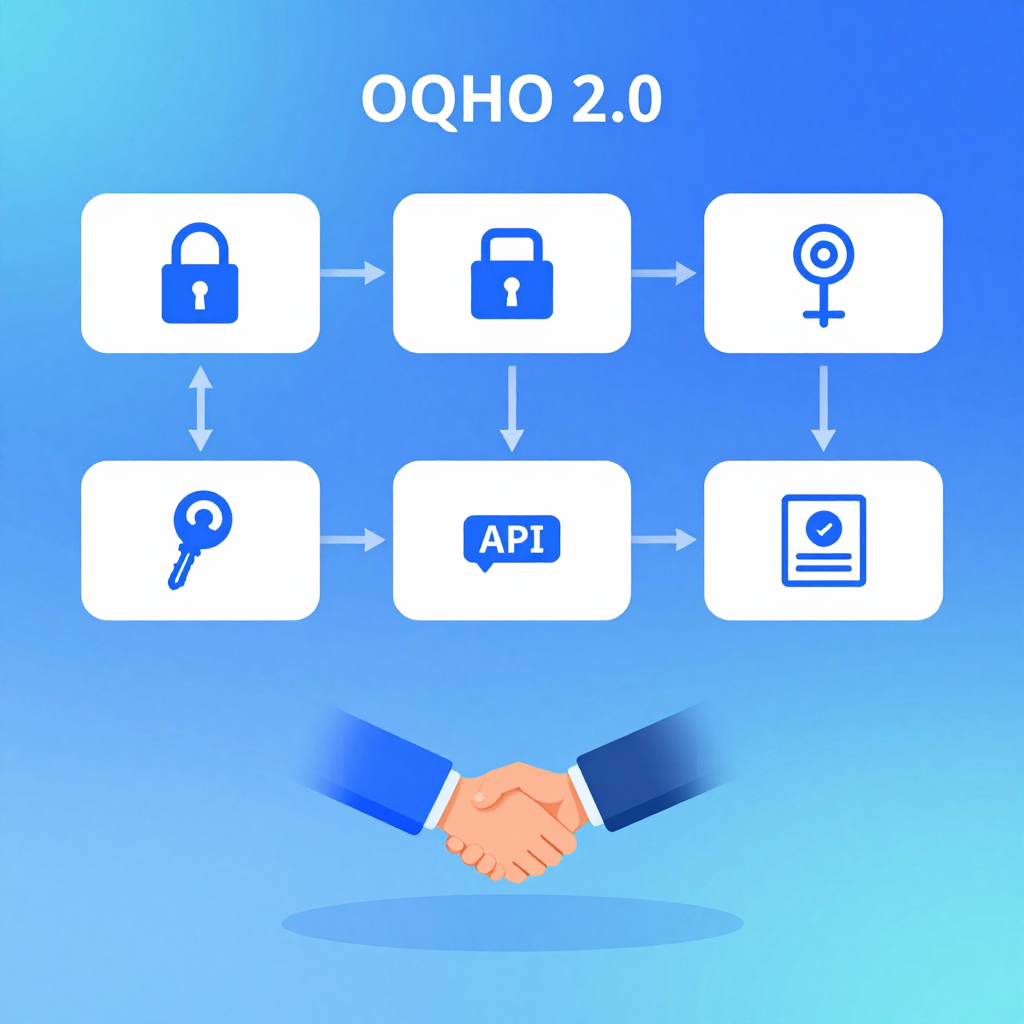
들어가며
"Google로 로그인" 버튼을 누르면 무슨 일이 벌어질까요? 단 한 번의 클릭 뒤에는 OAuth 2.0이라는 정교한 프로토콜이 돌아갑니다.
OAuth를 이해하면 소셜 로그인, API 인증, 마이크로서비스 간 통신, 심지어 Anthropic의 Claude API 인증 정책까지 명확해집니다.
핵심 개념: 인증 vs 인가
인증 (Authentication): "너 누구야?"
  → 사용자가 본인임을 증명
  → ID/비밀번호, 생체인식, OTP

인가 (Authorization): "뭘 할 수 있어?"
  → 인증된 사용자에게 권한 부여
  → 이 앱이 네 Google Calendar를 읽어도 돼?

OAuth 2.0 = 인가(Authorization) 프레임워크
OpenID Connect = OAuth 2.0 위에 인증을 추가한 것
OAuth 2.0의 4가지 역할
┌──────────────┐
│ Resource Owner│  ← 사용자 (영주)
└──────┬───────┘
       │ "이 앱에 내 캘린더 접근 허용"
       ▼
┌──────────────┐     ┌──────────────────┐
│    Client    │────▶│ Authorization    │
│  (우리 앱)   │◀────│    Server        │
└──────┬───────┘     │  (Google OAuth)  │
       │             └──────────────────┘
       │ Access Token
       ▼
┌──────────────┐
│  Resource    │
│   Server     │  ← Google Calendar API
└──────────────┘
Grant Types (인가 방식)
1. Authorization Code (가장 중요!)
웹 앱에서 가장 많이 쓰이는 방식입니다.
[1] 사용자 → 우리앱: "Google로 로그인" 클릭
[2] 우리앱 → Google: 리다이렉트 (client_id, redirect_uri, scope)
[3] 사용자 → Google: 로그인 + "허용" 클릭
[4] Google → 우리앱: redirect_uri?code=AUTH_CODE
[5] 우리앱 → Google: AUTH_CODE + client_secret → Access Token
[6] 우리앱 → Google API: Access Token으로 데이터 요청
# Step 2: Authorization 요청 URL 생성
import urllib.parse

auth_url = "https://accounts.google.com/o/oauth2/v2/auth?" + urllib.parse.urlencode({
    "client_id": "YOUR_CLIENT_ID.apps.googleusercontent.com",
    "redirect_uri": "https://yourapp.com/callback",
    "response_type": "code",
    "scope": "openid email profile https://www.googleapis.com/auth/calendar.readonly",
    "state": "random_csrf_token_abc123",  # CSRF 방지!
    "access_type": "offline",  # Refresh Token도 받기
})
# → 사용자를 이 URL로 리다이렉트

# Step 5: Authorization Code → Access Token 교환
import requests

token_response = requests.post("https://oauth2.googleapis.com/token", data={
    "code": "AUTH_CODE_FROM_CALLBACK",
    "client_id": "YOUR_CLIENT_ID",
    "client_secret": "YOUR_CLIENT_SECRET",  # 서버에서만!
    "redirect_uri": "https://yourapp.com/callback",
    "grant_type": "authorization_code",
})

tokens = token_response.json()
# {
#   "access_token": "ya29.xxx...",      ← API 호출용 (1시간)
#   "refresh_token": "1//xxx...",        ← 갱신용 (영구)
#   "id_token": "eyJhbGci...",           ← 사용자 정보 (OIDC)
#   "expires_in": 3600,
#   "token_type": "Bearer"
# }

# Step 6: API 호출
calendar = requests.get(
    "https://www.googleapis.com/calendar/v3/calendars/primary/events",
    headers={"Authorization": f"Bearer {tokens['access_token']}"}
)
왜 이렇게 복잡한가?
- Authorization Code는 브라우저 URL에 노출되지만, 1회용이고 단독으로는 쓸 수 없음
- Access Token 교환은 서버 간 통신 (client_secret 보호)
- 프론트엔드에 Secret이 절대 노출되지 않음
2. Authorization Code + PKCE (모바일/SPA 필수!)
모바일 앱이나 SPA(React 등)에는 client_secret을 안전하게 저장할 곳이 없습니다.
import hashlib
import base64
import secrets

# Client가 code_verifier 생성 (비밀 값)
code_verifier = secrets.token_urlsafe(64)
# "dBjftJeZ4CVP-mB92K27uhbUJU1p1r_wW1gFWFOEjXk..."

# code_challenge = SHA256(code_verifier) → Base64URL
code_challenge = base64.urlsafe_b64encode(
    hashlib.sha256(code_verifier.encode()).digest()
).rstrip(b'=').decode()

# Authorization 요청에 challenge 포함
auth_url = f"...&code_challenge={code_challenge}&code_challenge_method=S256"

# Token 교환 시 verifier 제출 (Secret 대신!)
token_response = requests.post("https://oauth2.googleapis.com/token", data={
    "code": auth_code,
    "client_id": "YOUR_CLIENT_ID",
    "code_verifier": code_verifier,  # Secret 대신 이걸 검증!
    "redirect_uri": "...",
    "grant_type": "authorization_code",
})
PKCE의 핵심: Auth Code를 가로채도 code_verifier가 없으면 Token을 못 받음.
3. Client Credentials (서버 간 통신)
# 사용자 개입 없이 서버 → 서버 직접 인증
# 예: 우리 백엔드 → Google Cloud API
token = requests.post("https://oauth2.googleapis.com/token", data={
    "client_id": "SERVICE_CLIENT_ID",
    "client_secret": "SERVICE_CLIENT_SECRET",
    "grant_type": "client_credentials",
    "scope": "https://www.googleapis.com/auth/cloud-platform",
})
4. Refresh Token (갱신)
# Access Token 만료 (1시간) → Refresh Token으로 갱신
new_tokens = requests.post("https://oauth2.googleapis.com/token", data={
    "refresh_token": "1//xxx...",
    "client_id": "YOUR_CLIENT_ID",
    "client_secret": "YOUR_CLIENT_SECRET",
    "grant_type": "refresh_token",
})
# 새 Access Token 발급 (Refresh Token은 유지)
Token 종류 비교
| Token | 수명 | 용도 | 저장 위치 |
|---|---|---|---|
| Authorization Code | 수 초 | Token 교환용 1회성 | URL 파라미터 (즉시 소멸) |
| Access Token | 1시간 | API 호출 | 메모리 (브라우저) / DB (서버) |
| Refresh Token | 영구 (취소 가능) | Access Token 갱신 | 서버 DB (안전하게!) |
| ID Token (OIDC) | 1시간 | 사용자 정보 확인 | 메모리 |
JWT (JSON Web Token) 구조
Access Token과 ID Token은 보통 JWT 형식입니다:
eyJhbGciOiJSUzI1NiJ9.eyJzdWIiOiIxMjM0NTY3ODkwIiwibmFtZSI6Ik...
├── Header ──────────┤├── Payload ─────────────────────────────...
import base64
import json

jwt = "eyJhbGciOiJSUzI1NiJ9.eyJzdWIiOiIxMjM0NTY3ODkwIn0.signature"

# Header
header = json.loads(base64.urlsafe_b64decode(jwt.split('.')[0] + '=='))
# {"alg": "RS256", "typ": "JWT"}

# Payload
payload = json.loads(base64.urlsafe_b64decode(jwt.split('.')[1] + '=='))
# {"sub": "1234567890", "name": "Youngju Kim", "iat": 1709420400}

# Signature = RS256(header + "." + payload, private_key)
# → 서버의 public key로 검증 (위변조 불가)
OpenID Connect (OIDC) — OAuth + 인증
OAuth 2.0만으로는 "이 사용자가 누구인지" 알 수 없음
→ OIDC가 id_token을 추가해서 사용자 정보 제공

scope에 "openid" 추가 → id_token 발급
scope에 "profile email" 추가 → 이름, 이메일 포함
보안 체크리스트
✅ state 파라미터로 CSRF 방지
✅ PKCE 사용 (SPA/모바일 필수)
✅ redirect_uri 정확히 매칭 (와일드카드 X)
✅ Refresh Token은 서버에만 저장
✅ Access Token은 Authorization 헤더로만 전송
✅ HTTPS 필수 (Token 탈취 방지)
❌ Access Token을 URL 파라미터에 넣지 않기
❌ client_secret을 프론트엔드에 노출하지 않기
❌ Token을 localStorage에 저장하지 않기 (XSS 취약)
실무 예시: Anthropic OAuth 이슈
최근 Anthropic이 OAuth 정책을 변경한 것도 이 맥락입니다:
기존: Claude Pro 구독 → OAuth Token → 서드파티 앱 (OpenClaw 등)
변경: OAuth Token은 Claude.ai / Claude Code에서만 사용 가능
이유: Token 차익거래 방지 (구독료 < API 토큰 가치)
대안: Anthropic API Key (종량제) 사용
📝 퀴즈 — OAuth 2.0 (클릭해서 확인!)
Q1. OAuth 2.0에서 인증(Authentication)과 인가(Authorization)의 차이는? ||인증: 사용자가 누구인지 확인. 인가: 인증된 사용자에게 특정 리소스 접근 권한 부여. OAuth 2.0은 인가 프레임워크이고, OIDC가 인증을 추가||
Q2. Authorization Code Grant에서 Code가 1회용인 이유는? ||Code는 브라우저 URL에 노출되므로 탈취 위험. 1회용이고 client_secret 없이는 Token 교환 불가하므로 단독으로는 무용지물||
Q3. PKCE에서 code_verifier와 code_challenge의 관계는? ||code_challenge = SHA256(code_verifier)의 Base64URL 인코딩. 인가 요청 시 challenge를 보내고, 토큰 교환 시 verifier를 보내 서버가 검증||
Q4. Refresh Token을 localStorage에 저장하면 안 되는 이유는? ||XSS 공격으로 JavaScript가 localStorage를 읽을 수 있음. Refresh Token은 장기 유효하므로 탈취 시 지속적인 접근 가능. httpOnly 쿠키 또는 서버 DB에 저장해야 함||
Q5. Client Credentials Grant는 어떤 상황에 쓰이나? ||사용자 개입 없이 서버 간 직접 인증. 예: 백엔드 서비스가 다른 API 서버에 접근할 때. client_id + client_secret만으로 Token 발급||
Q6. state 파라미터가 없으면 어떤 공격이 가능한가? ||CSRF 공격 — 공격자가 자신의 계정으로 발급받은 Authorization Code를 피해자의 콜백 URL로 보내, 피해자를 공격자 계정에 로그인시킬 수 있음||
Q7. JWT의 Signature는 무엇을 보장하나? ||토큰 내용(Header + Payload)이 위변조되지 않았음을 보장. 서버의 Private Key로 서명하고 Public Key로 검증. 단, 암호화는 아님 — Payload는 Base64 디코딩으로 누구나 읽을 수 있음||
OAuth 2.0 Mastery — Everything About Authentication and Authorization
- Introduction
- Core Concepts: Authentication vs Authorization
- The 4 Roles in OAuth 2.0
- Grant Types
- Token Types Comparison
- JWT (JSON Web Token) Structure
- OpenID Connect (OIDC) — OAuth + Authentication
- Security Checklist
- Real-World Example: Anthropic OAuth Issue
- Quiz
Introduction
What happens when you click the "Sign in with Google" button? Behind that single click, an elaborate protocol called OAuth 2.0 is at work.
Understanding OAuth clarifies social login, API authentication, inter-microservice communication, and even Anthropic's Claude API authentication policies.
Core Concepts: Authentication vs Authorization
Authentication: "Who are you?"
  → Proving that the user is who they claim to be
  → ID/password, biometrics, OTP

Authorization: "What are you allowed to do?"
  → Granting permissions to an authenticated user
  → Can this app read your Google Calendar?

OAuth 2.0 = Authorization framework
OpenID Connect = Authentication added on top of OAuth 2.0
The 4 Roles in OAuth 2.0
┌──────────────┐
│ Resource Owner│  ← User
└──────┬───────┘
       │ "Allow this app to access my calendar"
       ▼
┌──────────────┐     ┌──────────────────┐
│    Client    │────▶│ Authorization    │
│  (Our App)   │◀────│    Server        │
└──────┬───────┘     │  (Google OAuth)  │
       │             └──────────────────┘
       │ Access Token
       ▼
┌──────────────┐
│  Resource    │
│   Server     │  ← Google Calendar API
└──────────────┘
Grant Types
1. Authorization Code (The Most Important!)
The most widely used grant type for web applications.
[1] User → Our App: Clicks "Sign in with Google"
[2] Our App → Google: Redirect (client_id, redirect_uri, scope)
[3] User → Google: Log in + Click "Allow"
[4] Google → Our App: redirect_uri?code=AUTH_CODE
[5] Our App → Google: AUTH_CODE + client_secret → Access Token
[6] Our App → Google API: Request data with Access Token
# Step 2: Generate Authorization request URL
import urllib.parse

auth_url = "https://accounts.google.com/o/oauth2/v2/auth?" + urllib.parse.urlencode({
    "client_id": "YOUR_CLIENT_ID.apps.googleusercontent.com",
    "redirect_uri": "https://yourapp.com/callback",
    "response_type": "code",
    "scope": "openid email profile https://www.googleapis.com/auth/calendar.readonly",
    "state": "random_csrf_token_abc123",  # CSRF prevention!
    "access_type": "offline",  # Also receive a Refresh Token
})
# → Redirect the user to this URL

# Step 5: Exchange Authorization Code for Access Token
import requests

token_response = requests.post("https://oauth2.googleapis.com/token", data={
    "code": "AUTH_CODE_FROM_CALLBACK",
    "client_id": "YOUR_CLIENT_ID",
    "client_secret": "YOUR_CLIENT_SECRET",  # Server-side only!
    "redirect_uri": "https://yourapp.com/callback",
    "grant_type": "authorization_code",
})

tokens = token_response.json()
# {
#   "access_token": "ya29.xxx...",      ← For API calls (1 hour)
#   "refresh_token": "1//xxx...",        ← For renewal (permanent)
#   "id_token": "eyJhbGci...",           ← User info (OIDC)
#   "expires_in": 3600,
#   "token_type": "Bearer"
# }

# Step 6: API call
calendar = requests.get(
    "https://www.googleapis.com/calendar/v3/calendars/primary/events",
    headers={"Authorization": f"Bearer {tokens['access_token']}"}
)
Why is it so complex?
- The Authorization Code is exposed in the browser URL, but it is single-use and useless on its own
- The Access Token exchange happens via server-to-server communication (client_secret is protected)
- The Secret is never exposed to the frontend
2. Authorization Code + PKCE (Essential for Mobile/SPA!)
Mobile apps and SPAs (React, etc.) have no safe place to store a client_secret.
import hashlib
import base64
import secrets

# Client generates a code_verifier (secret value)
code_verifier = secrets.token_urlsafe(64)
# "dBjftJeZ4CVP-mB92K27uhbUJU1p1r_wW1gFWFOEjXk..."

# code_challenge = SHA256(code_verifier) → Base64URL
code_challenge = base64.urlsafe_b64encode(
    hashlib.sha256(code_verifier.encode()).digest()
).rstrip(b'=').decode()

# Include challenge in the Authorization request
auth_url = f"...&code_challenge={code_challenge}&code_challenge_method=S256"

# Submit verifier during Token exchange (instead of Secret!)
token_response = requests.post("https://oauth2.googleapis.com/token", data={
    "code": auth_code,
    "client_id": "YOUR_CLIENT_ID",
    "code_verifier": code_verifier,  # Verified instead of Secret!
    "redirect_uri": "...",
    "grant_type": "authorization_code",
})
The key point of PKCE: Even if the Auth Code is intercepted, the Token cannot be obtained without the code_verifier.
3. Client Credentials (Server-to-Server Communication)
# Direct server-to-server authentication without user involvement
# Example: Our backend → Google Cloud API
token = requests.post("https://oauth2.googleapis.com/token", data={
    "client_id": "SERVICE_CLIENT_ID",
    "client_secret": "SERVICE_CLIENT_SECRET",
    "grant_type": "client_credentials",
    "scope": "https://www.googleapis.com/auth/cloud-platform",
})
4. Refresh Token (Renewal)
# Access Token expired (1 hour) → Renew with Refresh Token
new_tokens = requests.post("https://oauth2.googleapis.com/token", data={
    "refresh_token": "1//xxx...",
    "client_id": "YOUR_CLIENT_ID",
    "client_secret": "YOUR_CLIENT_SECRET",
    "grant_type": "refresh_token",
})
# New Access Token issued (Refresh Token is retained)
Token Types Comparison
| Token | Lifetime | Purpose | Storage |
|---|---|---|---|
| Authorization Code | Seconds | One-time Token exchange | URL parameter (consumed immediately) |
| Access Token | 1 hour | API calls | Memory (browser) / DB (server) |
| Refresh Token | Permanent (revocable) | Access Token renewal | Server DB (store securely!) |
| ID Token (OIDC) | 1 hour | User identity verification | Memory |
JWT (JSON Web Token) Structure
Access Tokens and ID Tokens are typically in JWT format:
eyJhbGciOiJSUzI1NiJ9.eyJzdWIiOiIxMjM0NTY3ODkwIiwibmFtZSI6Ik...
├── Header ──────────┤├── Payload ─────────────────────────────...
import base64
import json

jwt = "eyJhbGciOiJSUzI1NiJ9.eyJzdWIiOiIxMjM0NTY3ODkwIn0.signature"

# Header
header = json.loads(base64.urlsafe_b64decode(jwt.split('.')[0] + '=='))
# {"alg": "RS256", "typ": "JWT"}

# Payload
payload = json.loads(base64.urlsafe_b64decode(jwt.split('.')[1] + '=='))
# {"sub": "1234567890", "name": "Youngju Kim", "iat": 1709420400}

# Signature = RS256(header + "." + payload, private_key)
# → Verified with the server's public key (tamper-proof)
OpenID Connect (OIDC) — OAuth + Authentication
OAuth 2.0 alone cannot tell "who this user is"
→ OIDC adds the id_token to provide user information

Add "openid" to scope → id_token is issued
Add "profile email" to scope → name and email included
Security Checklist
Do: Use the state parameter to prevent CSRF
Do: Use PKCE (essential for SPA/mobile)
Do: Match redirect_uri exactly (no wildcards)
Do: Store Refresh Tokens only on the server
Do: Send Access Tokens only via Authorization header
Do: Require HTTPS (prevent Token interception)
Don't: Put Access Tokens in URL parameters
Don't: Expose client_secret to the frontend
Don't: Store Tokens in localStorage (XSS vulnerable)
Real-World Example: Anthropic OAuth Issue
Anthropic's recent OAuth policy change is relevant in this context:
Before: Claude Pro subscription → OAuth Token → Third-party apps (OpenClaw, etc.)
After:  OAuth Token can only be used with Claude.ai / Claude Code
Reason: Prevent Token arbitrage (subscription cost less than API token value)
Alternative: Use Anthropic API Key (pay-as-you-go)
Quiz — OAuth 2.0 (Click to reveal!)
Q1. What is the difference between Authentication and Authorization in OAuth 2.0? ||Authentication: Verifying who the user is. Authorization: Granting an authenticated user access to specific resources. OAuth 2.0 is an authorization framework, and OIDC adds authentication.||
Q2. Why is the Authorization Code single-use in the Authorization Code Grant? ||The Code is exposed in the browser URL so there is a risk of interception. Being single-use and unusable without client_secret makes it worthless on its own.||
Q3. What is the relationship between code_verifier and code_challenge in PKCE? ||code_challenge = Base64URL encoding of SHA256(code_verifier). The challenge is sent during the authorization request, and the verifier is sent during token exchange for server-side verification.||
Q4. Why should you not store the Refresh Token in localStorage? ||XSS attacks can allow JavaScript to read localStorage. Since Refresh Tokens are long-lived, interception enables persistent access. They should be stored in httpOnly cookies or a server-side DB.||
Q5. In what situations is the Client Credentials Grant used? ||Direct server-to-server authentication without user involvement. Example: A backend service accessing another API server. Token is issued using only client_id + client_secret.||
Q6. What attack becomes possible without the state parameter? ||CSRF attack — An attacker can send an Authorization Code issued for their own account to the victim's callback URL, causing the victim to be logged into the attacker's account.||
Q7. What does the JWT Signature guarantee? ||It guarantees that the token contents (Header + Payload) have not been tampered with. Signed with the server's Private Key and verified with the Public Key. Note that this is not encryption — anyone can read the Payload by Base64 decoding it.||
Quiz
Q1: What is the main topic covered in "OAuth 2.0 Mastery — Everything About Authentication and
Authorization"?
From the inner workings of OAuth 2.0 to Authorization Code, PKCE, Refresh Tokens, and OpenID Connect. Why does a single Google login button require such a complex protocol? We fully dissect it with code and sequence diagrams.
Q2: What is Grant Types?
- Authorization Code (The Most Important!) The most widely used grant type for web applications. Why is it so complex?
Q3: Explain the core concept of JWT (JSON Web Token) Structure.
Access Tokens and ID Tokens are typically in JWT format:
Q4: What are the key aspects of Real-World Example: Anthropic OAuth Issue?
Anthropic's recent OAuth policy change is relevant in this context: Q1. What is the difference
between Authentication and Authorization in OAuth 2.0? Q2. Why is the Authorization Code
single-use in the Authorization Code Grant? Q3.