Split View: 3D 프린터 모델링 완전 가이드 — Fusion 360부터 슬라이서, 출력까지
3D 프린터 모델링 완전 가이드 — Fusion 360부터 슬라이서, 출력까지
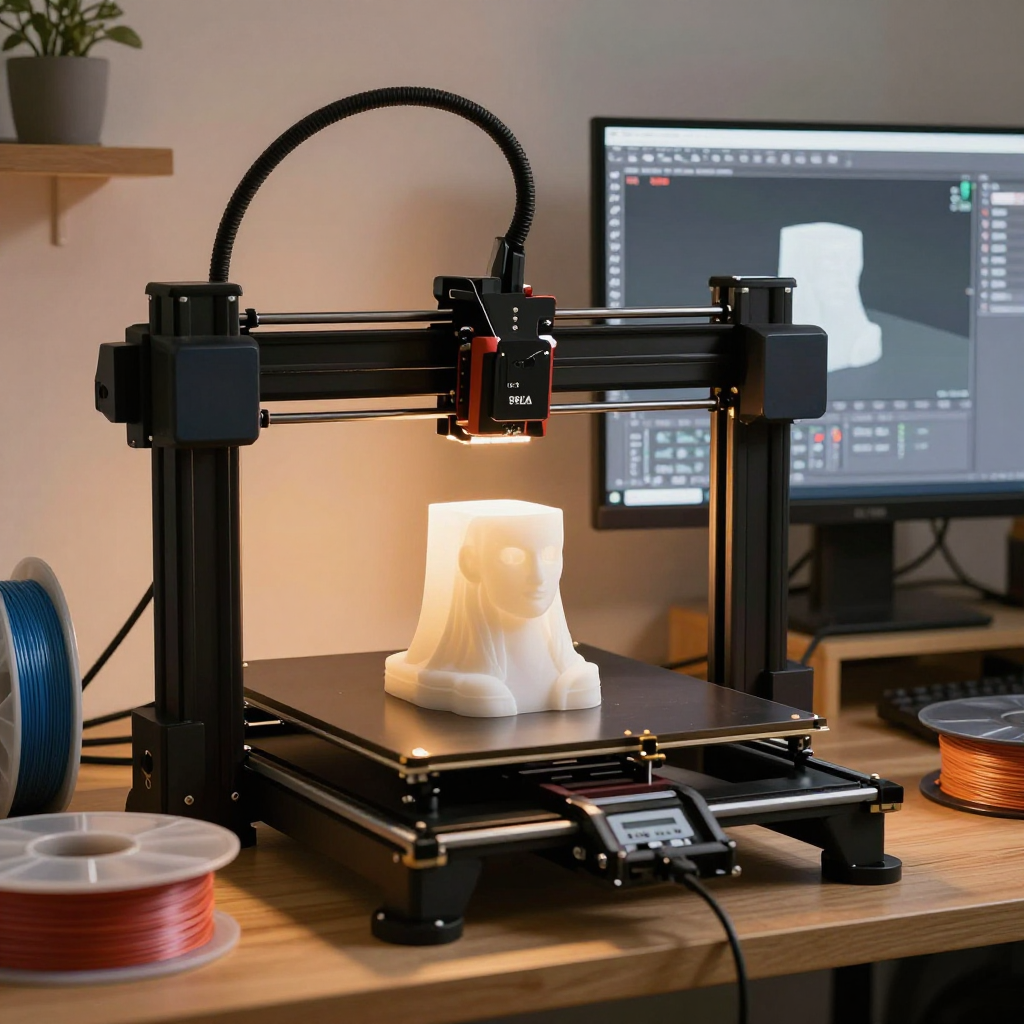
들어가며
3D 프린터는 아이디어를 물리적 객체로 바꾸는 도구입니다. 아두이노 케이스, 드론 부품, 키캡, 피규어 — 상상한 걸 만들 수 있습니다. 이 글에서 모델링부터 출력까지 전 과정을 정리합니다.
3D 프린터 종류
FDM vs SLA vs SLS
| 항목 | FDM | SLA (레진) | SLS |
|---|---|---|---|
| 원리 | 필라멘트 녹여 적층 | UV로 레진 경화 | 레이저로 분말 소결 |
| 해상도 | 100~400μm | 25~100μm | 80~120μm |
| 재료 | PLA, PETG, ABS, TPU | UV 레진 | 나일론, PA12 |
| 가격 (입문) | 20~50만원 | 30~60만원 | 500만원+ |
| 후처리 | 서포트 제거, 사포 | 세척+후경화 필수 | 분말 제거 |
| 용도 | 케이스, 부품, 시제품 | 피규어, 주얼리, 치과 | 산업 부품, 소량 양산 |
| 추천 기종 | Bambu Lab A1 mini | Elegoo Saturn 4 | - (산업용) |
FDM 필라멘트 비교
| 필라멘트 | 온도 | 베드 | 강도 | 특징 |
|---|---|---|---|---|
| PLA | 190~220°C | 60°C | 중간 | 가장 쉬움, 친환경, 냄새 적음 |
| PETG | 220~250°C | 80°C | 높음 | 내화학성, 투명 가능, 실용적 |
| ABS | 230~260°C | 100°C | 높음 | 내열성, 수축 큼, 환기 필수 |
| TPU | 210~230°C | 50°C | 유연 | 고무처럼 유연, 폰 케이스 |
| ASA | 240~260°C | 100°C | 높음 | 자외선 내성, 외부 사용 |
Part 1: Fusion 360 모델링
기본 워크플로우
1. Sketch (2D 도면)
   ├── Rectangle, Circle, Line
   ├── Dimension (치수 구속)
   └── Constraint (수평, 수직, 대칭)

2. 3D 변환
   ├── Extrude (돌출): 2D → 3D 높이 부여
   ├── Revolve (회전): 2D를 축 중심으로 회전
   ├── Loft (로프트): 두 프로필 사이 연결
   └── Sweep (스윕): 경로를 따라 프로필 이동

3. 수정
   ├── Fillet (필렛): 모서리 둥글게
   ├── Chamfer (챔퍼): 모서리 깎기
   ├── Shell (쉘): 속 비우기
   ├── Mirror (대칭): 반대쪽 복제
   └── Pattern (패턴): 원형/직선 반복

4. 내보내기
   └── STL 또는 3MF (슬라이서용)
아두이노 케이스 만들기 예시
Fusion 360 단계:
1. 새 스케치 (XY 평면)
2. Rectangle: 70mm × 55mm (Arduino Uno 크기 + 여유)
3. Extrude: 25mm 높이
4. Shell: 벽 두께 2mm (윗면 개방)
5. 스케치 (내벽): USB 포트 홀 (12mm × 11mm)
6. Extrude Cut: USB 홀 관통
7. 스케치 (바닥): 마운트 홀 4개 (M3, Ø3.2mm)
8. Extrude Cut: 홀 관통
9. Fillet: 외부 모서리 3mm
10. 뚜껑: 새 Body → 스케치 72mm × 57mm → Extrude 2mm
    → 내부 돌출 1.5mm (끼움식)
11. Export → STL (High Resolution)
3D 프린트 설계 규칙
설계 규칙 (FDM 기준):
├── 최소 벽 두께: 1.2mm (노즐 0.4mm × 3 라인)
├── 최소 홀 지름: 2mm
├── 끼움 공차: +0.2~0.3mm (단단하게: +0.1mm)
├── 나사 홀: -0.2mm (M3 = Ø2.8mm로 모델링)
├── 오버행: 45° 이하 (서포트 불필요)
├── 브릿지: 최대 50mm (서포트 불필요)
├── 최소 디테일: 0.4mm (노즐 지름)
├── 텍스트 돌출: 최소 0.6mm
├── 스냅 핏: 후크 1mm + 갭 0.3mm
└── 45° 규칙: 45° 이상 기울기 → 서포트 필요
Part 2: OpenSCAD (코드로 3D 모델링)
// 개발자에게 최적! 코드로 3D 모델 생성

// 아두이노 케이스 (파라메트릭)
board_w = 68.6;  // Arduino Uno 크기
board_h = 53.3;
board_d = 15;    // 부품 높이

wall = 2;        // 벽 두께
clearance = 0.5; // 끼움 공차

// 본체
difference() {
    // 외부 박스
    rounded_box(
        board_w + wall*2 + clearance*2,
        board_h + wall*2 + clearance*2,
        board_d + wall,
        r = 3
    );
    // 내부 공간
    translate([wall, wall, wall])
        cube([board_w + clearance*2, board_h + clearance*2, board_d + 1]);
    // USB 포트 홀
    translate([-1, wall + 10, wall + 3])
        cube([wall + 2, 12, 11]);
    // 전원 잭 홀
    translate([-1, wall + 30, wall + 2])
        cube([wall + 2, 10, 12]);
}

// M3 마운트 홀
mount_positions = [[14, 2.5], [15.3, 50.7], [66.1, 7.6], [66.1, 35.6]];
for (pos = mount_positions) {
    translate([pos[0] + wall + clearance, pos[1] + wall + clearance, 0])
        cylinder(d = 3.2, h = wall, $fn = 20);
}

// 모듈: 둥근 박스
module rounded_box(w, h, d, r) {
    hull() {
        for (x = [r, w-r], y = [r, h-r])
            translate([x, y, 0]) cylinder(r = r, h = d, $fn = 30);
    }
}

// CLI로 STL 생성:
// openscad -o case.stl case.scad
OpenSCAD 핵심 문법:
├── cube([x,y,z])         — 직육면체
├── cylinder(d, h)        — 원기둥
├── sphere(r)             — 구
├── translate([x,y,z])    — 이동
├── rotate([x,y,z])       — 회전
├── scale([x,y,z])        — 스케일
├── difference()          — A - B (빼기)
├── union()               — A + B (합치기)
├── intersection()        — A ∩ B (교차)
├── hull()                — 볼록 껍질
├── linear_extrude(h)     — 2D → 3D 돌출
└── rotate_extrude()      — 2D → 3D 회전
Part 3: 슬라이서 설정
핵심 파라미터
Cura / PrusaSlicer 공통 설정:

레이어 높이:
├── 0.12mm: 고품질 (느림, 피규어용)
├── 0.20mm: 표준 (일반 부품)
├── 0.28mm: 초고속 (시제품, 테스트)
└── 규칙: 노즐 지름의 25~75% (0.4mm 노즐 → 0.1~0.3mm)

벽/상하 두께:
├── 벽 라인 수: 3~4 (1.2~1.6mm)
├── 상/하 레이어: 4~5 (0.8~1.0mm)
└── 강도가 필요하면 벽 늘리기

인필(충전):
├── 10~15%: 장식용 (약함)
├── 20~30%: 일반 부품 (표준)
├── 40~60%: 기계 부품 (강함)
├── 100%: 솔리드 (최강, 느림)
└── 패턴: Grid(표준), Gyroid(강도/유연), Lightning(빠름)

서포트:
├── 오버행 각도: 45° (기본)
├── 서포트 밀도: 10~15% (기본)
├── 서포트 Z 거리: 0.2mm (제거 용이)
└── Tree 서포트: 복잡한 모델에 추천

속도:
├── 외벽: 30~50mm/s (품질)
├── 내벽: 60~80mm/s
├── 인필: 80~150mm/s (속도)
├── 이동: 150~250mm/s
└── Bambu Lab: 300mm/s+ (가속도 20000mm/s²)

온도:
├── PLA: 노즐 200°C, 베드 60°C
├── PETG: 노즐 235°C, 베드 80°C
├── ABS: 노즐 245°C, 베드 100°C (인클로저 필수!)
└── 첫 레이어: +5°C, 속도 50% (접착력)
G-code 기초
; 3D 프린터의 명령어 = G-code
G28           ; 홈 포지션 (원점)
G29           ; 오토 레벨링
M104 S200     ; 노즐 온도 200°C 설정
M140 S60      ; 베드 온도 60°C 설정
M109 S200     ; 노즐 온도 도달까지 대기
M190 S60      ; 베드 온도 도달까지 대기

G1 X50 Y50 F3000  ; X50 Y50으로 이동 (3000mm/min)
G1 Z0.2 F300      ; Z 0.2mm (첫 레이어 높이)
G1 X100 E10 F1500 ; X100으로 이동하며 10mm 압출
G1 Y100 E20       ; Y100으로 이동하며 추가 압출

M106 S128     ; 팬 50% (0~255)
M84           ; 모터 비활성화
M104 S0       ; 노즐 히터 끄기
트러블슈팅
문제 → 원인 → 해결:

첫 레이어 안 붙음:
  → 베드 레벨링 / 노즐 너무 높음
  → Z offset 낮추기, 베드 온도↑, 접착제

실 늘어짐 (Stringing):
  → 리트랙션 부족
  → 리트랙션 거리 6mm↑, 속도 40mm/s↑, 온도↓

레이어 갈라짐 (분리):
  → 레이어 접착 불량
  → 온도↑, 팬 속도↓, 인클로저

코끼리 발 (Elephant Foot):
  → 첫 레이어 눌림 과다
  → Z offset 올리기, 첫 레이어 flow 90%

막힘 (Clogging):
  → 히트 크립 / 불순물
  → 콜드 풀, 노즐 교체, PTFE 튜브 점검
📝 퀴즈 — 3D 프린터 모델링 (클릭해서 확인!)
Q1. FDM과 SLA의 핵심 차이는?
||FDM: 필라멘트를 녹여 적층 (100400μm), 저렴, 대형 출력 가능. SLA: UV로 레진 경화 (25100μm), 고해상도, 피규어/치과용. FDM은 기능 부품, SLA는 정밀 모델||
Q2. 레이어 높이 0.12mm와 0.28mm의 트레이드오프는? ||0.12mm: 고품질, 레이어 라인 안 보임, 출력 시간 2.3배. 0.28mm: 빠름, 레이어 라인 보임, 강도는 비슷. 노즐 지름(0.4mm)의 25~75% 범위||
Q3. 오버행 45° 규칙이란? ||45° 이상 기울어진 면은 아래 지지 없이 허공에 출력되어 처짐 발생. 45° 이하면 이전 레이어가 충분히 지지. 45° 초과 시 서포트 필요||
Q4. OpenSCAD의 difference, union, intersection의 차이는? ||difference: A에서 B를 뺌 (구멍). union: A와 B 합침. intersection: A와 B의 교차 부분만 남김. CSG(Constructive Solid Geometry) 방식||
Q5. 인필(Infill) 패턴에서 Gyroid가 좋은 이유는? ||전 방향 균일한 강도, 유연성, 레진/물 배수 가능(비솔리드). Grid 대비 등방성 강도가 뛰어나고 인쇄 중 진동도 적음||
Complete Guide to 3D Printer Modeling — From Fusion 360 to Slicer to Print
- Introduction
- Types of 3D Printers
- Part 1: Fusion 360 Modeling
- Part 2: OpenSCAD (3D Modeling with Code)
- Part 3: Slicer Settings
- Troubleshooting
- Quiz
Introduction
A 3D printer is a tool that turns ideas into physical objects. Arduino cases, drone parts, keycaps, figurines — you can make anything you can imagine. This guide covers the entire process from modeling to printing.
Types of 3D Printers
FDM vs SLA vs SLS
| Category | FDM | SLA (Resin) | SLS |
|---|---|---|---|
| Principle | Melts filament & stacks | Cures resin with UV light | Sinters powder with laser |
| Resolution | 100-400um | 25-100um | 80-120um |
| Materials | PLA, PETG, ABS, TPU | UV resin | Nylon, PA12 |
| Price (Entry) | $150-400 | $200-500 | $4,000+ |
| Post-processing | Support removal, sanding | Washing + post-curing required | Powder removal |
| Use Cases | Cases, parts, prototypes | Figurines, jewelry, dental | Industrial parts, small batch |
| Recommended | Bambu Lab A1 mini | Elegoo Saturn 4 | - (Industrial) |
FDM Filament Comparison
| Filament | Temp | Bed | Strength | Features |
|---|---|---|---|---|
| PLA | 190-220°C | 60°C | Medium | Easiest, eco-friendly, low odor |
| PETG | 220-250°C | 80°C | High | Chemical resistant, transparent option, practical |
| ABS | 230-260°C | 100°C | High | Heat resistant, high shrinkage, ventilation required |
| TPU | 210-230°C | 50°C | Flexible | Rubber-like flexibility, phone cases |
| ASA | 240-260°C | 100°C | High | UV resistant, outdoor use |
Part 1: Fusion 360 Modeling
Basic Workflow
1. Sketch (2D Drawing)
   ├── Rectangle, Circle, Line
   ├── Dimension (dimensional constraints)
   └── Constraint (horizontal, vertical, symmetric)

2. 3D Conversion
   ├── Extrude: give 2D a 3D height
   ├── Revolve: rotate 2D around an axis
   ├── Loft: connect between two profiles
   └── Sweep: move profile along a path

3. Modification
   ├── Fillet: round edges
   ├── Chamfer: bevel edges
   ├── Shell: hollow out
   ├── Mirror: duplicate to opposite side
   └── Pattern: circular/linear repetition

4. Export
   └── STL or 3MF (for slicer)
Arduino Case Example
Fusion 360 Steps:
1. New Sketch (XY Plane)
2. Rectangle: 70mm x 55mm (Arduino Uno size + clearance)
3. Extrude: 25mm height
4. Shell: 2mm wall thickness (top open)
5. Sketch (inner wall): USB port hole (12mm x 11mm)
6. Extrude Cut: USB hole through
7. Sketch (bottom): 4 mount holes (M3, dia 3.2mm)
8. Extrude Cut: holes through
9. Fillet: exterior edges 3mm
10. Lid: New Body -> Sketch 72mm x 57mm -> Extrude 2mm
    -> Internal protrusion 1.5mm (snap fit)
11. Export -> STL (High Resolution)
3D Print Design Rules
Design Rules (FDM basis):
├── Minimum wall thickness: 1.2mm (0.4mm nozzle x 3 lines)
├── Minimum hole diameter: 2mm
├── Press-fit tolerance: +0.2~0.3mm (tight fit: +0.1mm)
├── Screw hole: -0.2mm (M3 = model at dia 2.8mm)
├── Overhang: 45 degrees or less (no support needed)
├── Bridge: max 50mm (no support needed)
├── Minimum detail: 0.4mm (nozzle diameter)
├── Text protrusion: minimum 0.6mm
├── Snap fit: hook 1mm + gap 0.3mm
└── 45-degree rule: tilt over 45 degrees -> support needed
Part 2: OpenSCAD (3D Modeling with Code)
// Perfect for developers! Create 3D models with code

// Arduino case (parametric)
board_w = 68.6;  // Arduino Uno dimensions
board_h = 53.3;
board_d = 15;    // component height

wall = 2;        // wall thickness
clearance = 0.5; // press-fit tolerance

// Body
difference() {
    // Outer box
    rounded_box(
        board_w + wall*2 + clearance*2,
        board_h + wall*2 + clearance*2,
        board_d + wall,
        r = 3
    );
    // Inner space
    translate([wall, wall, wall])
        cube([board_w + clearance*2, board_h + clearance*2, board_d + 1]);
    // USB port hole
    translate([-1, wall + 10, wall + 3])
        cube([wall + 2, 12, 11]);
    // Power jack hole
    translate([-1, wall + 30, wall + 2])
        cube([wall + 2, 10, 12]);
}

// M3 mount holes
mount_positions = [[14, 2.5], [15.3, 50.7], [66.1, 7.6], [66.1, 35.6]];
for (pos = mount_positions) {
    translate([pos[0] + wall + clearance, pos[1] + wall + clearance, 0])
        cylinder(d = 3.2, h = wall, $fn = 20);
}

// Module: rounded box
module rounded_box(w, h, d, r) {
    hull() {
        for (x = [r, w-r], y = [r, h-r])
            translate([x, y, 0]) cylinder(r = r, h = d, $fn = 30);
    }
}

// Generate STL from CLI:
// openscad -o case.stl case.scad
OpenSCAD Core Syntax:
├── cube([x,y,z])         — rectangular prism
├── cylinder(d, h)        — cylinder
├── sphere(r)             — sphere
├── translate([x,y,z])    — move
├── rotate([x,y,z])       — rotate
├── scale([x,y,z])        — scale
├── difference()          — A - B (subtract)
├── union()               — A + B (combine)
├── intersection()        — A ∩ B (intersect)
├── hull()                — convex hull
├── linear_extrude(h)     — 2D -> 3D extrusion
└── rotate_extrude()      — 2D -> 3D revolution
Part 3: Slicer Settings
Key Parameters
Cura / PrusaSlicer Common Settings:

Layer Height:
├── 0.12mm: High quality (slow, for figurines)
├── 0.20mm: Standard (general parts)
├── 0.28mm: Ultra fast (prototypes, testing)
└── Rule: 25-75% of nozzle diameter (0.4mm nozzle -> 0.1-0.3mm)

Walls / Top-Bottom Thickness:
├── Wall line count: 3-4 (1.2-1.6mm)
├── Top/bottom layers: 4-5 (0.8-1.0mm)
└── Increase walls for more strength

Infill:
├── 10-15%: Decorative (weak)
├── 20-30%: General parts (standard)
├── 40-60%: Mechanical parts (strong)
├── 100%: Solid (strongest, slow)
└── Patterns: Grid (standard), Gyroid (strength/flexibility), Lightning (fast)

Support:
├── Overhang angle: 45 degrees (default)
├── Support density: 10-15% (default)
├── Support Z distance: 0.2mm (easy removal)
└── Tree support: recommended for complex models

Speed:
├── Outer wall: 30-50mm/s (quality)
├── Inner wall: 60-80mm/s
├── Infill: 80-150mm/s (speed)
├── Travel: 150-250mm/s
└── Bambu Lab: 300mm/s+ (acceleration 20000mm/s²)

Temperature:
├── PLA: Nozzle 200°C, Bed 60°C
├── PETG: Nozzle 235°C, Bed 80°C
├── ABS: Nozzle 245°C, Bed 100°C (enclosure required!)
└── First layer: +5°C, speed 50% (for adhesion)
G-code Basics
; 3D printer commands = G-code
G28           ; Home position (origin)
G29           ; Auto leveling
M104 S200     ; Set nozzle temperature to 200°C
M140 S60      ; Set bed temperature to 60°C
M109 S200     ; Wait until nozzle reaches temperature
M190 S60      ; Wait until bed reaches temperature

G1 X50 Y50 F3000  ; Move to X50 Y50 (3000mm/min)
G1 Z0.2 F300      ; Z 0.2mm (first layer height)
G1 X100 E10 F1500 ; Move to X100 while extruding 10mm
G1 Y100 E20       ; Move to Y100 while extruding more

M106 S128     ; Fan 50% (0-255)
M84           ; Disable motors
M104 S0       ; Turn off nozzle heater
Troubleshooting
Problem -> Cause -> Solution:

First layer not sticking:
  -> Bed leveling / nozzle too high
  -> Lower Z offset, increase bed temp, use adhesive

Stringing:
  -> Insufficient retraction
  -> Increase retraction distance to 6mm+, speed to 40mm/s+, lower temp

Layer separation:
  -> Poor layer adhesion
  -> Increase temp, lower fan speed, use enclosure

Elephant foot:
  -> First layer over-squished
  -> Raise Z offset, first layer flow 90%

Clogging:
  -> Heat creep / contaminants
  -> Cold pull, replace nozzle, check PTFE tube
Quiz — 3D Printer Modeling (Click to check!)
Q1. What is the key difference between FDM and SLA? ||FDM: melts filament and stacks layers (100-400um), affordable, large prints possible. SLA: cures resin with UV (25-100um), high resolution, for figurines/dental. FDM is for functional parts, SLA for precision models||
Q2. What is the tradeoff between 0.12mm and 0.28mm layer height? ||0.12mm: high quality, layer lines invisible, 2.3x print time. 0.28mm: fast, visible layer lines, similar strength. Within 25-75% of nozzle diameter (0.4mm)||
Q3. What is the 45-degree overhang rule? ||Surfaces tilted beyond 45 degrees print in mid-air without support below, causing sagging. Below 45 degrees, the previous layer provides adequate support. Beyond 45 degrees, support is needed||
Q4. What is the difference between OpenSCAD's difference, union, and intersection? ||difference: subtracts B from A (holes). union: combines A and B. intersection: keeps only the overlapping part of A and B. This is the CSG (Constructive Solid Geometry) approach||
Q5. Why is the Gyroid infill pattern good? ||Uniform strength in all directions, flexibility, allows resin/water drainage (non-solid). Superior isotropic strength compared to Grid, and less vibration during printing||
Quiz
Q1: What is the main topic covered in "Complete Guide to 3D Printer Modeling — From Fusion 360
to Slicer to Print"?
Everything about 3D printing — Fusion 360 modeling, OpenSCAD parametric design, slicer settings (Cura/PrusaSlicer), FDM vs SLA comparison, and practical printing tips.
Q2: What is Types of 3D Printers?
FDM vs SLA vs SLS FDM Filament Comparison
Q3: Explain the core concept of Part 1: Fusion 360 Modeling.
Basic Workflow Arduino Case Example 3D Print Design Rules
Q4: What are the key aspects of Part 3: Slicer Settings?
Key Parameters G-code Basics
Q5: What approach is recommended for Troubleshooting?
Q1. What is the key difference between FDM and SLA? Q2. What is the tradeoff between 0.12mm and
0.28mm layer height? Q3. What is the 45-degree overhang rule? Q4. What is the difference between
OpenSCAD's difference, union, and intersection? Q5.